Most people pick a meeting assistant by its feature list and meet the real product a month later, when a meeting goes unrecorded because a counter ran out. Nobody reads the small print on a pricing card until the card says no.
Every plan meters something: meetings, minutes, seats or lifetime uses. The meter is the product, because it decides which of your meetings actually end up in the notes. We compared Read AI, Fellow and AmyNote on that one question, using figures read off the vendors’ own pages on 4 October 2026.
Quick Verdict
- Read AI if your meetings happen on Zoom, Teams or Meet, run under four hours, and you want analytics plus a free plan that never expires.
- Fellow if your team lives in recurring meetings with agendas and action items, and can pay for the Business tier, where the note and recording caps go away.
- AmyNote if your meetings happen in person on an iPhone and you want no meeting counter, and can live without a free plan, desktop apps, a meeting bot or a compliance certificate.
What We Compared
A price means little until you know what it meters. A $7 seat that covers ten meetings a month and a $15 seat that covers all of them are different products wearing similar labels. We looked at four kinds of cap:
- Count caps. How many meetings, notes or recordings a plan covers, and whether that resets monthly or never.
- Length caps. The longest single meeting a plan will record.
- Seat caps. How many people a plan allows, and whether an account can be shared.
- The edge. Where you land when a trial ends or a counter runs out.
The edge matters most and is printed least. A count cap that resets every month is an inconvenience. A lifetime cap is a trial with a different name. A length cap only bites on the one meeting that runs long, which is usually the one you most wanted recorded.
Read AI: Generous Counts, Hard Length Limits
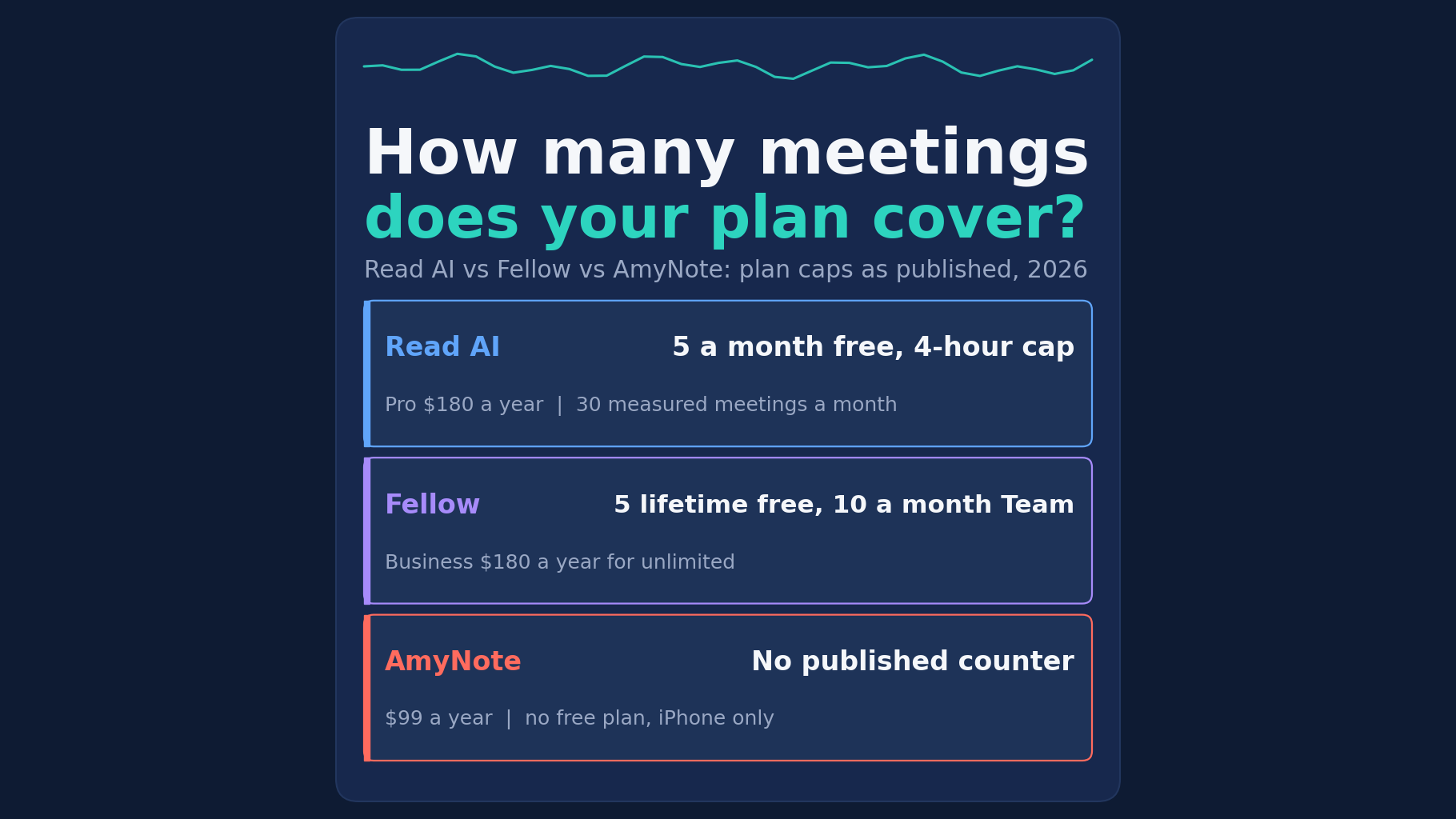
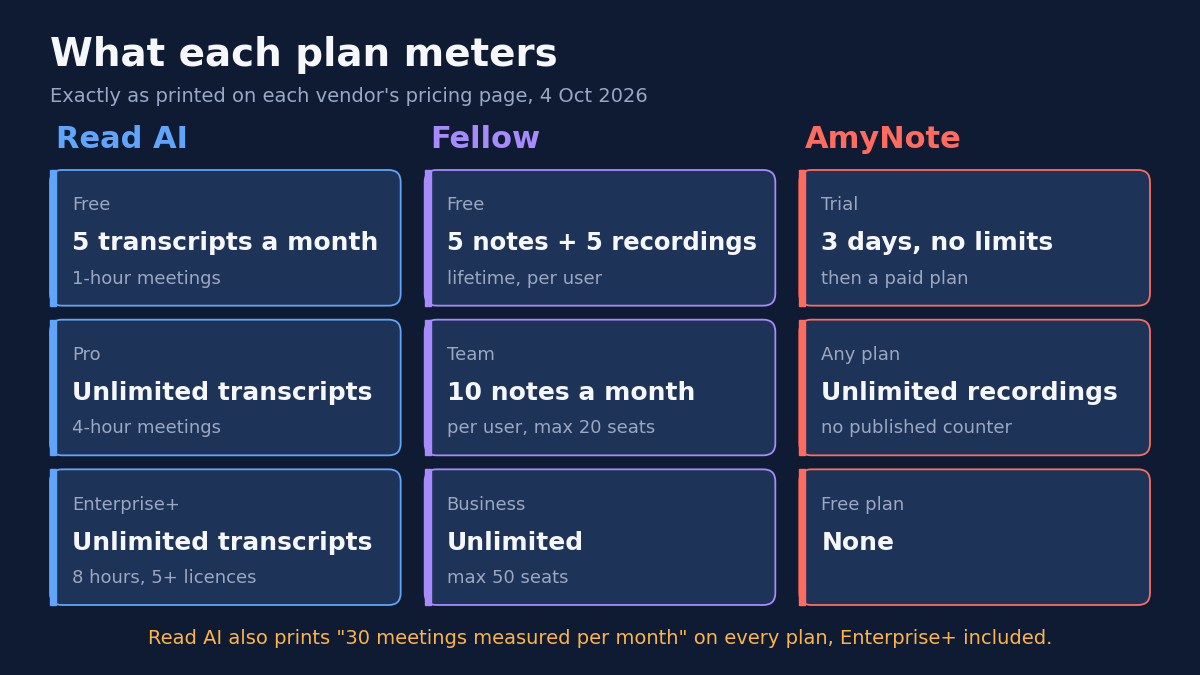
Strengths. Read AI joins Zoom, Teams and Meet, and has Windows, macOS, iOS and Android apps that also capture in-person meetings. Its free plan is “Always free, no credit card required” and covers 5 meeting transcripts per month. Pro is $15 per user per month billed annually, or $19.75 monthly, with “Unlimited meeting transcripts” and “Unlimited storage.” Enterprise is $22.50 annually or $29.75 monthly, and Enterprise+ $29.75 or $39.75. It publishes a retention ceiling: audio and video are kept “in no case for longer than 2 years.”
Weaknesses. Every tier has a length cap. The plan table prints a maximum meeting length of 1 hour on Free, 4 hours on Pro and Enterprise, and 8 hours only on Enterprise+, which requires five or more licences. For most weekly stand-ups that never matters. For a deposition, a board day or a workshop, it decides whether the afternoon is in the record. Another counter never lifts: every card, Enterprise+ included, says “30 meetings measured per month.”
Seats are strict. The FAQ says “sharing accounts is a violation of Read’s Terms of Service” and “Free users cannot be part of a Workspace.” HIPAA, SSO and SCIM are Enterprise+ only. Its Read Score involves “analyzing facial and verbal elements of all meeting attendees,” which is worth raising with the people on the other side of the call.
Fellow: Lifetime Free Caps, Per-User Monthly Caps
Strengths. Fellow is built around the meeting itself: collaborative agendas, action items, reminders and templates, plus Salesforce and HubSpot on Business. It records with a bot or without one, and its home page says its “desktop and mobile apps capture audio directly from your device.” The plan table lists SOC 2 Type II and GDPR on every tier and transcription in “100+ languages”, and the home page states “Our AI is never trained on your data.” Team starts at $7 per user per month billed annually, the cheapest paid seat here.
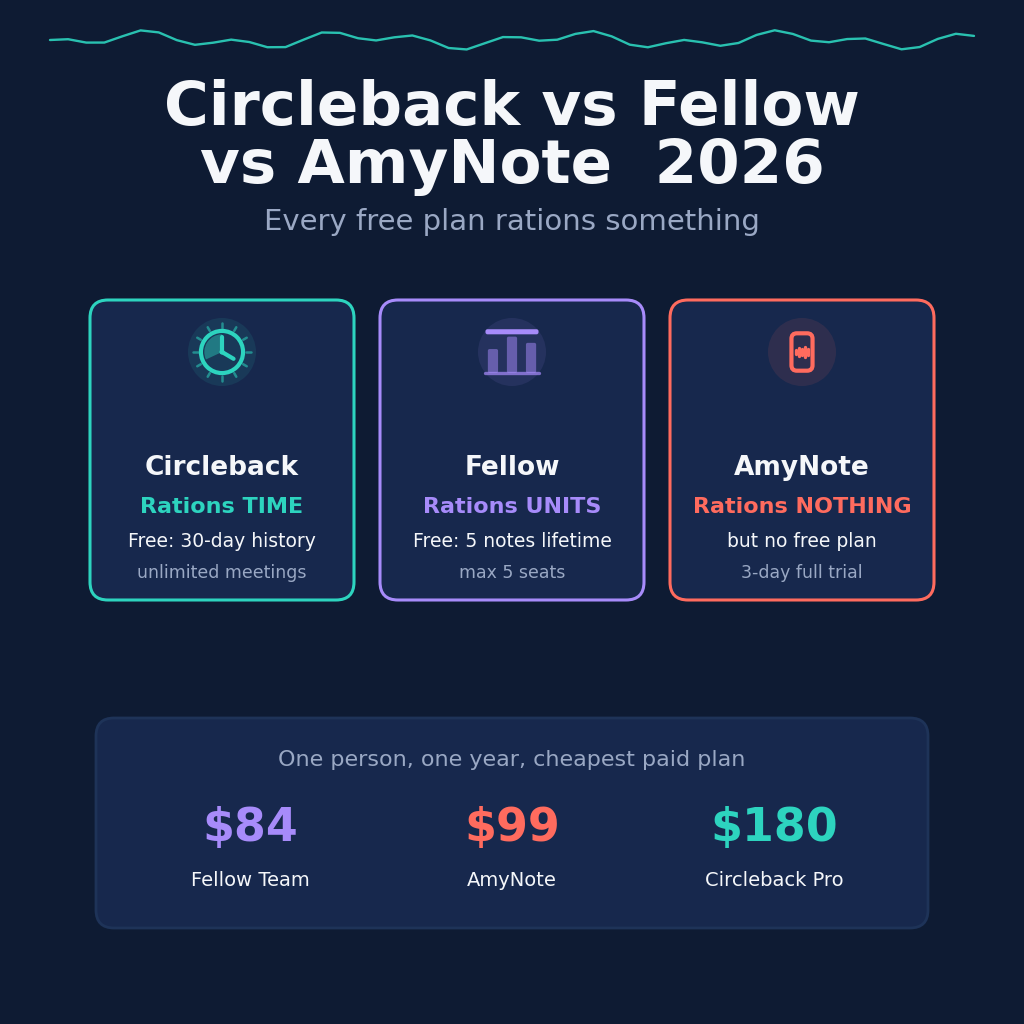
Weaknesses. The free plan is not monthly. Its card says “5 AI notes (lifetime) / user” and “5 AI recordings (lifetime) / user”, with a 5-seat cap. Once those five are used, they do not come back next month. When a trial ends, the FAQ says “your workspace will be downgraded to our Free plan.”
Team ($7 annual, $11 monthly) prints “10 AI notes / user / month” and “10 AI recordings / user”, up to 20 seats. Three meetings a week runs past that. Unlimited notes and recordings start at Business, $15 per user per month annually or $23 monthly, capped at 50 seats. HIPAA and BAA sit only in Enterprise, which “Starts at 10 users” at $25 per user per month.
AmyNote: No Meeting Counter, iPhone Only
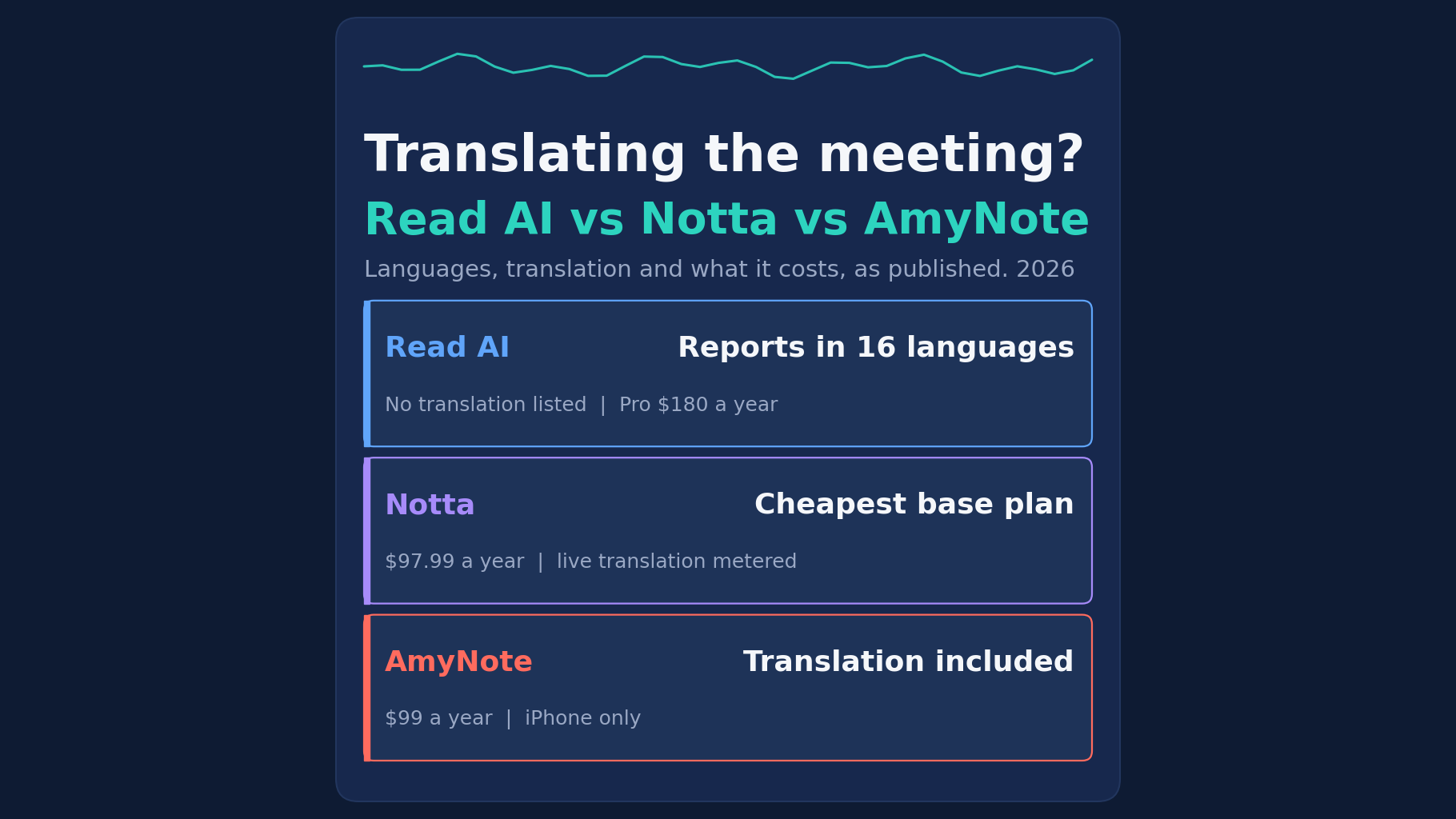
Strengths. AmyNote is an iPhone app that records in-person conversations with no bot and no hardware. One plan has every feature: $12.99 weekly, $19.99 monthly or $99 yearly, advertised as “Unlimited recordings” and “No hidden limits.” No meeting count, per-recording length or seat ladder is published. It can “Transcribe 140+ languages, translate into 100+”, with real-time translation included.
Its security page states “We don’t use your data to train AI models” and “We don’t require an account to use core features.”
Weaknesses, stated plainly. There is no free plan, only a three-day trial, against two permanent $0 tiers. It is iOS only, with no Android, Windows or Mac app. It sends no bot, so it does not join Zoom, Teams or Meet calls. It records audio only, with no CRM integration, agendas or team workspace.
It holds no SOC 2, ISO 27001, HIPAA or GDPR certification and sells no SSO. It publishes no retention period, while Read AI publishes a two-year ceiling. Local-first is not local-only: transcription and AI features send audio or text to the cloud, where a processing copy may be retained. Transit uses TLS, which AmyNote says it does not call end-to-end encryption.
The Year-One Math
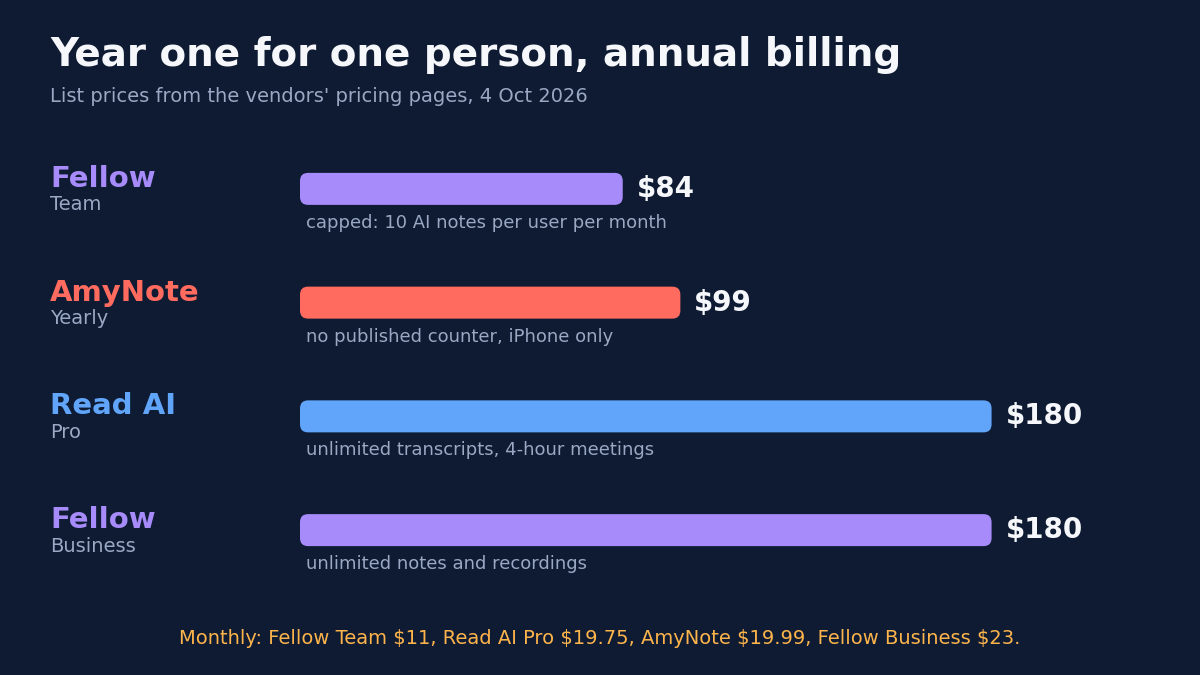
For one person who wants every meeting covered, on annual billing:
- Read AI Pro: $180. Unlimited transcripts, 4-hour meetings.
- Fellow Team: $84. Ten AI notes a month, so only for light schedules.
- Fellow Business: $180. Unlimited notes and recordings.
- AmyNote: $99. No published counter.
Monthly billing reorders it: Fellow Team $11, Read AI Pro $19.75, AmyNote $19.99, Fellow Business $23. Read AI and Fellow price per seat; AmyNote is one subscription per person. For a team of ten, the per-seat tools multiply and AmyNote does not have a team plan to compare against at all, so the math above is for an individual buyer.
Which Meter Will You Hit First?
The right pick depends less on features than on the shape of your calendar:
- A few meetings a month. Read AI’s free plan resets every month, which makes it the only permanent $0 option that keeps working. Fellow’s five lifetime notes are a way to try the product, not a way to run it.
- Two or three meetings a week, under four hours. Fellow Team’s ten notes a month runs out. Read AI Pro and Fellow Business both cover the count at $180 a year; the choice is analytics on video calls versus agendas and CRM sync.
- Long sessions. Workshops, hearings, all-day offsites. Read AI’s 4-hour Pro ceiling applies, and 8 hours requires Enterprise+ with five licences. Fellow and AmyNote print no per-meeting length cap on their pricing pages.
- Meetings across a table, not on a screen. AmyNote is built for this case and is $99 a year, provided everyone involved is fine with an iPhone on the table and no desktop app afterwards.
Side by Side
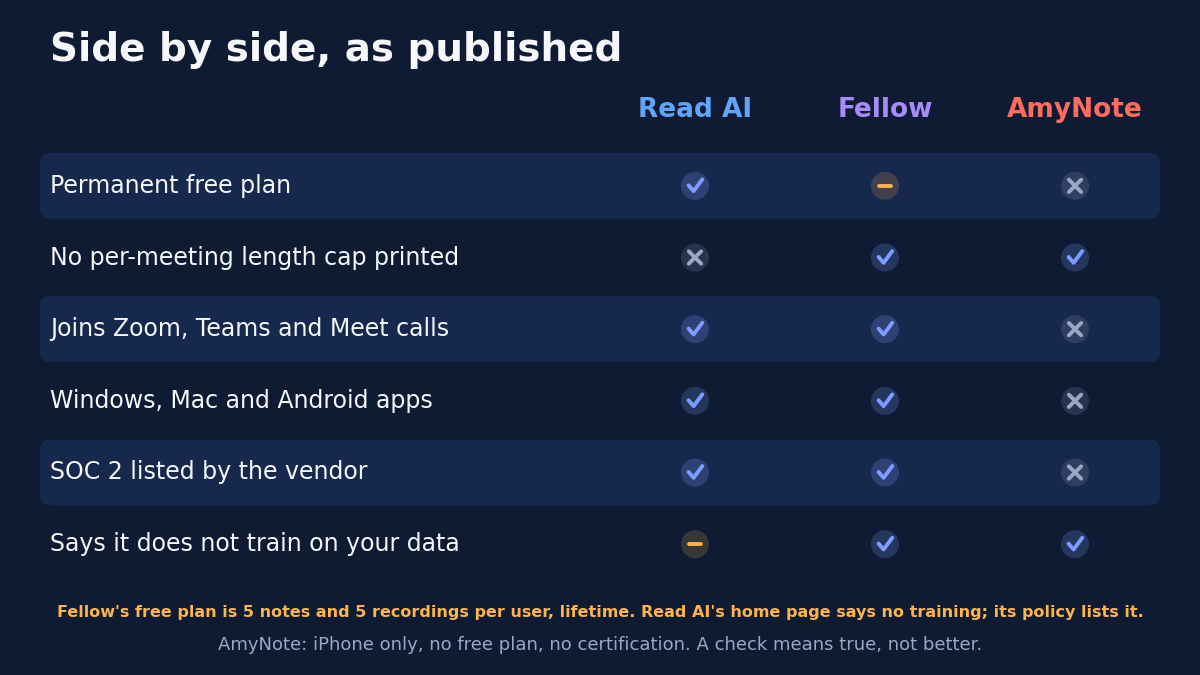
| Read AI | Fellow | AmyNote | |
|---|---|---|---|
| Free plan | 5 transcripts a month, forever | 5 notes + 5 recordings per user, lifetime | None, 3-day trial |
| Longest meeting | 1h free, 4h paid, 8h Enterprise+ | No cap printed | No cap printed |
| Cheapest uncapped plan, year one | Pro, $180 | Business, $180 | $99 |
| Seats | Per user, no sharing | Caps of 5, 20, 50; Enterprise from 10 | Per person, no team plan |
| Platforms | Desktop and mobile | Desktop and mobile | iPhone only |
| Video calls | Bot or on-device | Bot or on-device | Does not join calls |
| Compliance | HIPAA on Enterprise+ | SOC 2 Type II all tiers, HIPAA on Enterprise | None |
How to Test the Caps Before You Buy
- Count last month’s meetings. Open your calendar, count the ones you would have wanted notes for, and compare that to the plan’s monthly or lifetime number.
- Find your longest meeting. If anything in the last quarter ran past four hours, check what the plan does at the cap before it happens live.
- Read the downgrade line. Find out which plan you land on when a trial ends, and what happens to notes already recorded.
- Check the seat rules. If an assistant or a colleague will use the same login, confirm the terms allow it.
The Bottom Line
The meter decides which tool is cheap. Fellow Team is cheapest per seat until your tenth meeting of the month. Read AI Pro removes the count but keeps a four-hour ceiling, and it is the strongest pick for video calls on every desktop and phone. Fellow Business fits teams that need agendas, CRM sync and compliance paperwork.
AmyNote is for the person whose meetings happen across a table, often in more than one language, who would rather pay $99 a year than watch a counter. It is the wrong choice if you need a free plan, Android, a meeting bot or a certificate for procurement. If that trade fits, AmyNote is on the App Store with a three-day trial.
Originally published as an X Article by @AmyNoteApp.