For two years the quickest way to sort AI meeting tools was to ask a single question: does a bot join the call? That question is now dead. Circleback records bot-free from its desktop app, Fellow records bot-free from its desktop and phone apps, and both ship a perpetual free plan. Both run on Mac, Windows, iOS and Android.
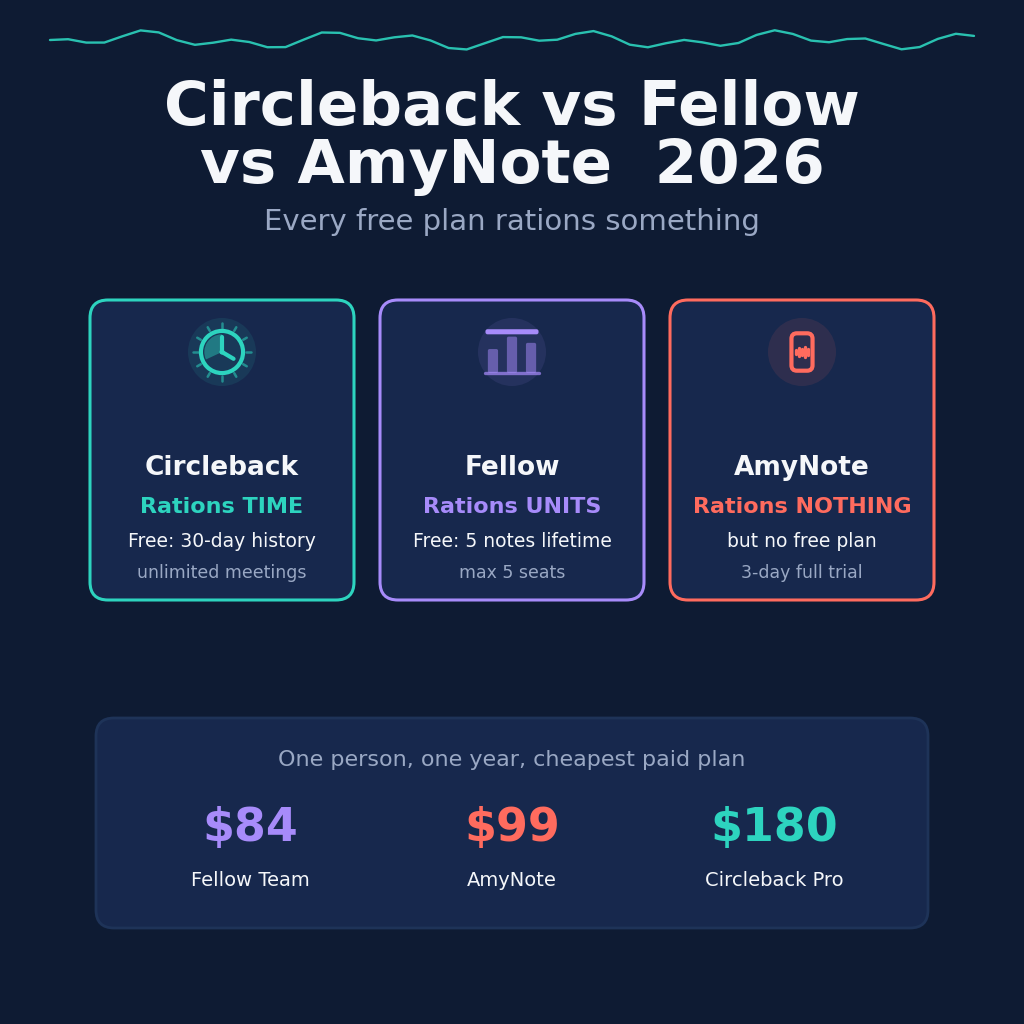
So the useful question changed. Every free plan rations something, and every paid plan meters something. What separates these tools now is which meter you hit first — and the three tools here have picked three genuinely different things to ration.
That distinction is worth taking seriously before comparing sticker prices, because a cap and a price behave differently as a team grows. A price you can forecast. A cap you discover, usually in the middle of the quarter when somebody runs out of AI notes and asks why the summary did not arrive.
Quick Verdict
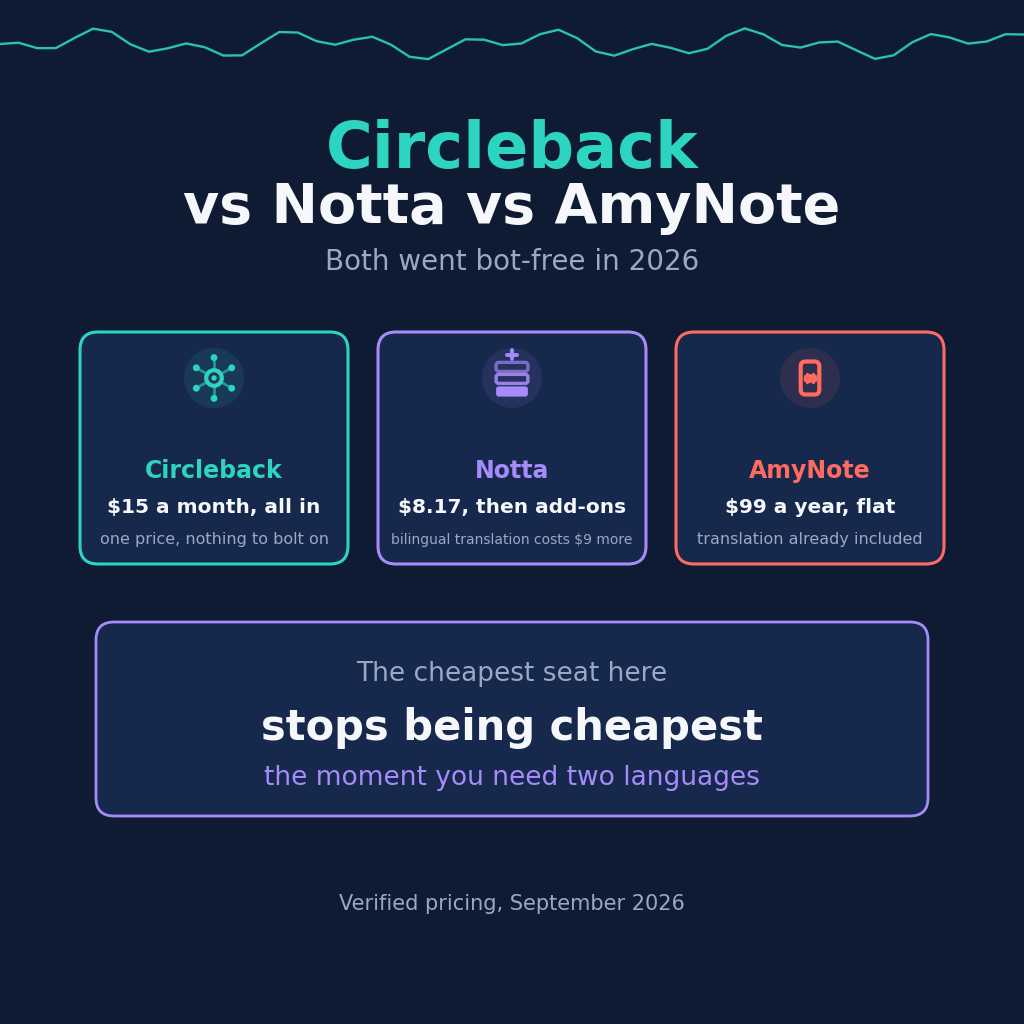
Circleback rations time. Its free plan gives you unlimited meetings and unlimited members, then keeps only 30 days of history. Paid tiers mostly buy that history back: 15 dollars per user per month on yearly billing, or 18 month to month.
Fellow rations units and seats. It has the cheapest paid seat in this comparison at 7 dollars per user per month billed annually. But the free plan gives 5 AI notes and 5 AI recordings per user for life, not per month, and the workspace tops out at 5 seats.
AmyNote rations nothing once you are in, but there is no free door. It is 99 dollars a year for the whole account rather than per seat, with a 3-day trial and no card required. It is iOS only, which disqualifies it for many teams before price matters at all.
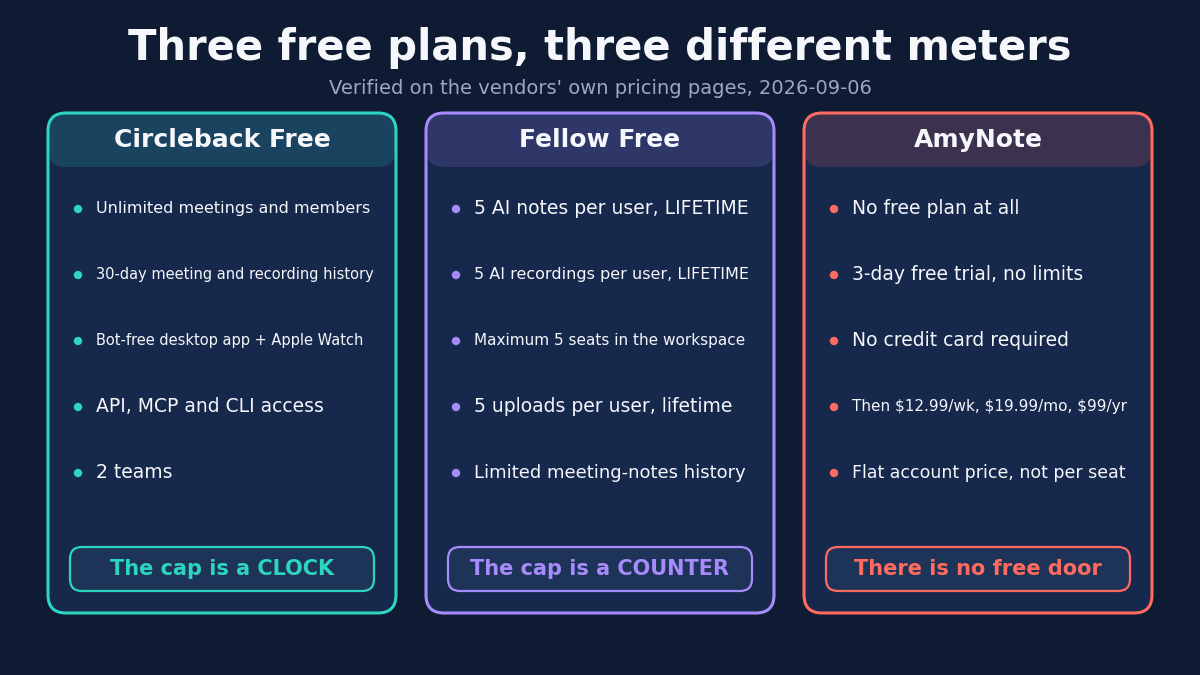
The shape of that difference matters more than its size. Circleback’s clock is forgiving if your meetings stop mattering after a month and brutal if they matter a year later. Fellow’s counter is the opposite: five AI notes is enough to evaluate the product and not enough to use it, so the free plan functions as a demo rather than a tier you can sit on. And AmyNote has no free plan to reason about at all — only a trial short enough that you are deciding in three days.
What We Compared
Every price below was read off the vendor’s own pricing page in September 2026 on annual billing, with the monthly figure noted where it differs. Feature, compliance and privacy claims come from the vendors’ own documentation rather than from review sites, which in this category copy each other and go stale within a release cycle.
One methodology note worth stating plainly rather than burying. Fellow’s pricing page renders bare dollar figures with no currency label anywhere on it, and Fellow is based in Ottawa. Treat its numbers as list prices rather than a guaranteed currency. That is not a criticism of the product — it is a caution about arithmetic, because a comparison that silently mixes currencies produces numbers that look precise and are not.
Where a vendor states something plainly, it is quoted. Where a vendor is silent, that silence is reported as silence rather than filled in with an inference, which turns out to matter a great deal on the training question below.
Circleback: Strengths and Weaknesses
The free plan is the most generous starting point here by a comfortable margin. It covers unlimited meetings and unlimited members, online and in-person capture, a bot or the bot-free desktop app, mobile and Apple Watch apps, and API, MCP and CLI access. The single catch is a 30-day meeting and recording history.
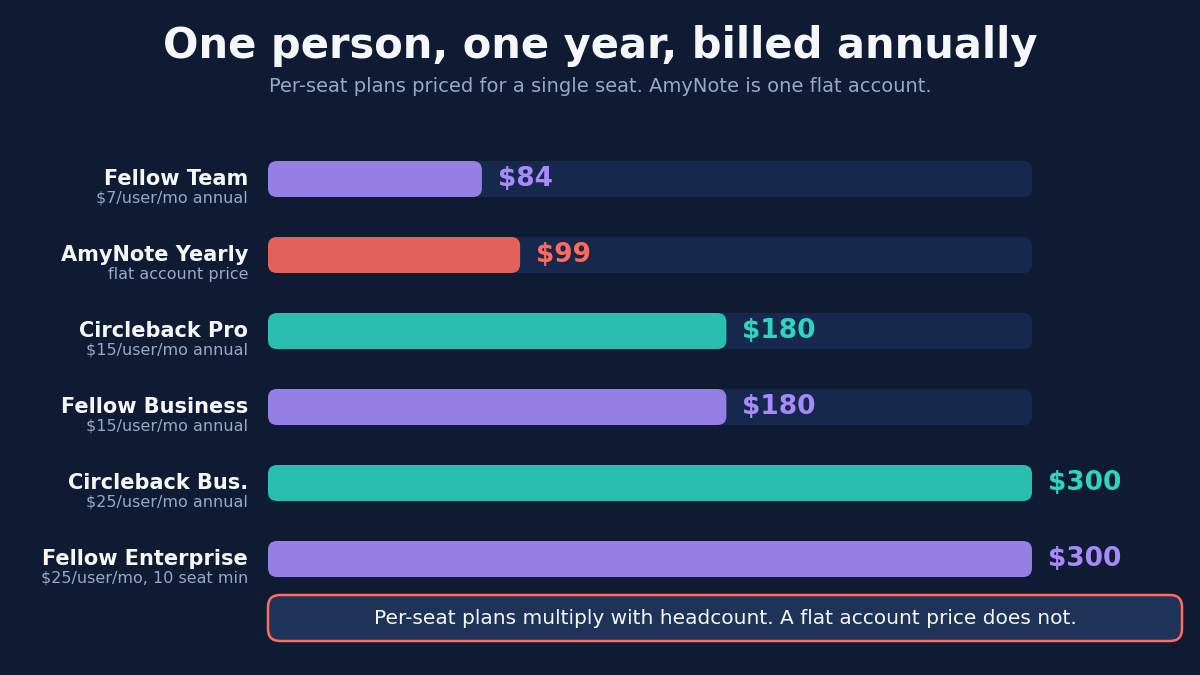
Paid tiers are largely a retention ladder. Pro at 15 dollars adds unlimited meeting history, a year of recording storage, every integration and custom AI insights. Business at 25 adds two years of storage, admin roles and unlimited free viewers. Enterprise at 35 adds unlimited storage, SSO with SCIM and HIPAA, on annual billing only.
Read that ladder for what it implies. Past the free tier, most of what you are buying from Circleback is the right to keep what you already recorded. If your meetings stop mattering after a month, the free plan is not a teaser, it is the whole product. If they matter a year later, this is storage pricing wearing a features label — which is a perfectly honest thing to sell, as long as you know that is what you are buying.
On training the answer is one line and unhedged. Asked directly whether customer data trains AI models, Circleback answers no.
The weaknesses are real. It is the most expensive entry seat of the three, pricing is strictly per user with no flat option, and HIPAA requires an Enterprise sales conversation rather than a checkbox. For a regulated team of eight people, that is the difference between signing up this afternoon and starting a procurement cycle.
Fellow: Strengths and Weaknesses
Fellow has the best compliance story here by a wide margin, and unusually it does not gate the basics. GDPR and SOC 2 Type II apply on every plan including the free one, which is rare enough to be worth saying twice.
Above that sits a deep governance layer: optional zero-day retention that discards source recordings and transcripts after processing, workspace auto-deletion schedules, recording blocks by domain or participant, transcript redaction, and organization-wide consent disclosure with an auditable log. Nothing else in this comparison offers any of it.
The pause control deserves specific credit, because it solves a problem most tools ignore. One click stops capture, and the pause event and timestamp are logged independently — producing a record of what was deliberately not captured. For a team whose meetings routinely cross into privileged or personnel territory, an auditable account of the gaps is worth more than a longer transcript.
The caps are the story, though. The free plan allows 5 AI notes and 5 AI recordings per user for the lifetime of the account and a maximum of 5 seats. Team at 7 dollars raises that to 10 AI notes per user per month and a 20-seat ceiling. Business at 15 finally makes notes unlimited but caps the workspace at 50 seats. Audio and video uploads stay capped at 50 per user per month even on Enterprise.
Those seat ceilings are the detail most likely to be discovered late. Per-seat pricing normally means a growing team simply pays more; here a growing team eventually cannot stay on its tier at any price. Check your headcount against the 20 and 50 seat lines before you standardise on Fellow, not after, because the upgrade that fixes a seat ceiling is also the upgrade that doubles the seat price.
SSO, HIPAA with a signed BAA, and transcript redaction all sit on Enterprise at 25 dollars per seat with a 10-user minimum. And Fellow’s published privacy policy never uses the word training at all, in either direction, so unlike Circleback there is no stated position to hold it to. Absence of a pledge is not evidence of a bad practice and should not be read as one — but in a category where two of the three vendors here publish an explicit no-training sentence, the absence is a real difference in what a procurement team can hold a vendor to. Fellow’s handling of voice samples is careful by contrast: workspace-scoped, never taken from external attendees, and deletable on request.
AmyNote: Strengths and Weaknesses
AmyNote is priced as one account rather than per seat: 12.99 a week, 19.99 a month, or 99 a year, after a 3-day trial with no limits and no credit card. Nothing meters after that. It transcribes 140-plus languages and translates into 100-plus, and is tuned for East Asian and Arabic audio, where most of this category is weakest.
It also remembers speakers across sessions, so naming someone once carries forward, and it searches past meetings by meaning rather than keyword. Notes are stored locally on the device. On privacy, both OpenAI and Anthropic contractually guarantee zero training on user data. Audio is encrypted in transit and not retained after processing, and transcripts stay on the device with end-to-end encryption.
The per-account shape is the part worth understanding, because it moves in the opposite direction from everything else on this page. Per-seat pricing gets more expensive with each person added; a flat account price does not. That advantage compounds with headcount — right up to the point where a growing team needs the administration, roles and provisioning that AmyNote does not have at all.
Be clear about the limits, because they are disqualifying for a lot of readers. There is no free plan, only a trial, which makes it the hardest of the three to evaluate slowly. It is iOS only: no Android, no desktop, no web. There are no CRM integrations, no admin console, no SSO, no HIPAA path and no video recording, so it does not compete for regulated or enterprise buyers. And Fellow’s speaker labeling matches the cross-session recall inside a workspace, so that advantage is narrower than it once was.
Side by Side
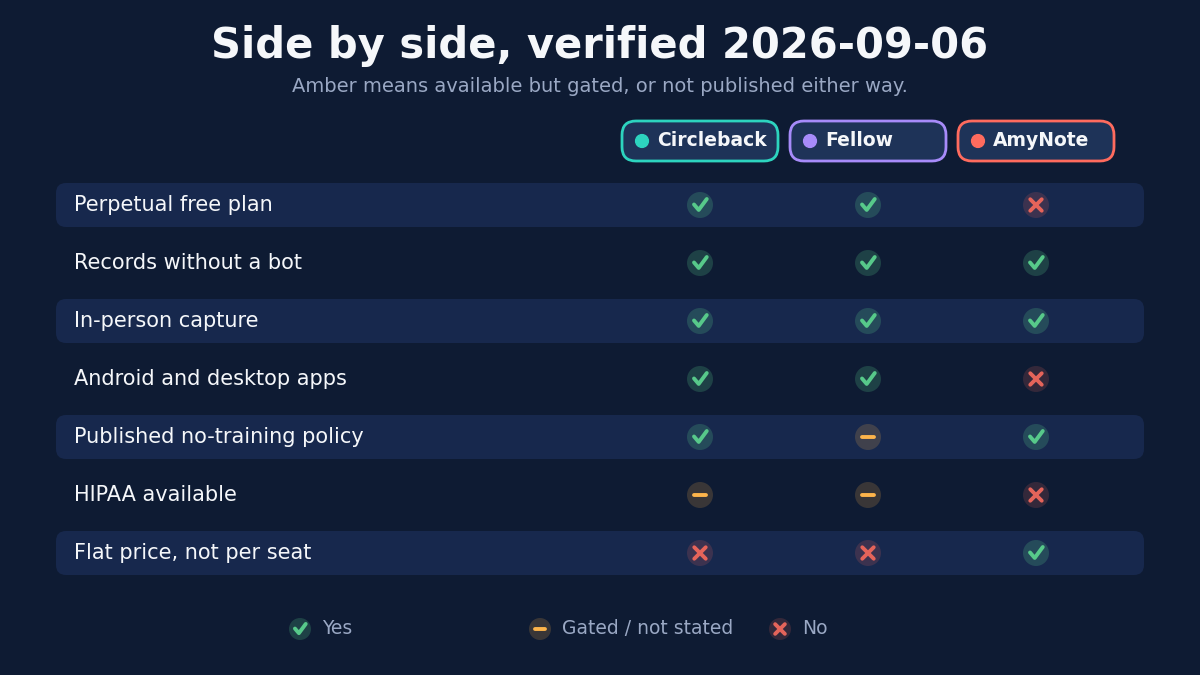
- Cheapest paid seat: Fellow at 7 per user per month annually, then Circleback at 15, with AmyNote at a flat 8.25 equivalent for the whole account
- Best free plan: Circleback, for unlimited meetings and members with a 30-day window. Fellow’s free plan is a lifetime allowance of 5 notes, and AmyNote has none
- Seat ceilings: Fellow caps workspaces at 5, 20 and 50 seats by tier. Circleback and AmyNote impose none
- Governance and compliance depth: Fellow, uncontested — consent logging, redaction, zero-day retention and scheduled deletion
- Stated no-training policy: Circleback says no outright. AmyNote relies on its providers’ contractual guarantees. Fellow’s policy is silent
- Platform reach: Circleback and Fellow both cover Mac, Windows, iOS and Android. AmyNote is iOS only
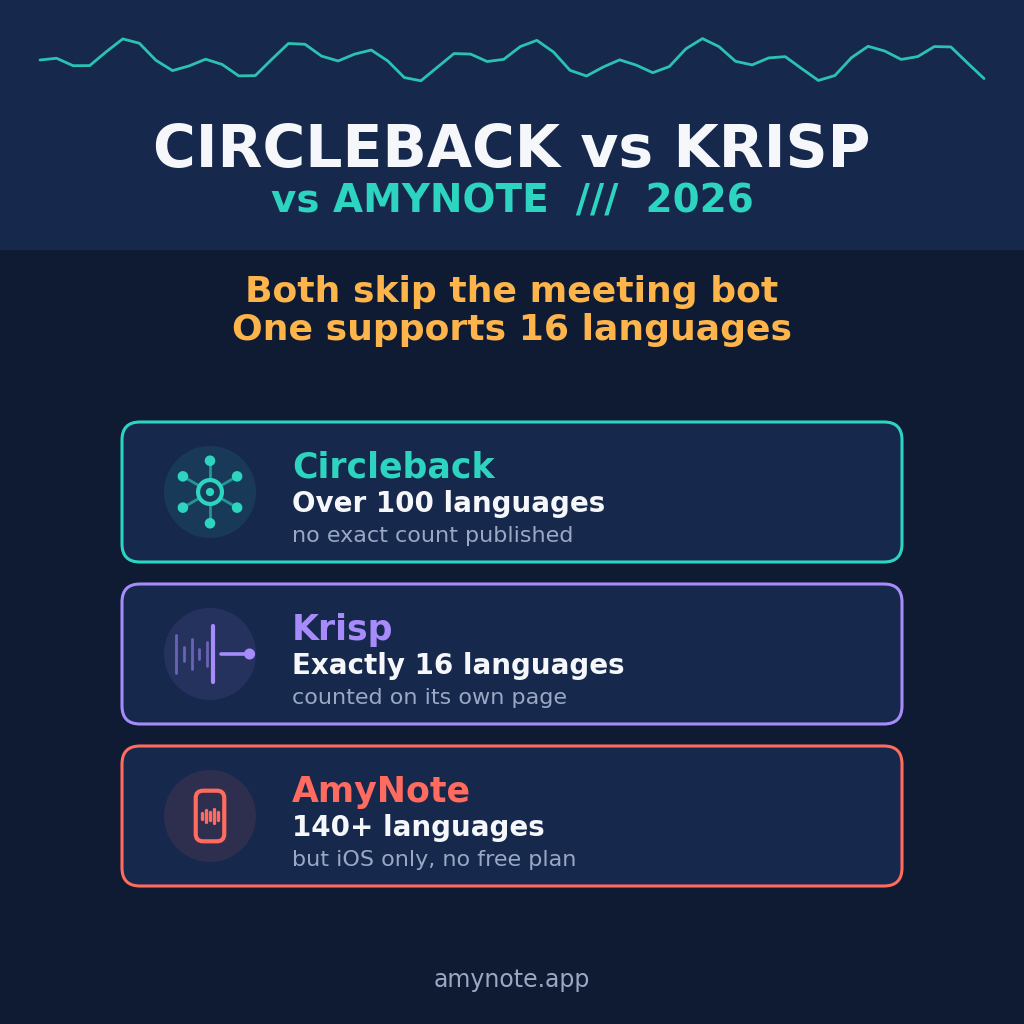
- Languages: AmyNote 140-plus in and 100-plus out, Fellow 99, Circleback over 100 with no published count
Which One Fits You
A regulated team under fifty people. Fellow, and it is not close. Nothing else here logs consent, redacts transcripts or discards source audio on a schedule, and SOC 2 Type II applies even on the free plan. Price the Enterprise tier honestly, though: SSO, HIPAA and redaction sit at 25 a seat with a 10-user minimum, so the real compliance posture costs 300 dollars per person per year, not 84.
A team that wants one number and no caps to track. Circleback. You pay the most per seat and get the least to think about: unlimited meetings, unlimited members, no seat ceiling, and a training answer that fits in one sentence.
A small team on a tight budget with light usage. Fellow Team at 7. Ten AI notes per user per month is genuinely enough for a team that records selectively, and 84 dollars a year per seat is the cheapest real product on this page. Watch the 20-seat ceiling.
An individual on an iPhone who meets in person and in more than one language. AmyNote. The flat account price does not grow, and translation and cross-session speaker memory are in the base price rather than a tier. The cost of that fit is the entire platform list.
The Bottom Line
Pick Fellow if you are buying for a regulated team under 50 people and governance is the requirement. Nothing else here logs consent, redacts transcripts or discards source audio on a schedule, and at 7 dollars a seat it is the cheapest way into a real compliance posture. Just check the seat ceiling and the note allowances against your headcount before you commit, and read the silence on training as the open question it is.
Pick Circleback if you want one price with nothing rationed behind it and a company that will state plainly that it does not train on your data. You are paying a premium per seat to stop thinking about which meter you are about to hit.
Pick AmyNote at amynote.app if you are an individual on an iPhone who meets in person and in more than one language, and you would rather pay 99 dollars once a year for the whole account than a growing per-seat bill. That is a narrow fit and an honest one. If anyone on your team needs Android, a desktop app or an admin console, one of the other two is the better answer, and this comparison should have made that easy to see.
Originally published as an X Article by @AmyNoteApp.