Nobody wants a robot with a stock avatar sitting in their call, announcing itself to the client and showing up in the recording. Circleback and Krisp will both capture the meeting without one. That is where the agreement stops.
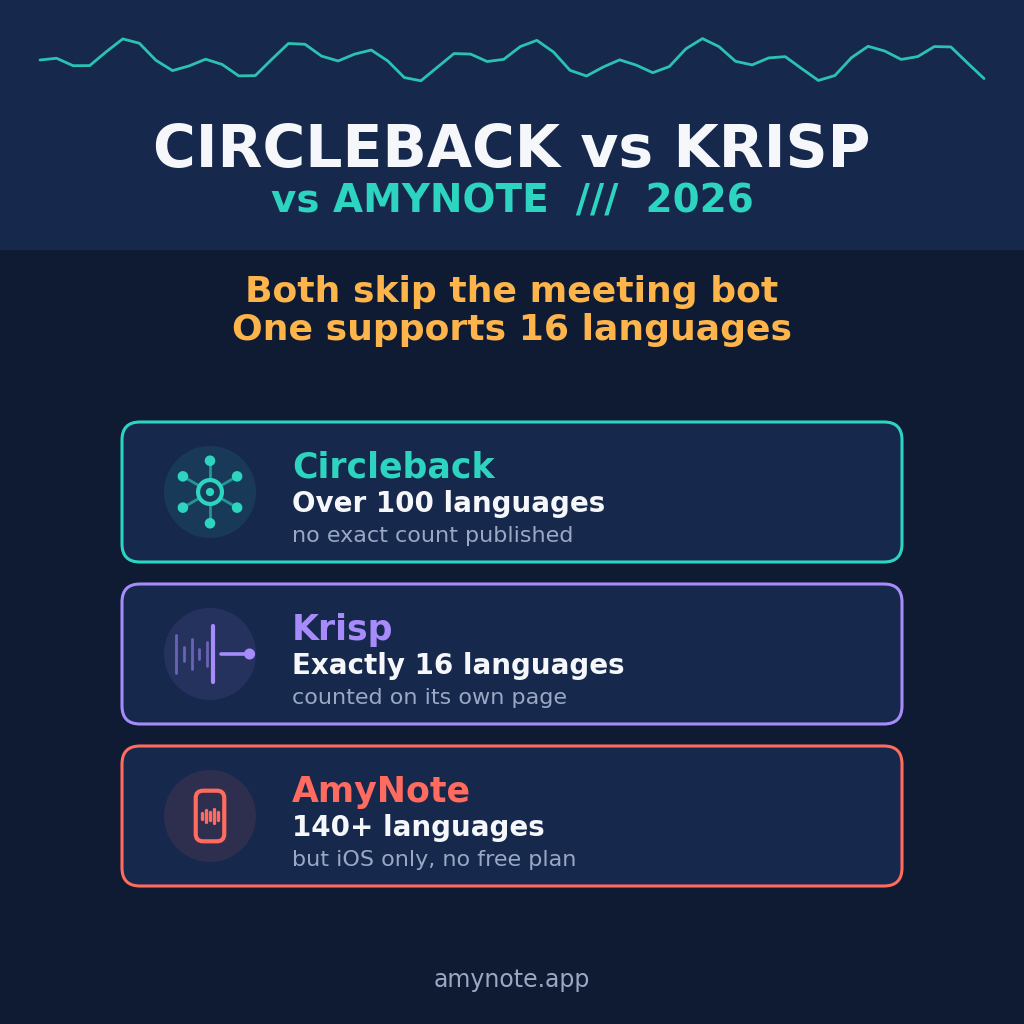
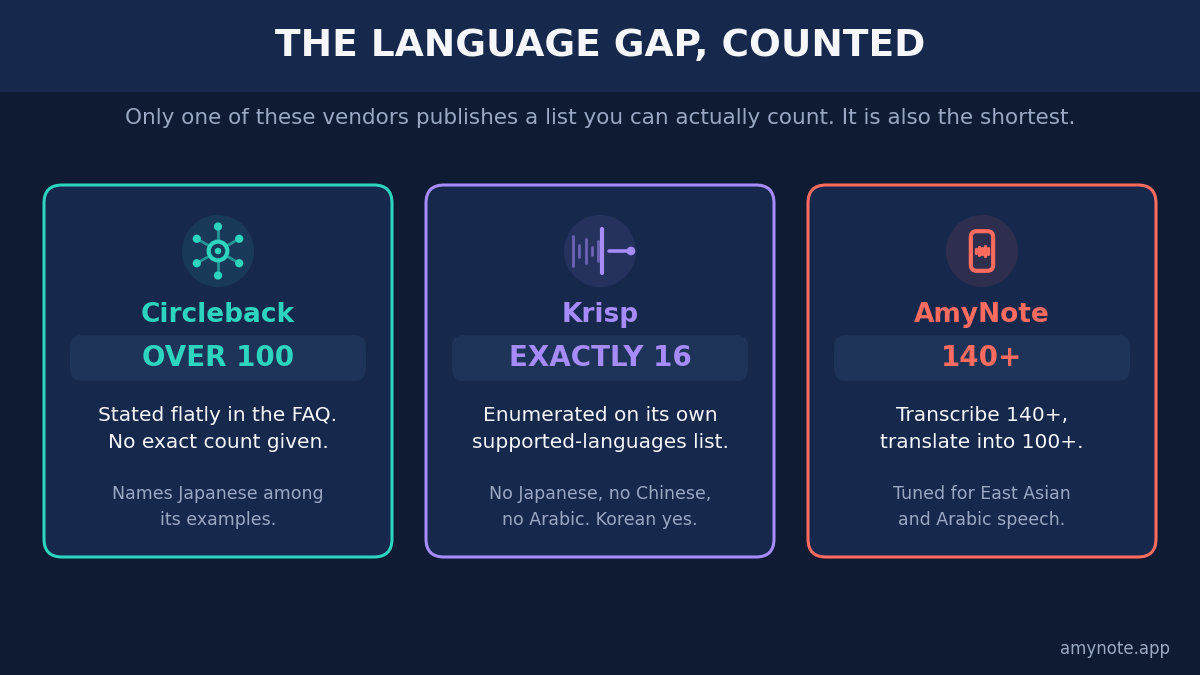
Circleback says it supports over 100 languages and publishes no count. Krisp publishes a list you can count, and it comes to exactly 16. Neither number is a lie, but which one matters depends entirely on who is in the room.
That is the whole comparison in two sentences, and it is worth understanding why it lands there rather than on accuracy or price. Bot-free capture used to be the feature that sorted this category, and both of these products now ship it. What is left are the differences nobody puts on a landing page: which languages the transcript actually covers, what the sticker price includes once you switch on the thing you came for, and which of those numbers the vendor is willing to enumerate.
Quick Verdict
Choose Krisp if audio quality is the actual problem and your meetings are in English or a major European language. Core is 8 dollars a month on annual billing, the cheapest seat here, and noise cancellation is in every plan rather than sold as a tier.
Choose Circleback if you want a real free plan and a language list with no ceiling. It states over 100 languages, gates them nowhere, and its free tier drafts emails and includes API, MCP and CLI access.
Choose AmyNote if the meeting is in person, the languages are outside Europe, and the audio should stay on your phone. It transcribes 140+ languages, is tuned for East Asian and Arabic speech, and costs a flat 99 dollars a year for the whole account. No free plan, iPhone only.
What We Compared
Every figure below was read from the vendor’s own pricing page on 4 September 2026, with Circleback’s billing toggle clicked both ways.
One warning about Krisp. Its pricing page now splits into three products: Meeting AI, Call Center AI, and developer SDKs. The call center product advertises speech to speech translation in 60+ languages. That figure belongs to the call center product, not the meeting assistant. Meeting transcripts stay at 16.
That distinction is not a technicality, and it is the single easiest way to buy the wrong tool here. A vendor with several products on one pricing page will inevitably have its largest number quoted back at it out of context, and 60+ is a much better number than 16. Anyone comparing from a review roundup rather than the vendor’s own supported-languages panel will carry the call center figure into a meeting-assistant decision and not discover the difference until the first transcript comes back in the wrong language.
Circleback: Strengths and Weaknesses
Strengths. The free plan is the most complete entry point here, and a real plan rather than a countdown: unlimited meetings online and in person, a calendar bot or the bot-free desktop app, mobile and Apple Watch apps, view and draft emails, and unqualified API, MCP and CLI access.
Language support is stated as over 100 and gated nowhere, so the free plan reads the same list as Enterprise, with Japanese among the named examples. Its privacy answer is the shortest sentence any vendor here publishes: “No. We don’t train AI models on customer data.”
The ungated language list deserves more weight than it usually gets. In this category, capability is routinely used as a tier boundary — the language you need turns out to live one plan up. Circleback does not do that, which means the free plan is a genuine test of whether the product handles your languages, not a demo of a reduced version of it. You can answer the only question that matters before paying anything.
Weaknesses. The free plan forgets after 30 days, and storage is the real ladder: Pro buys one year of recordings, Business two, Enterprise unlimited.
It has the most expensive entry seat, 15 dollars a month on annual billing against Krisp at 8, and publishes no exact language count, so you are trusting the number. HIPAA and single sign-on sit at the 35 dollar Enterprise tier.
Read that ladder for what it implies about the product. Past the free tier, most of what Circleback sells you is the right to keep what you already recorded. If your meetings stop mattering after a month, the free plan is not a teaser, it is the whole product. If they matter a year later, this is storage pricing wearing a features label — which is fine, as long as you are comparing it against storage rather than against features.
Krisp: Strengths and Weaknesses
Strengths. Krisp started as an audio product and it shows: noise cancellation is in every plan including the trial, never unbundled into a cheaper tier. Core at 8 dollars is unusually complete: unlimited transcription and recording, AI notes and action items, in-person support, video recording, custom vocabulary, and MCP integration for Claude, ChatGPT and Cursor.
Platform coverage is the widest here: Windows, macOS, iOS, Android and a browser extension. It is not bot-free only either. Recording with a bot is an explicit option, and past meetings can be uploaded for retroactive transcription.
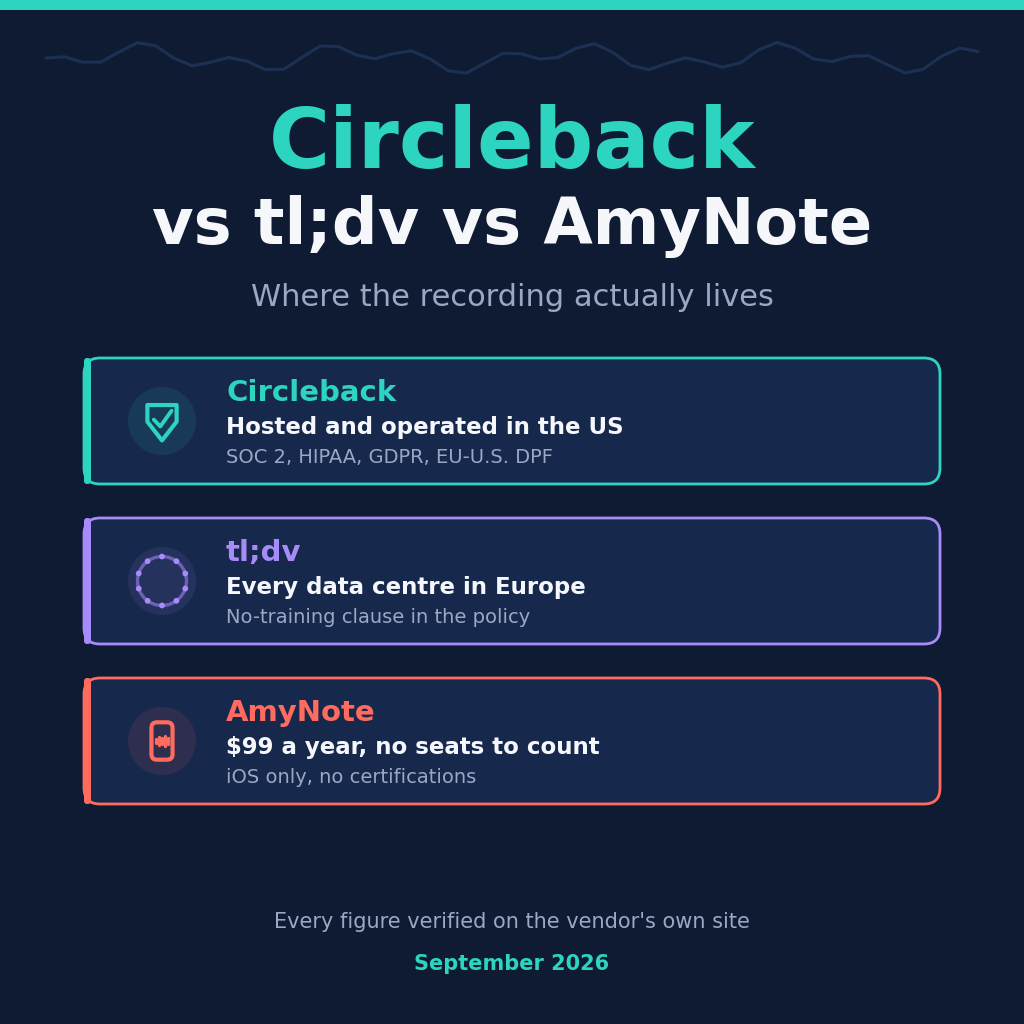
On privacy Krisp is stronger than its write-ups suggest. The pricing FAQ commits directly: “No model training: Your meeting data is never used to train Krisp’s AI models.” Data is AES-256 encrypted at rest and TLS 1.3 in transit, in a virtual private cloud, and the company is certified for SOC 2 Type II, GDPR and HIPAA.
Weaknesses. The language list is the problem, and it is specific rather than vague. The supported-languages panel enumerates 16: English, French, German, Italian, Dutch, Polish, Portuguese, Russian, Spanish, Hindi, Danish, Swedish, Norwegian, Czech, Ukrainian and Korean. Korean is there. Japanese, Chinese and Arabic are not. For a Tokyo, Taipei or Dubai meeting, the cheapest seat here is not a cheaper option, it is not an option.
There is no perpetual free plan either, only a 7-day trial, and the annual discount is really a monthly penalty: Core doubles from 8 to 16, Advanced from 15 to 30. Storage caps at 10 GB on Core, and signup requires a Google or Outlook calendar connection by default.
Note too that company-level HIPAA certification is not a BAA on your plan. BAA signing is Enterprise only, and only above 100 seats. That gap between “the vendor is HIPAA certified” and “you have a signed BAA” is the one a compliance officer will find, and it is worth resolving before a rollout rather than after.
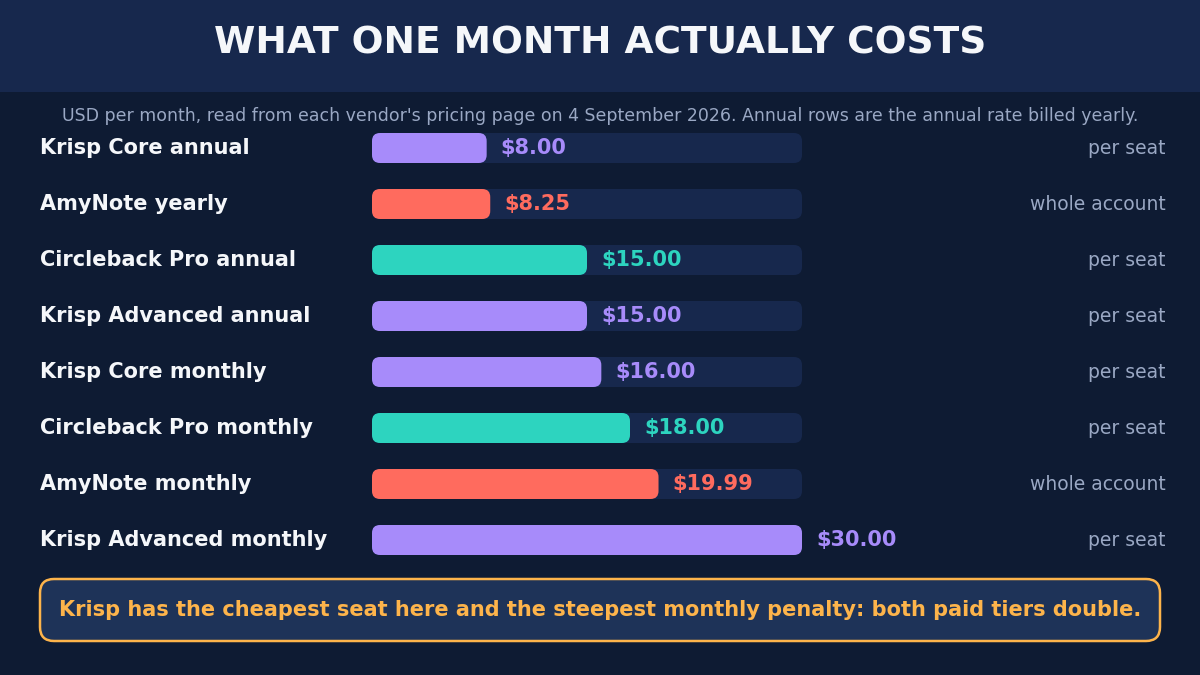
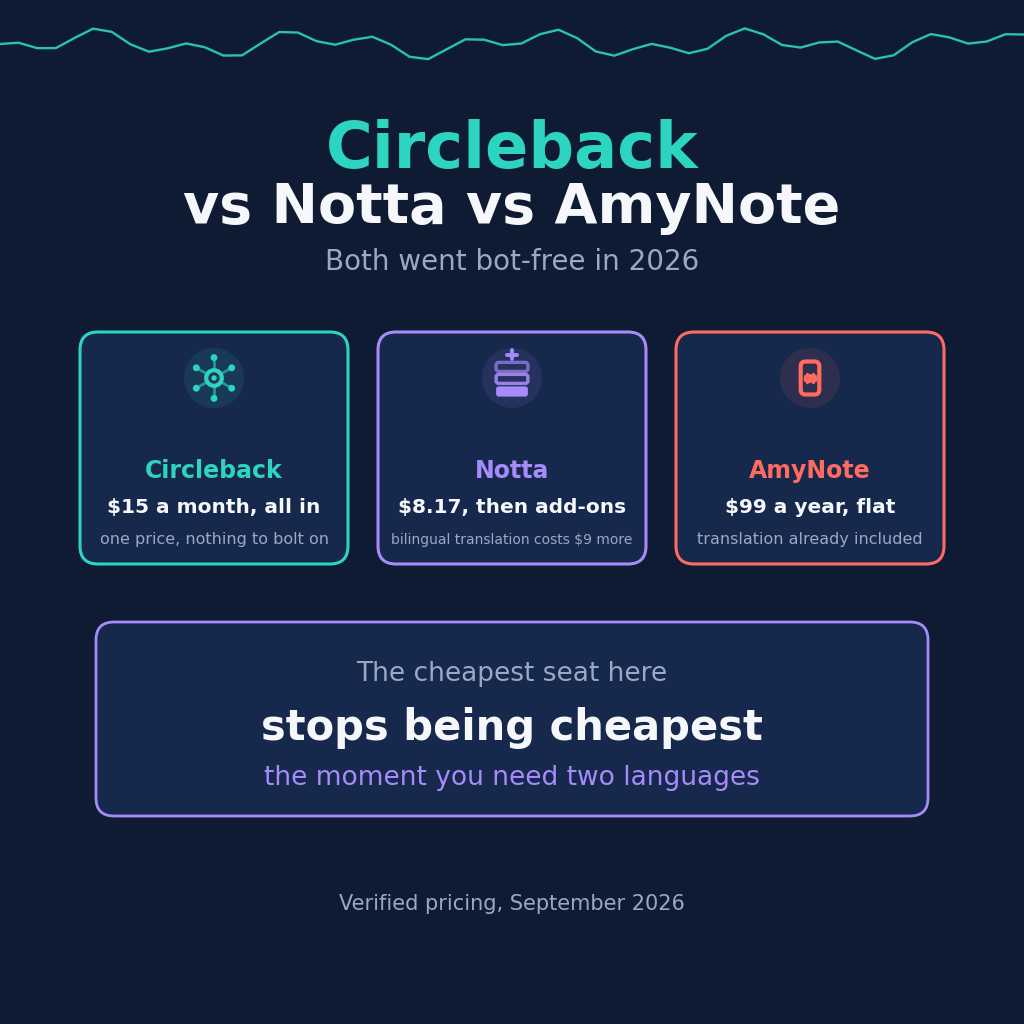
That doubling is worth pausing on, because it changes which product is cheapest depending on a decision most teams make for unrelated reasons. On annual billing Krisp Core is the cheapest line on the chart. On monthly billing it costs 16, which is more than Circleback’s annual Pro seat and roughly double AmyNote’s effective monthly rate. A team that cannot commit to a year — a pilot, a contract with an end date, a budget that moves quarterly — is not buying the cheap product it thinks it is.
AmyNote: Strengths and Weaknesses
Strengths. AmyNote needs no bot, no desktop app and no calendar connection, because the capture device is the phone already in your pocket. In-person meetings are the default case rather than a feature bullet.
It transcribes 140+ languages and translates into 100+, optimized for East Asian and Arabic speech, which is precisely the gap the other two leave. Transcription runs on OpenAI’s speech models and analysis on Anthropic’s Claude Opus, both of which contractually guarantee zero training on user data. Audio is encrypted in transit and not retained after processing, and transcripts are stored locally on device with end-to-end encryption.
Pricing is flat per account, not per seat: 12.99 dollars a week, 19.99 a month, or 99 a year, which is 8.25 a month. That shape moves in the opposite direction from everything else on this page. Per-seat pricing gets more expensive with every person added; a flat account price does not — right up until the team is large enough to need the administration and provisioning features AmyNote does not have at all.
Weaknesses. It is iPhone only. No Android, no desktop, no extension, which rules it out for many teams immediately. There is no free plan, only a 3-day trial, and no video recording, no CRM integration, no team management and no HIPAA. Both rivals beat it comfortably on rollout.
Side by Side
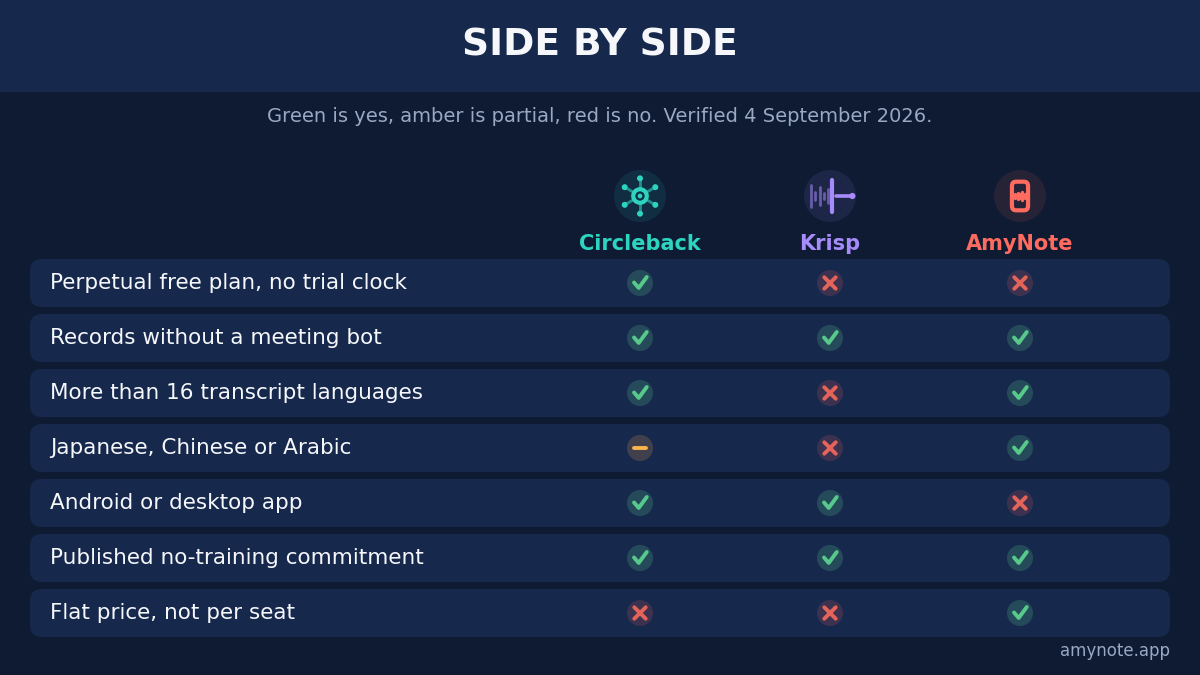
- Cheapest paid seat. Krisp Core at 8 dollars a month on annual billing, Circleback Pro at 15. AmyNote is 8.25 but bills per account, not per seat.
- Free plan. Only Circleback has a real one. Krisp offers a 7-day trial, AmyNote a 3-day trial.
- Languages. Circleback says over 100, no caveat and no count. Krisp lists exactly 16, with no Japanese, Chinese or Arabic. AmyNote says 140+, translating into 100+.
- Bot-free capture. All three do it. Circleback and Krisp also offer a bot if you want one.
- Platforms. Krisp covers Windows, macOS, iOS, Android and an extension. Circleback covers desktop, mobile and Apple Watch. AmyNote is iPhone only.
- Training on your data. All three publish an explicit no-training commitment. Not a differentiator anymore, and any comparison implying otherwise is selling something.
- HIPAA. Enterprise only at both rivals, and Krisp additionally requires 100 seats for a BAA. Not offered by AmyNote.
Which One Fits You
An English-speaking team on noisy connections. Krisp, and it is not close. The cheapest seat carries noise cancellation, video, in-person capture and MCP access, and the privacy posture beats its reputation. Commit to annual billing or the advantage disappears.
A team that wants to try before paying, or that cannot enumerate its languages in advance. Circleback. The free plan is real rather than a countdown, and because the language list is not gated, the free tier answers the language question honestly. You are paying more per seat for the right to stop thinking about which feature is included.
A team meeting in Japanese, Chinese or Arabic. Not Krisp, at any price. This is the one place on the page where the cheapest option is disqualified rather than merely worse, and the choice narrows to Circleback’s uncounted list or AmyNote’s tuned one.
In-person, multilingual, iPhone, no team administration needed. AmyNote. Translation is in the base price, the account price does not grow with headcount, and the transcript stays on the device. The cost of that fit is the entire platform list.
The Bottom Line
For an English-speaking team meeting over noisy connections, Krisp is the strongest value here and it is not close. But the language list decides it. Sixteen is honestly published and, for most of Europe and North America, enough. The moment Japanese, Chinese or Arabic enters the room, the cheapest seat becomes unusable and Circleback’s uncounted over 100 is the safer bet.
AmyNote sits third on purpose, in a narrower lane. It gives up Android, desktop, video and every team feature to do one thing properly: capture a multilingual in-person conversation on a phone, keep the transcript there, and charge once for the account instead of once per person. If that is the shape of your problem, amynote.app has a three day trial. If not, one of the other two is the better tool, and this article should have made that clear.
Originally published as an X Article by @AmyNoteApp.