This is a fair comparison of all three in May 2026, with current pricing, honest weaknesses, and a clear answer about which one fits which buyer. All data is verified against vendor pages and independent reviews.
Quick Verdict
Plaud Note Pro wins if you live in face-to-face meetings, want a dedicated device on your desk, and accept a hardware cost plus a recurring AI subscription.
Fellow wins if you run a sales or operations team that needs CRM sync, transcript redaction, and enterprise compliance under one contract.
AmyNote wins if you want the lowest-friction option: a mobile app that handles in-person and virtual conversations with zero hardware, zero bots, and zero training on your data.
What We Compared
Pricing, hardware requirements, language support, privacy architecture, and where each tool earns and loses its keep. The goal is not to crown a single winner but to match each tool to the buyer it was actually designed for — because the wrong fit here means either paying for hardware you forget at home or paying per-seat for enterprise features a solo user will never touch.
Plaud Note Pro
Strengths. The Plaud Note Pro is a credit-card-thin AI recorder with a tiny AMOLED screen, a 4-mic array, and a 5-meter pickup range. It supports 112 languages, ships with over 10,000 summary templates and mind-map output, and offers dual-mode recording that automatically switches between in-person ambient capture and phone-call mode. Independent reviews put accuracy in the 90 to 95 percent range on clean English audio, with strong performance on Mandarin and Japanese. The device is SOC 2, HIPAA, and GDPR aligned, with audio encrypted in transit and at rest.
Weaknesses. You pay twice. The hardware runs $189 upfront, and AI features sit behind a subscription: the free Starter tier gives 300 minutes per month, Pro is $99.99 per year for 1,200 minutes, and Unlimited is $239.99 per year. There is no real-time transcription on the device, and AI processing happens in Plaud's cloud, not locally. If you stop paying the subscription, your $189 gadget keeps recording but loses its smarts. Accuracy reportedly drops on Cantonese and on heavy crosstalk.
Best for: consultants, doctors, journalists, and field workers who do most of their work in person and want a discreet, purpose-built device they do not have to think about.
Fellow
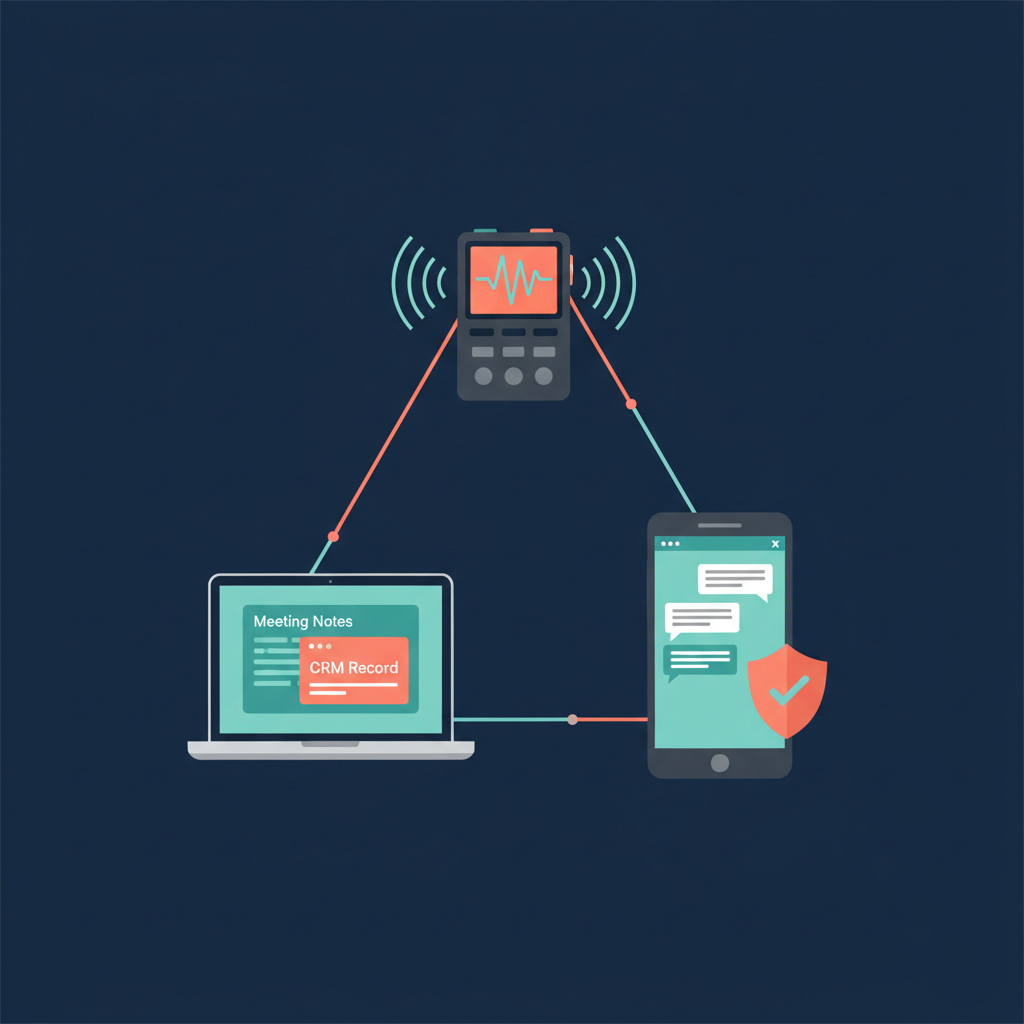
Strengths. Fellow is the most enterprise-shaped tool in this comparison. Its botless desktop capture works across Zoom, Google Meet, Teams, Slack huddles, phone calls, and in-person conversations without a visible bot in the room. The transcript redaction feature lets a user permanently strip sensitive segments out of a recording, transcript, and summary after the fact — which matters when somebody accidentally reads out a password or a client name. Fellow analyzes meeting content and auto-suggests Salesforce and HubSpot field updates, syncing directly to account records. It is SOC 2 Type II, HIPAA, and GDPR certified, never trains on customer data, and supports 99-plus languages.
Weaknesses. The free tier is five recordings, period. The features that justify Fellow live in paid plans: Team is $7 per user per month, Business is $15 per user per month with a 3-user minimum, and Enterprise is $25 per user per month with a 10-user minimum, all billed annually. Botless capture is desktop-only. A solo user or a two-person startup is simply the wrong customer for Fellow's pricing model.
Best for: sales teams, customer success orgs, and any company that has already bought Salesforce or HubSpot and wants meeting data to land inside those systems automatically.
AmyNote
Strengths. AmyNote is a mobile-first app with no hardware, no bot, and no minute caps tied to artificial tiers. Transcription runs through OpenAI's latest Speech API for accuracy on domain vocabulary, and AI summaries, action items, and semantic search are powered by Anthropic's Claude Opus. Both OpenAI and Anthropic contractually guarantee zero training on user data. Audio is encrypted in transit; processing copies may be retained to deliver and recover requested features, and transcripts and recordings are stored locally on the device with encrypted transport. AmyNote supports 120-plus languages with real-time translation, and its cross-session Speaker ID remembers voices across meetings instead of resetting every session. There is a 3-day free trial with no credit card required.
Weaknesses. No desktop app. No native CRM integrations. No video recording. No team or enterprise features yet. Brand recognition is smaller than the others. If a buying committee needs a vendor security questionnaire signed and a Salesforce contract attached, AmyNote is not the right tool today.
Best for: independent professionals, consultants, lawyers, clinicians, and researchers who want a serious AI note-taker that travels in a pocket.
Side-by-Side Comparison
| Plaud Note Pro | Fellow | AmyNote | |
|---|---|---|---|
| Form factor | Hardware + app | Desktop & web software | Mobile app |
| In-person meetings | Built for this | Via desktop capture | Native |
| Virtual meetings | Phone-call mode | Botless across all platforms | Captures call audio on phone |
| Languages | 112 | 99+ | 120+ with translation |
| Entry pricing | $189 hardware + paid plan | $7/user/mo, 3-user min for Business | 3-day free trial, single tier |
| Privacy architecture | Audio in Plaud's cloud for AI | Server-side, SOC 2 Type II, no training | Local on device, encrypted transport, zero-training contracts |
| CRM sync | No | Salesforce + HubSpot | No |
| Transcript redaction | No | Yes | No |
| Cross-session Speaker ID | No | No | Yes |
The Bottom Line
If your real-world work happens at conference tables, hospital corridors, construction sites, and client lunches, Plaud Note Pro is the most physical answer. Accept the hardware cost and the subscription as the price of a dedicated device that does one thing well.
If your real-world work happens inside Salesforce or HubSpot and your security team wants SOC 2 Type II and transcript redaction in the same contract, Fellow is the safest enterprise choice — provided your team is large enough to justify the per-seat minimums.
If your real-world work is mobile, mixed in-person and virtual, and you do not want to wear a gadget or stand up a desktop client, try AmyNote for three days. Same conversation, same encryption, no hardware to forget at home. Start at amynote.app.
Originally published as an X Article.