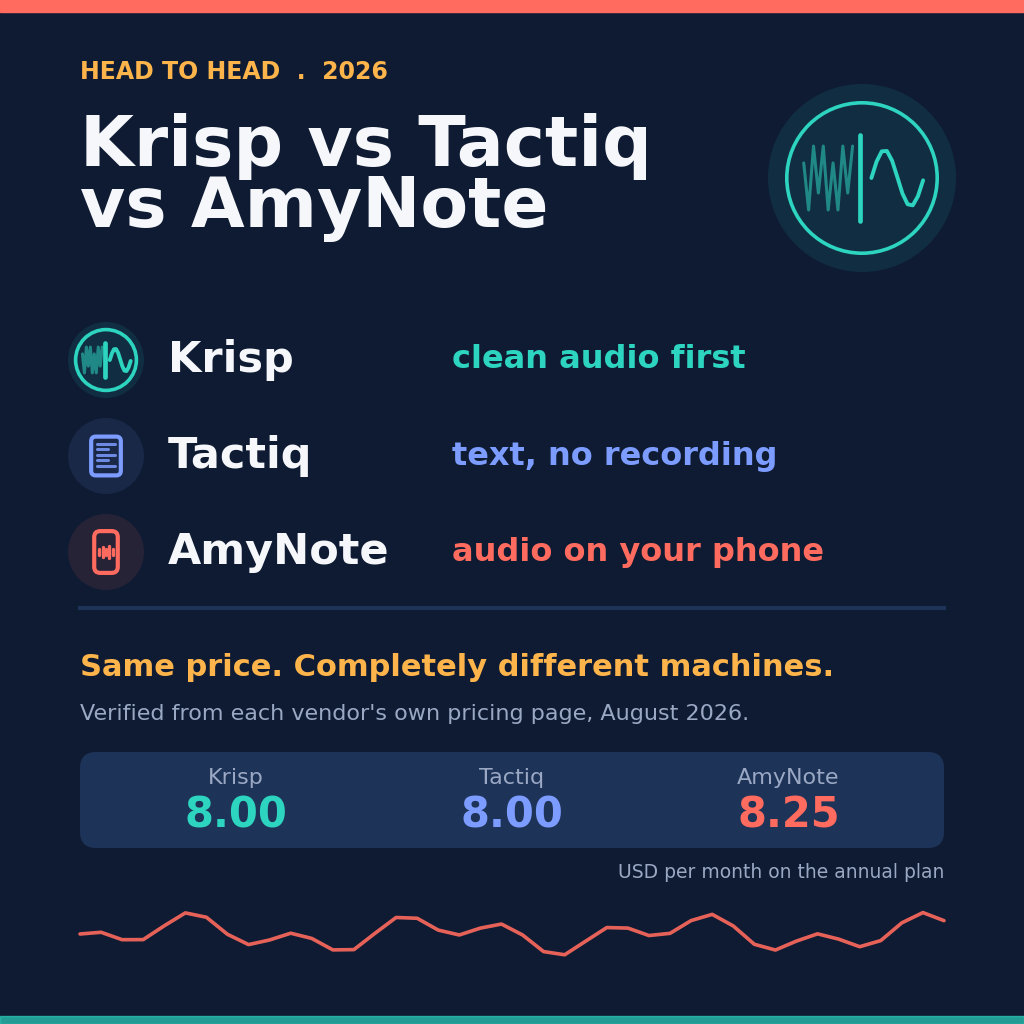
tl;dv will record and transcribe every meeting you have, forever, for nothing. Krisp gives you seven days and then asks 8 dollars a month. AmyNote gives you three days and then asks 99 dollars a year. If you are building a spreadsheet, that is where the comparison starts and it is also where most comparisons stop.
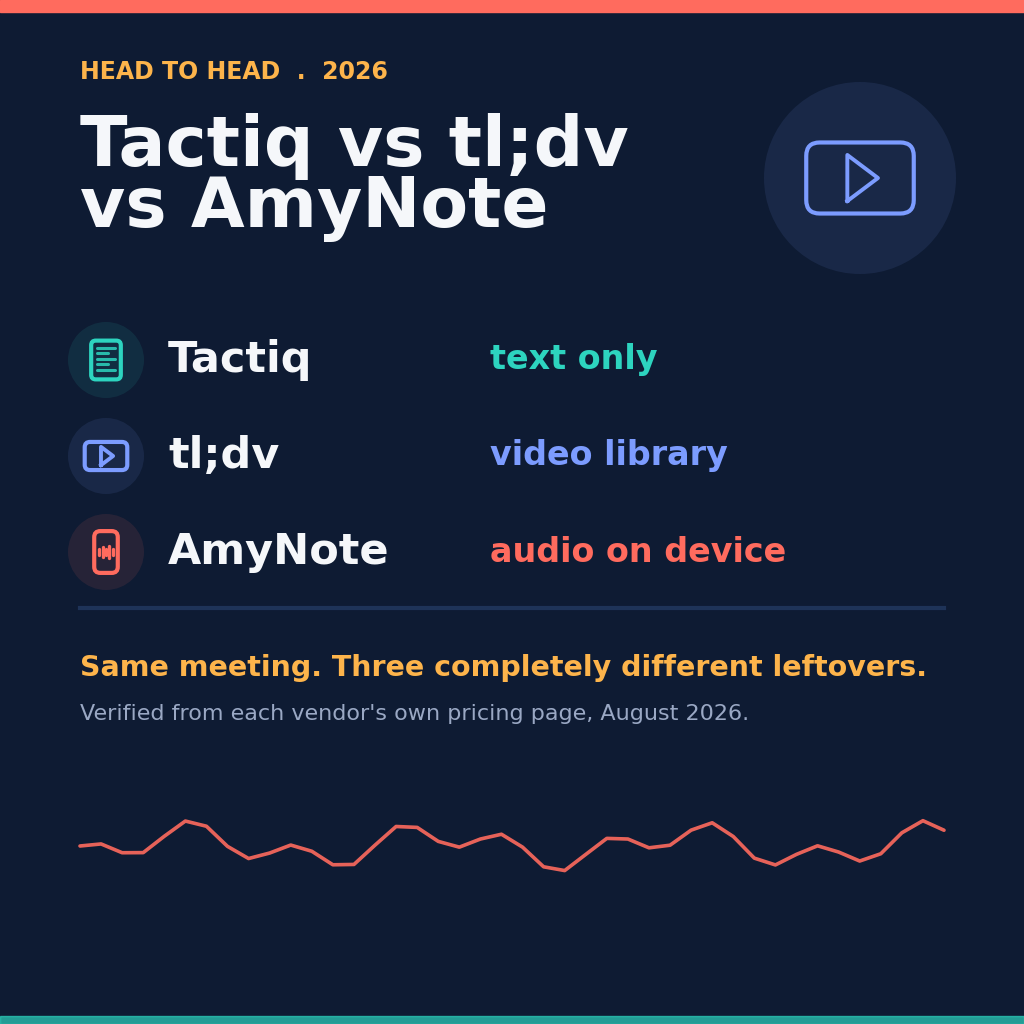
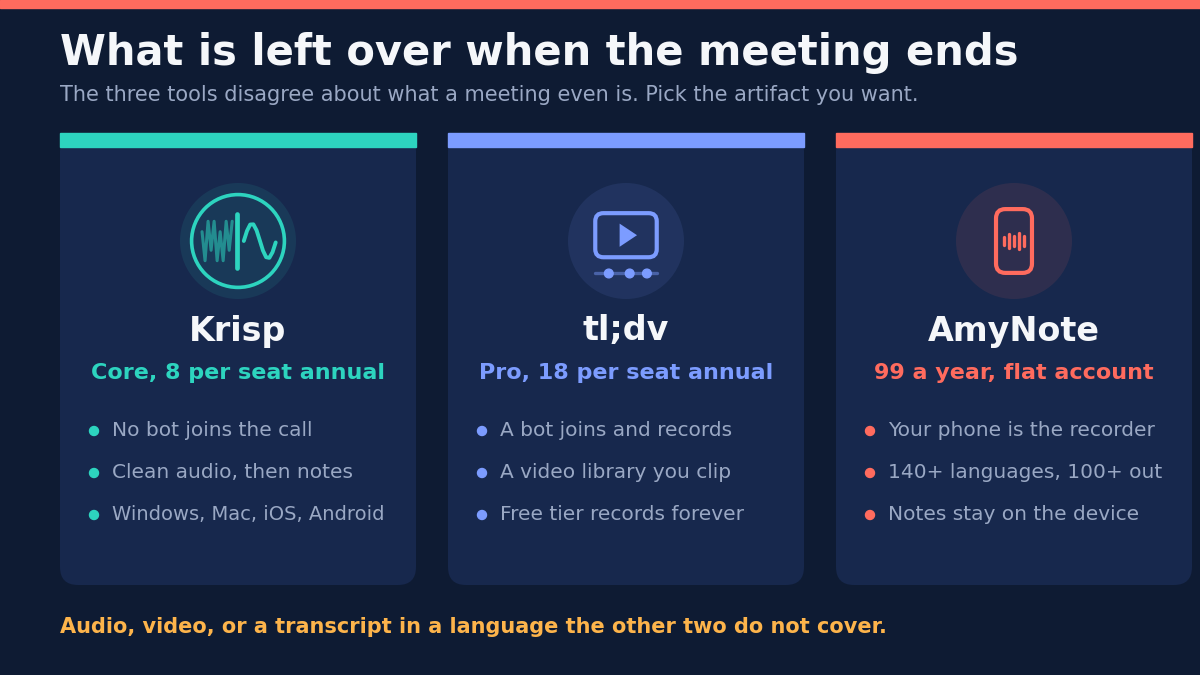
Price is the wrong thing to decide this on. These three get filed under one heading and they are not the same kind of product. One cleans up the sound and never joins your call. One sends a bot that films the meeting and hands you a video library. One is the phone already in your pocket. The real question is what you want left over when the meeting ends.
The Quick Verdict
Choose Krisp if the audio itself is the problem. It started as noise cancellation and still leads with it. Nothing joins your meeting, and it runs on more platforms than anything else here.
Choose tl;dv if the recording is the deliverable. It captures video, not just words, and turns meetings into clips you can share and coach from. Its free plan is the most generous of the three, and it is the only one hosted and stored in the EU.
Choose AmyNote if the meeting is not on a screen, or not in English. It records with the phone in your hand across 140-plus languages and charges one flat account price instead of per seat.
What We Compared
Every figure below was read this month from each vendor’s own pricing page, in a live browser, with the billing toggle clicked both ways. That detail matters more than it sounds: Krisp and tl;dv both render prices in JavaScript and default to the annual view, so the number most review sites repeat is the discounted one, quoted as though it were the monthly price.
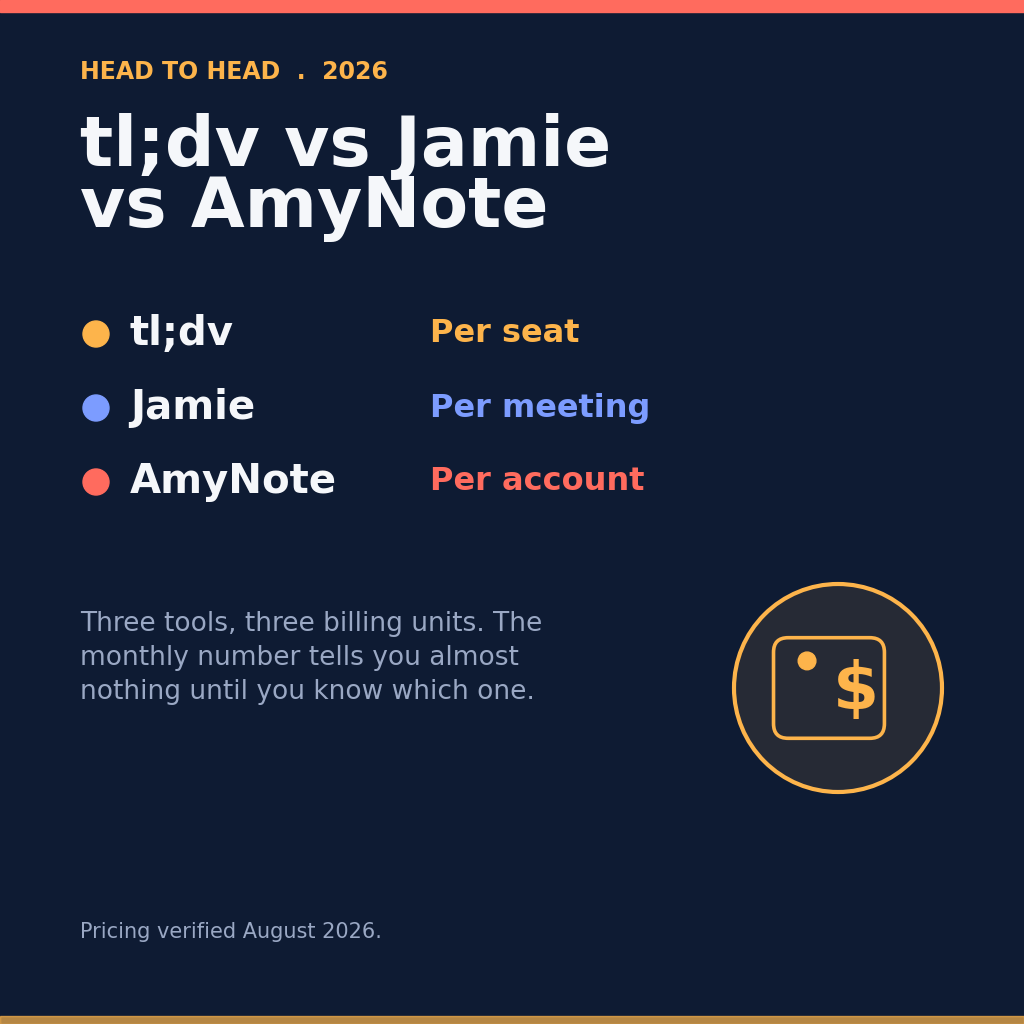
The billing unit differs too. Krisp and tl;dv charge per seat. AmyNote charges once for the account. A per-seat number and a per-account number are not comparable until you decide how many people are involved, which is why the five-person figures further down look nothing like the headline ones.
We did not score transcription accuracy head to head. Accuracy depends more on microphone quality and room acoustics than on the vendor, and a benchmark produced in a quiet office would not survive contact with your actual meetings.
Krisp: Strengths and Weaknesses
Strengths. Krisp is the only tool here that treats sound as the primary problem, and noise cancellation is unlimited on every tier. It does considerably more than its reputation suggests: unlimited transcription and AI notes, video recording, in-person meetings, transcription of uploaded files, custom vocabulary, and MCP integration for Claude, ChatGPT and Cursor — all on the entry Core tier rather than held back for an upsell.
Platform coverage is the widest here by a distance: Windows, macOS, iOS, Android and a browser extension. It rates 4.7 on G2 and carries GDPR and SOC 2 Type II on every tier, not just Enterprise. You can capture bot-free, or send a bot if you prefer — it is the only one of the three that leaves that choice open.
The breadth is the part buyers underestimate. People shortlist Krisp as “the noise cancellation one” and then find a complete meeting notes product underneath, running on more operating systems than either alternative.
Weaknesses. The language list is the narrowest here by a wide margin. Krisp advertises transcripts and summaries in 16-plus languages, and its published list does not include Japanese, Chinese or Arabic. For a team that meets in any of those, that single fact is disqualifying, and no amount of platform coverage compensates for it.
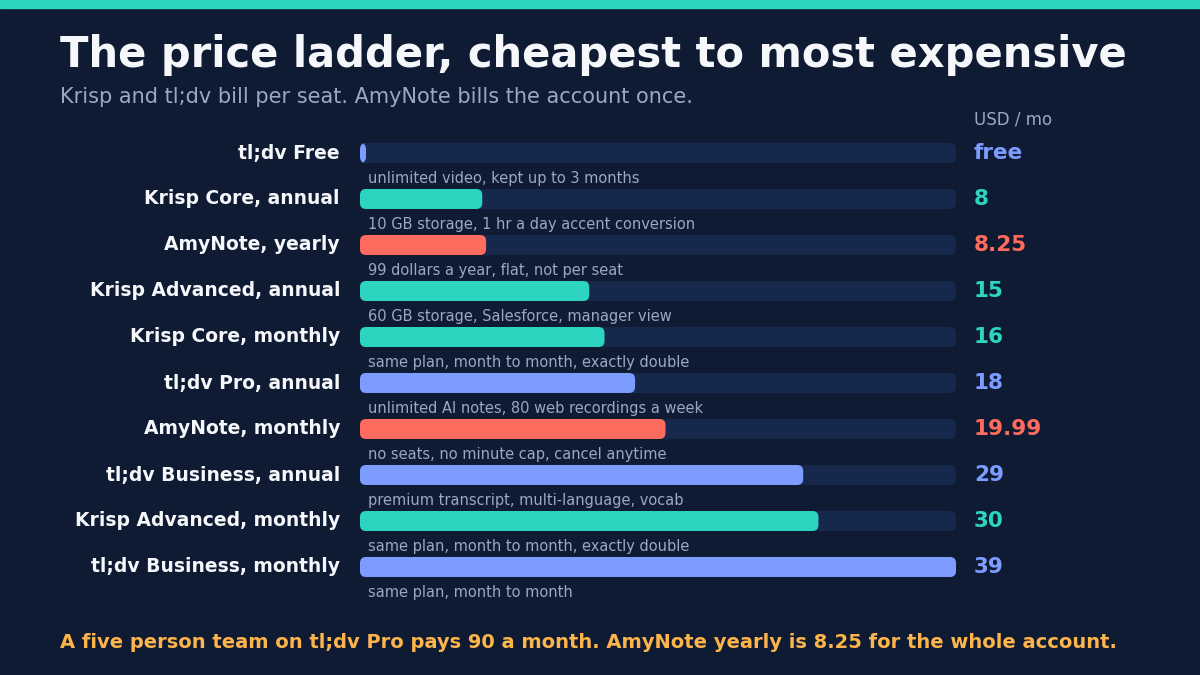
Billing punishes anyone who will not commit to a year. Core is 8 dollars annual and 16 monthly. Advanced is 15 and 30. That is an exact doubling on both tiers, which makes month-to-month a genuine penalty rather than a small convenience fee. The perpetual free plan is gone, replaced by a 7-day trial. Core storage stops at 10 GB, HIPAA and SSO are Enterprise-only, and signup expects a Google or Outlook calendar connection by default.
tl;dv: Strengths and Weaknesses
Strengths. The free plan is the most generous here and it is not close: unlimited video recordings and unlimited transcription in 30-plus languages, no credit card required, plus the iOS and Android apps at zero cost. Nothing else in this comparison offers a free tier that records without a cap.
Video is genuinely the product rather than a side feature. Shareable clips, live highlighting and playbook monitoring are built for teams who coach from recordings, and they only make sense if someone actually rewatches meetings.
For European buyers the compliance posture is the strongest of the three: GDPR, SOC 2, EU AI Act compliance, data hosted and stored in the EU, and privately hosted AI available on request. If your procurement process has an EU data residency line on it, this is the only one of the three that clears it outright.
Weaknesses. A bot joins your web meetings. tl;dv sells custom bot appearance as a Pro feature, which is a fair admission that the bot is visible enough that customers want to restyle it. If an extra attendee in a client call is awkward, that is structural and no plan tier fixes it.
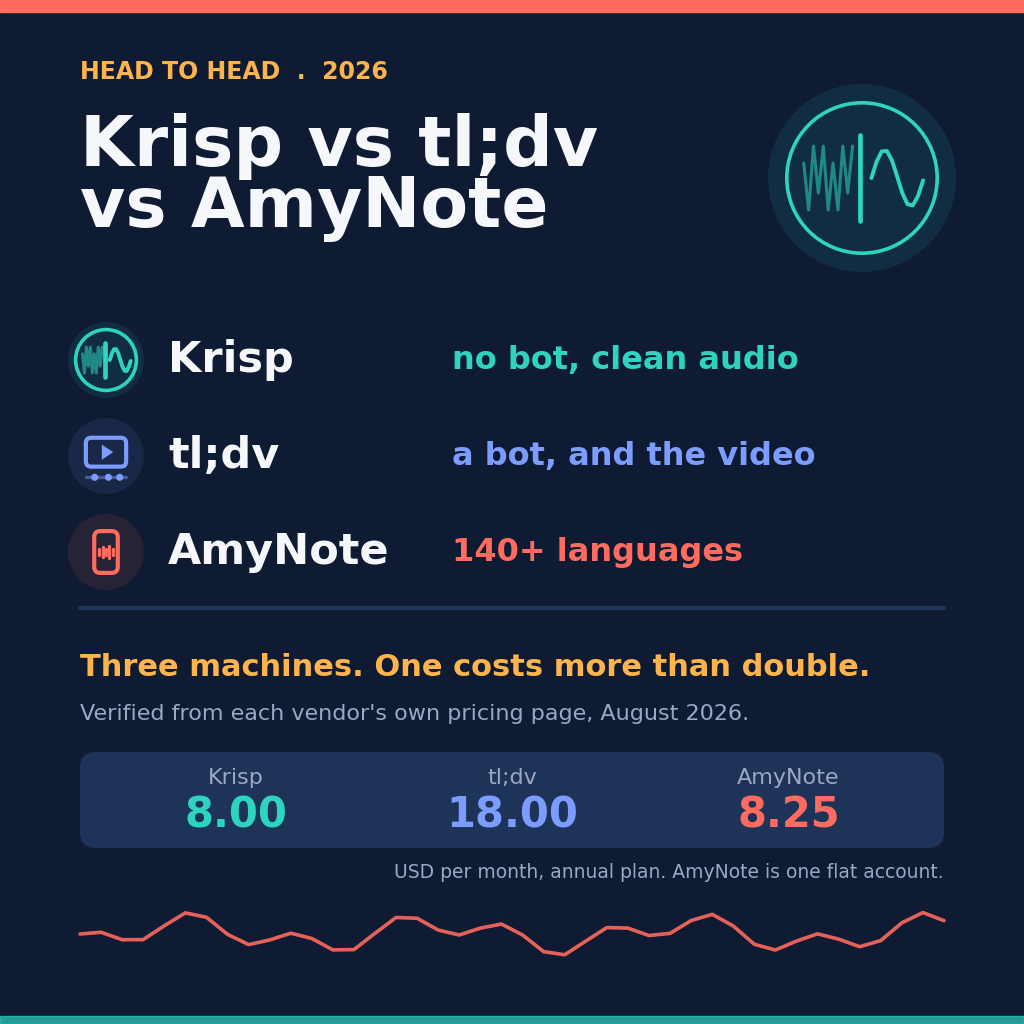
It is also the expensive option. Pro is 18 dollars per seat per month annually, more than double both rivals, and Business is 29 annual or 39 monthly. Five people on Pro is 90 dollars a month.
The caps deserve a close read before you commit. Every plan, Enterprise included, stops recording at 3 hours. Weekly web recording capacity runs 40 on Free, 80 on Pro and 120 on Business. Free keeps data only up to 3 months, so “unlimited recording” and “unlimited retention” are not the same promise. Multi-meeting Ask AI stays capped at 5 queries even after you pay for Pro. And premium transcript quality, multi-language meetings and custom vocabulary all sit at Business, which means better transcription is a 29-dollar feature rather than an 18-dollar one.
AmyNote: Strengths and Weaknesses
Strengths. AmyNote assumes the meeting that matters may not be on a screen at all. The phone in your pocket is the recorder, so a client lunch or a site walkthrough is captured exactly the way a video call is. Neither of the other two starts from that assumption.
It transcribes 140-plus languages and translates into 100-plus, tuned for East Asian and Arabic speech — roughly nine times the reach of Krisp and four times that of tl;dv. Speaker identification persists across sessions, so you name someone once and the app recognizes them in later recordings. Pricing is a flat 99 dollars a year with no per-seat charge, no minute caps and no credit meters, at 4.9 across 10,000-plus downloads.
On privacy, both OpenAI and Anthropic contractually guarantee zero training on user data. Audio is encrypted in transit and not retained after processing. Transcripts are stored locally on the device with end-to-end encryption.
Weaknesses, stated plainly. AmyNote is iOS only. No Android, no Windows, no macOS, no browser extension. If your team spans Android phones or Windows desktops, Krisp is the better answer and it is not close.
It does not record video at all. If you want a library of recordings to clip and send to a colleague, tl;dv wins outright and no amount of language coverage changes that. There are no CRM integrations, no team management and no SSO, which rules AmyNote out for a centralized rollout regardless of price.
Side by Side
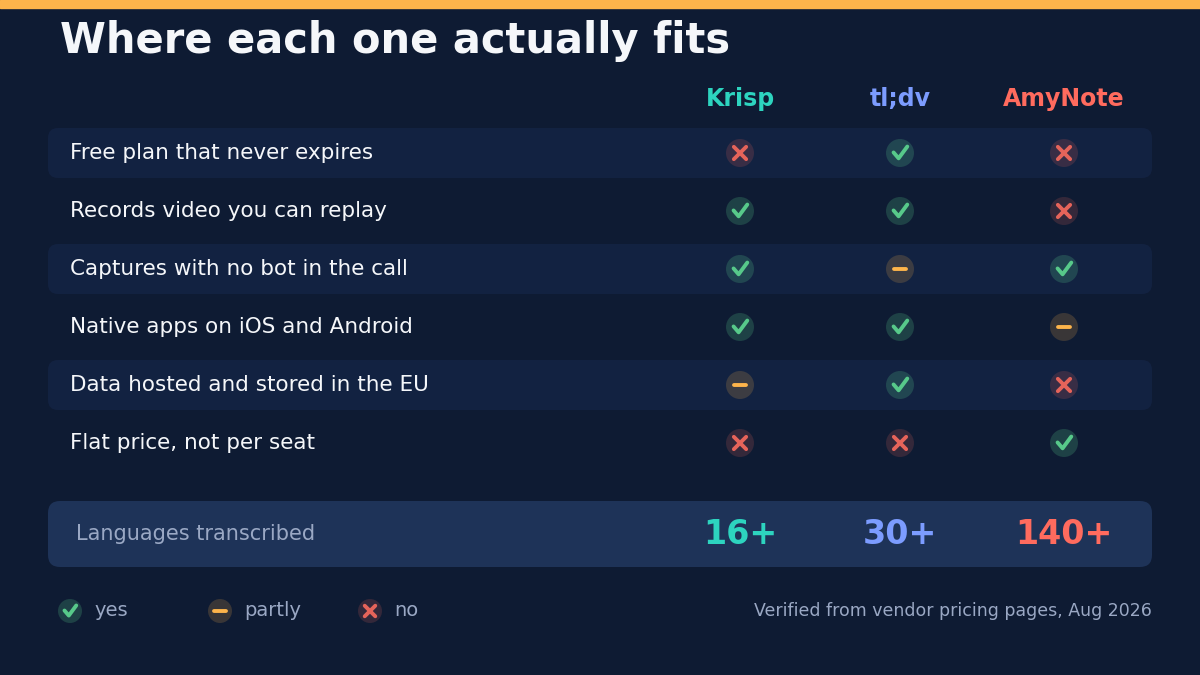
- What survives the meeting. Krisp keeps clean audio, video and text. tl;dv keeps video you can clip and replay. AmyNote keeps audio and text on the device, and is the only one built first for in-person talk.
- Free plan that never expires. tl;dv yes, with unlimited recording but 3-month retention. Krisp no, a 7-day trial. AmyNote no, a 3-day trial.
- Real monthly cost. Krisp Core 8 annual or 16 monthly. tl;dv Pro 18 annual, Business 29 annual or 39 monthly. AmyNote 8.25 yearly or 19.99 monthly, charged to the account rather than the seat.
- Languages transcribed. Krisp 16-plus. tl;dv 30-plus. AmyNote 140-plus.
- Scaling to five people. Krisp Core is 40 a month, tl;dv Pro is 90, AmyNote stays at 8.25 because it does not charge per seat.
Three Buyers, Three Different Answers
A distributed support team on Windows and Android, working from noisy homes. Krisp is the answer before language or price enters the conversation, because it is the only one of the three that treats bad input as the problem to solve rather than something to transcribe around. Core at 8 a seat annually is 40 a month for five people, and unlimited noise cancellation sits on every tier.
A revenue team in Berlin that coaches from call recordings. tl;dv is built for exactly this, and the EU hosting requirement narrows the field to one. Budget for Business rather than Pro if the calls are multilingual or full of product vocabulary, because premium transcript quality and custom vocabulary live there — 29 a seat annually, not 18. Also check the 3-hour recording ceiling against your longest quarterly review.
A two-person consultancy meeting clients in person, in Japanese and English. Krisp is out on languages: its published list does not include Japanese. tl;dv would put a bot in a conversation that is happening across a table, which is not a thing a bot can attend. That leaves AmyNote at 8.25 a month for the account, with the phone as the recorder. The catch is iOS — if either consultant carries an Android phone, this scenario needs a different answer entirely.
The Bottom Line
Krisp is right when audio quality is the bottleneck and your people are spread across Windows and Android. It is the most complete single product here, and the 16-language ceiling is the price of that completeness.
tl;dv is right when the recording is the point. If your team reviews calls, coaches from them, or needs data that stays in the EU, it earns the extra 10 dollars a seat. If nobody ever rewatches a meeting, you are paying double for a library that goes unopened.
AmyNote is right when the conversations that matter happen away from a screen, when the languages in the room are on nobody’s short list, and when a flat annual price beats per-seat arithmetic. It is iOS only and it does no video. If either is a blocker, one of the other two is your answer.
If neither is, the trial at amynote.app runs three days with no limits and no credit card.
Originally published as an X Article by @AmyNoteApp.