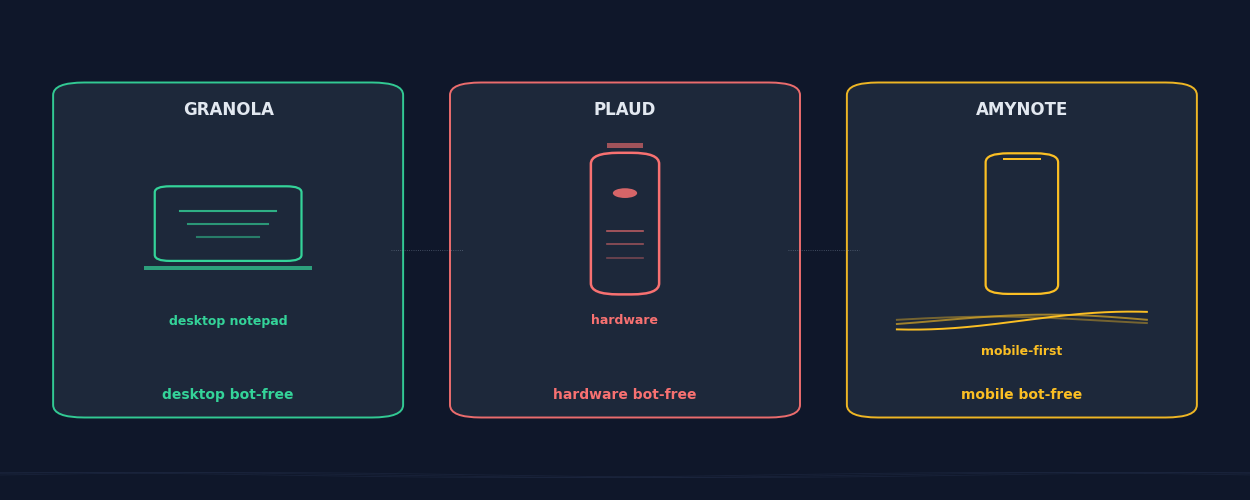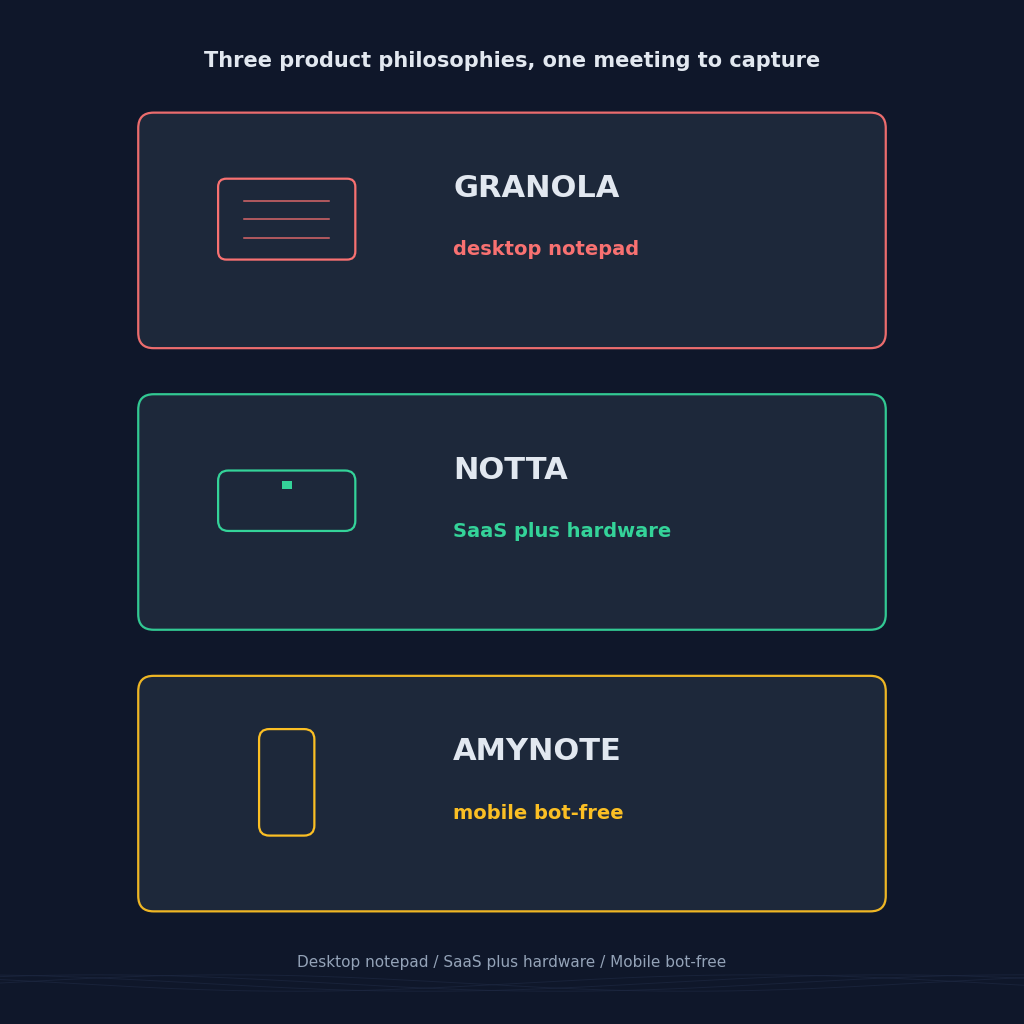
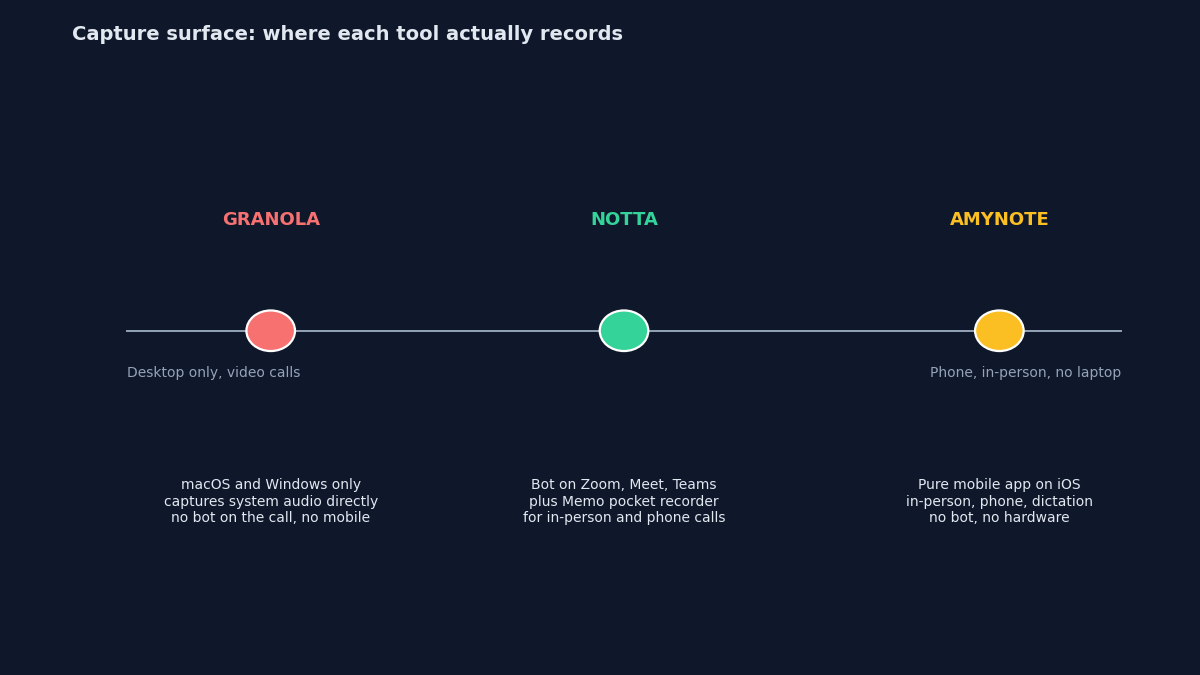
Three of the most-searched AI note takers in 2026 all promise the same headline: capture every meeting, get a clean summary in the morning, never miss an action item. What they actually do under the hood is very different. Granola is a bot-free desktop notepad that listens to your Mac or Windows machine. Notta is a cloud SaaS with a pocket-sized hardware recorder for meetings that never touch a laptop. AmyNote runs entirely on your phone: no bot, no hardware.
If you have been trying to line the three up on price, on language coverage, and on which one actually works for the meetings you have, this piece is for you.
Quick Verdict
Pick Granola if you live on a laptop, want a distraction-free notepad that quietly captures system audio during video calls without a visible bot, and are fine paying a premium subscription for a polished desktop-only experience.
Pick Notta if you split time between online meetings and in-person conversations, want a small hardware recorder for the offline ones, and can live with 58-language coverage.
Pick AmyNote if you want a single mobile app that records in-person meetings, phone calls, and dictation without a bot on any call and without buying hardware. There is a trade-off: no desktop app, no CRM, no team features yet.
What We Compared
We looked at four axes that actually decide which tool wins for a given user: where each tool captures audio (desktop, hardware, or phone), what the entry pricing costs and what the free-plan limits are, how many languages each supports for transcription and summaries, and what the privacy story looks like once the AI has already seen your meeting.
We ignored feature comparisons for things all three do reasonably well: real-time transcription, speaker labels, action-item extraction, and searchable transcripts.
Granola
Strengths. Granola is the desktop notepad done right. It captures your Mac or Windows machine's system audio directly, so nothing joins the call as a visible bot and no one else on the meeting knows the tool is there. The interface is deliberately minimal: you take your own bullet notes during the call, and Granola upgrades them into a full summary afterwards using the transcript in the background. The Basic plan is free with core AI notes, custom templates, and multi-language support. The Individual plan is 18 USD per month for unlimited notes on a single machine. The Business plan is 14 USD per user per month and adds Notion, HubSpot, Slack, and Zapier integrations, plus unlimited searchable history.
Weaknesses. No mobile app. If your meeting is in a coffee shop, on a phone call, or in a corridor, Granola cannot capture it. The Basic free plan caps note history at 30 days, so anything older than a month disappears from the interface unless you upgrade. Language coverage is the tightest of the three: the desktop app officially supports 10 languages in multi-language mode, and iOS and Android would support 17 in total, but the mobile clients are audio-capture-only companions, not standalone recorders. Enterprise pricing jumps to 35 USD per user per month once you need SSO or team-wide opt-out of AI training.
Best for. Founders, consultants, and product managers who spend most of their day in Zoom or Google Meet on a laptop and want a bot-free notepad that quietly upgrades their own outline into a full summary. Buyers who value the "no visible tool on the call" property more than mobile coverage.
Notta
Strengths. Notta is one of the few tools that sells you both a polished SaaS product and hardware. The Notta Memo is a pocket-sized recorder priced at 149 USD, with a 30-hour battery, 32GB of storage, and four MEMS microphones plus a bone-conduction mic for cleaner voice pickup in noisy rooms. The device works offline and syncs recordings up to Notta's cloud when you get back to a network. The software's Pro plan is 8.17 USD per month billed annually, the cheapest premium single-user tier in this comparison. Real-time transcription during Zoom, Meet, and Teams calls covers the online side.
Weaknesses. Language coverage is 58 languages, versus 120-plus on AmyNote. Real-time translation and bilingual transcription features are sold as add-ons starting at 6 USD per month, not part of the base plan. The Business plan is 27.99 USD per seat per month, which stacks up on larger teams. The Free plan is heavily throttled: 120 minutes of transcription per month, a 3-minute cap on any single file, and only 10 AI summaries. And the Memo, while nicely built, still needs cloud upload for AI features. The device captures, but the summary happens after sync.
Best for. Field sales, journalists, and consultants who genuinely split their week between video calls at a desk and face-to-face conversations they can't route through a laptop, and who don't mind carrying an extra piece of hardware. Buyers who want the "cheapest polished SaaS" entry point in this three-way.
AmyNote
Strengths. AmyNote records everything on your phone. There is no bot to invite, no hardware to buy, no desktop app to install. Language support is 120-plus with real-time translation baked in, comfortably ahead of both Granola and Notta. Transcription uses OpenAI's latest Speech API. Summaries and semantic search run through Anthropic's Claude Opus. Both providers contractually guarantee zero training on user data. Audio is encrypted in transit; processing copies may be retained to deliver and recover requested features. Transcripts are stored locally on device with encrypted transport.
Weaknesses. Be honest. No desktop app. No CRM integrations for Salesforce or HubSpot. No video recording of any kind. No team dashboards. No shared workspaces. Smaller brand than either Granola or Notta. Mobile-first means it excels at conversations that a laptop cannot easily join, and stays out of the workflow where a proper desktop notepad or hardware recorder earns its place.
Best for. Anyone whose most important meetings happen in a room, on a phone call, or in a corridor rather than in front of a laptop. Multilingual professionals whose work spans more than the 10 to 58 languages the other two cover. Privacy-conscious users who want the archive to live on device rather than in a vendor's cloud.
Side-by-Side Comparison
- Capture surface. Granola is desktop-only, listening to system audio during video calls. Notta is a bot on video calls plus a card-thin Memo recorder for offline moments. AmyNote is a phone microphone for everything.
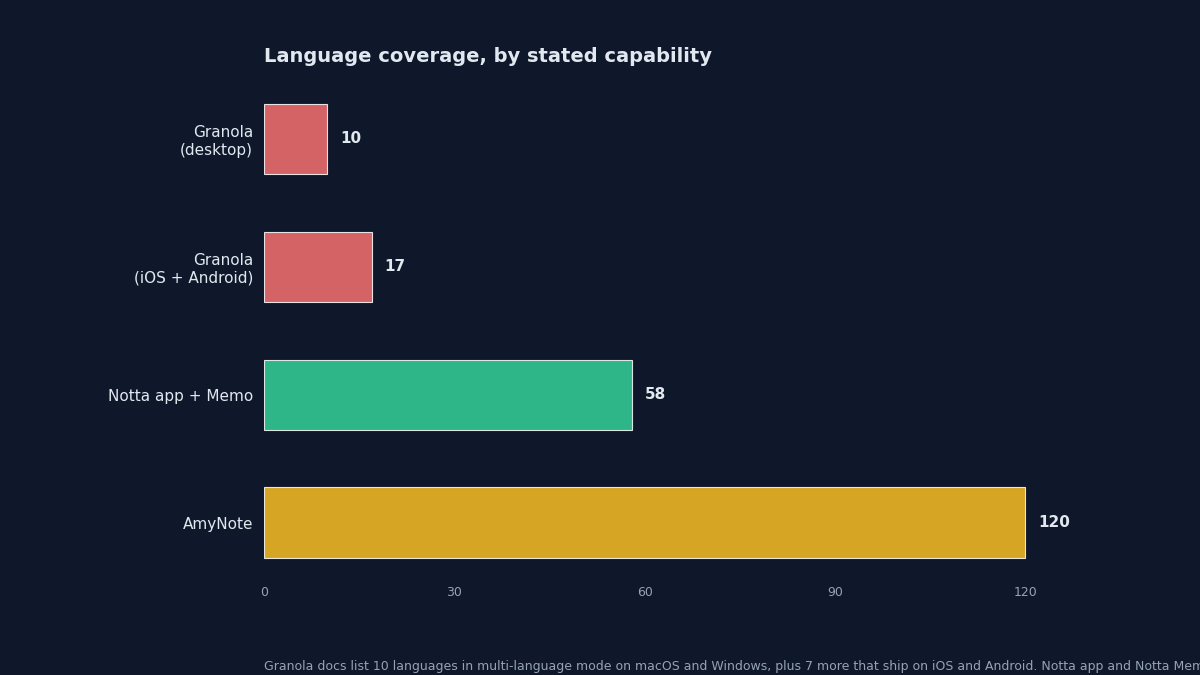
- Language coverage. Granola documents 10 languages in multi-language mode on desktop, 17 on mobile clients. Notta cites 58. AmyNote cites 120-plus.
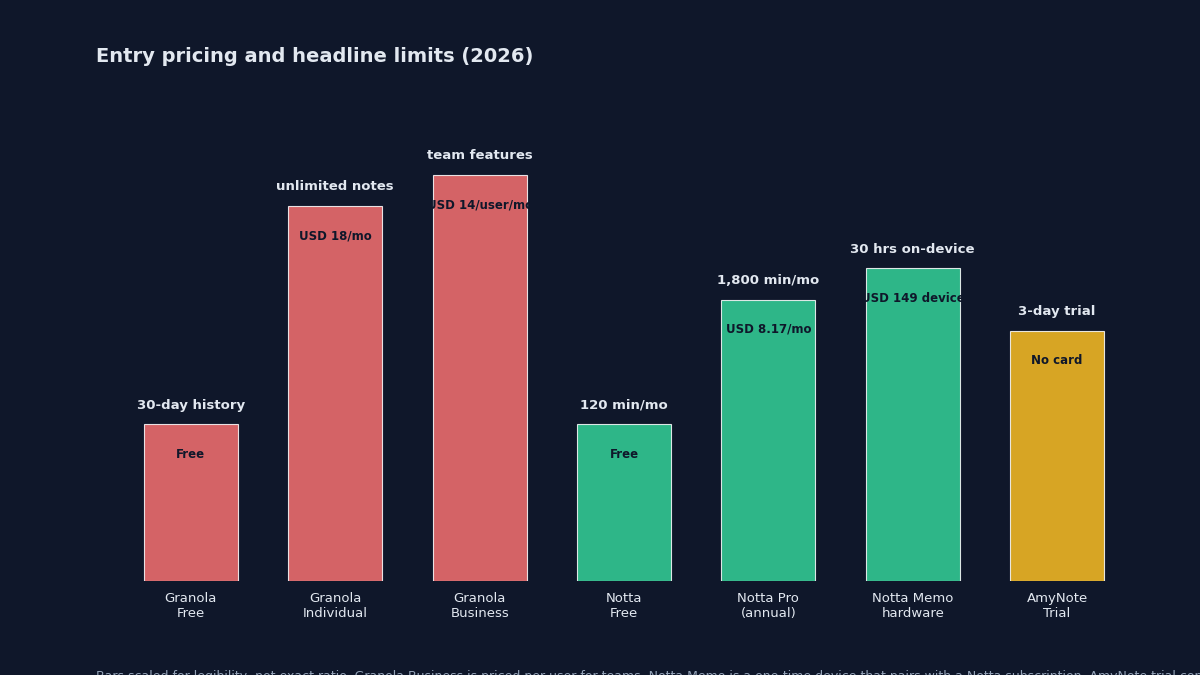
- Entry pricing. Granola Individual 18 USD per month. Notta Pro 8.17 USD per month billed annually. AmyNote 3-day free trial, no credit card.
- Free-plan limits. Granola Basic caps note history at 30 days. Notta Free caps transcription at 120 minutes per month with a 3-minute file cap and 10 AI summaries. AmyNote uses a time-boxed trial rather than minute caps.
- Hardware option. Only Notta ships a first-party recorder (Notta Memo, 149 USD). Granola and AmyNote do not.
- In-person meetings. Granola cannot capture these without a workaround, since the desktop app relies on system audio. Notta covers them with the Memo device. AmyNote handles them natively from the phone.
- Cross-meeting AI. Granola surfaces retrievable searchable notes on paid tiers. Notta has the Notta Brain assistant. AmyNote uses Claude Opus for semantic search across your local transcript archive.
- CRM sync. Granola Business ties into HubSpot, Notion, Slack, and Zapier. Notta Business supports CRM sync. AmyNote does not.
- Privacy posture. Granola processes audio through its cloud (Enterprise tier lets teams opt out of AI training). Notta stores transcripts in the cloud. AmyNote stores transcripts locally on device with zero training guarantees from both AI providers.
How to Choose
Skip the feature lists for a moment and answer one question: where does the meeting actually happen?
If it happens on your laptop and you want the cleanest possible desktop-first notepad experience, Granola is the polished pick, and the free tier gives a real feel for the product before you pay. You give up mobile coverage and you pay 18 USD per month once you outgrow the 30-day history cap, but you get a notepad that gets out of the way and quietly upgrades what you already typed.
If your calendar splits between the laptop and the physical world, Notta and its Memo device are the coherent combo, and 8.17 USD per month for Pro is a fair entry point. You are paying for two products: a SaaS bot for video calls and a piece of hardware for everything else. If your language mix stays inside the 58 that Notta covers and your team lives on HubSpot or Salesforce, this pair does more than either standalone tool can.
If half your meetings happen in a room, on a phone call, or in a corridor, a desktop app cannot help you and hardware is an extra thing to carry. That is where AmyNote is designed to slot in: 120-plus languages, no bot, no hardware, and privacy handled as a design constraint rather than a paid tier. Free 3-day trial, no credit card. See amynote.app.
Originally published as an X Article by @AmyNoteApp.