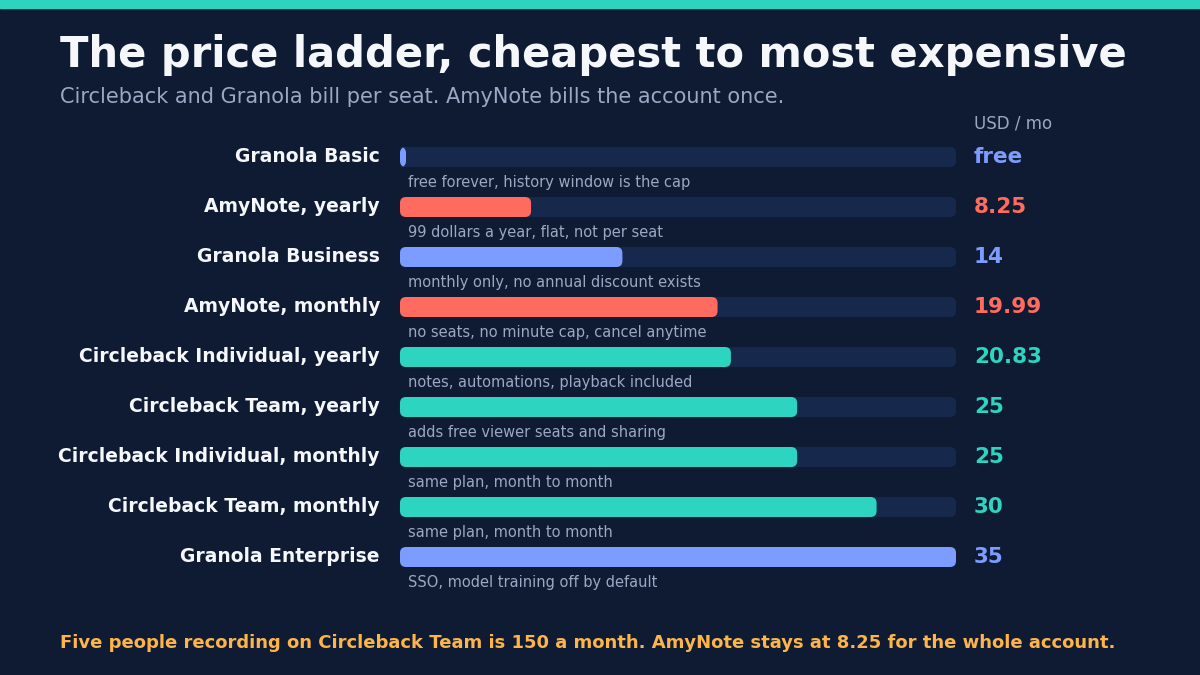
Granola will take notes on your meetings for nothing, forever. Circleback gives you a trial and then asks 25 dollars a month. AmyNote asks 8.25. Price is the obvious way to rank these three and it is the wrong one.
The real split is what each one assumes about you. One writes the notes and then does the follow-up work. One assumes you are already typing and makes what you typed better. One assumes the conversation that matters is not on a screen at all. And there is a question no pricing page answers: after the meeting ends, who else gets to learn from it.
The Quick Verdict
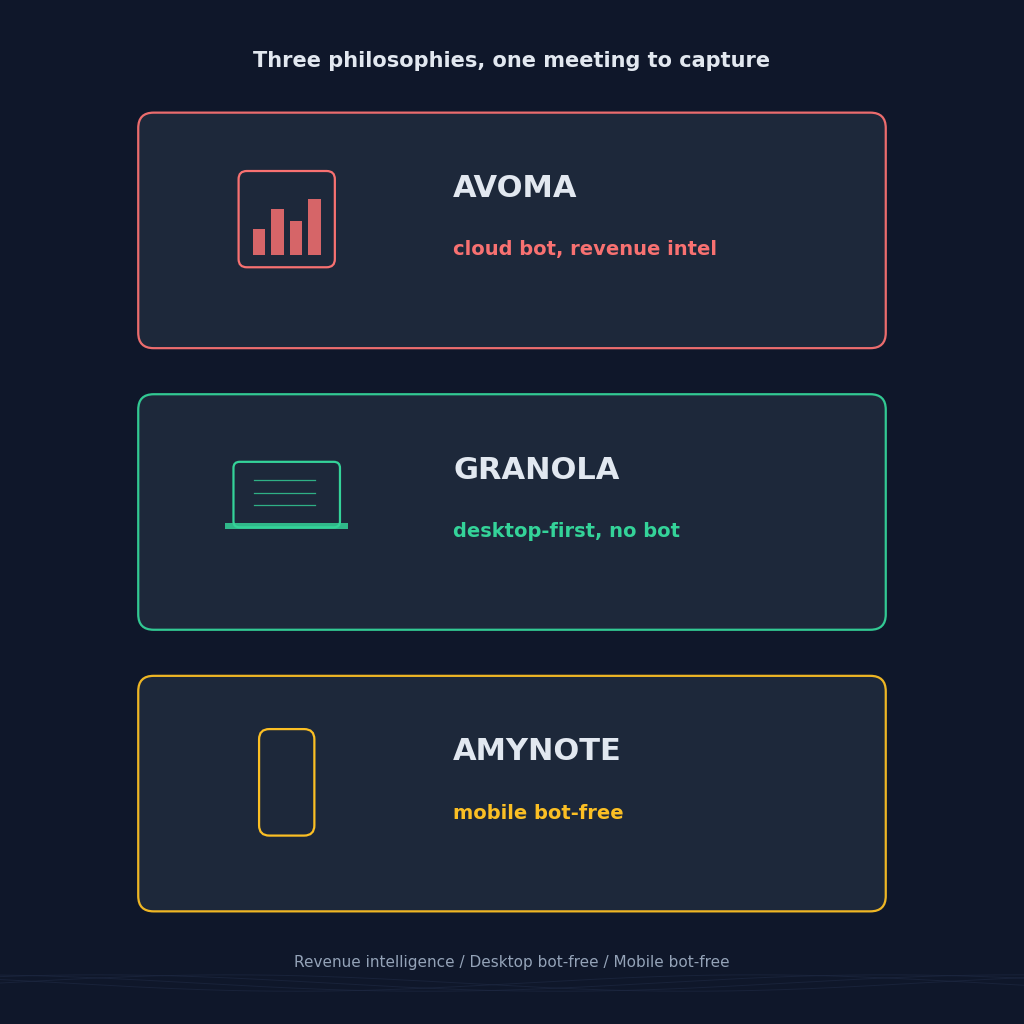
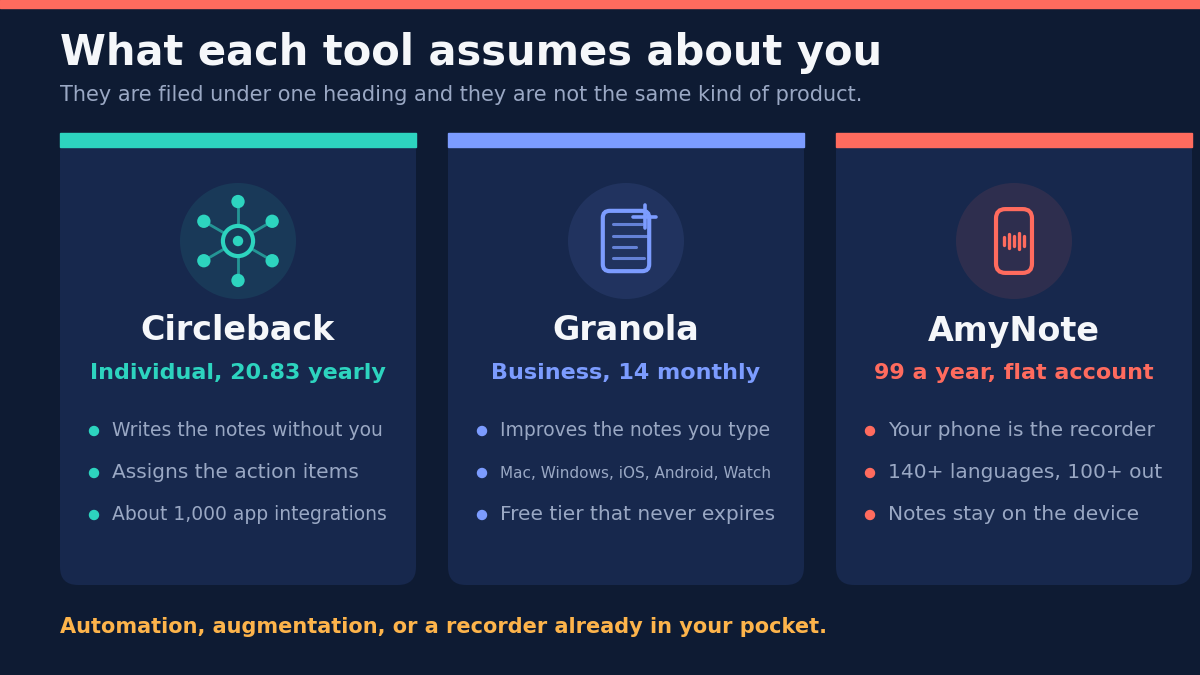
Choose Circleback if you want the meeting to trigger work elsewhere. It writes the notes without you, assigns the action items, and pushes them into a thousand other apps. Most automatic, most expensive.
Choose Granola if you already take notes and want them sharpened. It layers AI onto what you type rather than replacing you, runs bot-free on more devices than anything else here, and its free tier is a real product rather than a countdown.
Choose AmyNote if the meeting is not on a screen, or not in English. It records with the phone already in your hand across 140-plus languages, at one flat account price instead of per seat.
What We Compared
Every figure below was read this month from each vendor’s own pricing page. That detail matters more than it sounds. Circleback opens on its discounted yearly view, so the number most review sites repeat is the cheaper one, quoted as though it were the monthly price. We clicked the toggle both ways. Granola has no toggle at all: one monthly price, and no annual discount exists to find.
The billing unit differs too, and it is the single thing most likely to make a shortlist wrong. Circleback and Granola charge per seat. AmyNote charges once for the account. A per-seat number and a per-account number are not comparable until you decide how many people are involved, which is why the five-person figures further down look nothing like the headline ones.
We did not score transcription accuracy head to head. Accuracy depends more on microphone quality and room acoustics than on the vendor, and a benchmark produced in a quiet office would not survive contact with your actual meetings. What we did compare is the part that does not move: what each tool does on its own, what it costs when your team grows, and what it does with your data afterwards.
Circleback: Strengths and Weaknesses
Strengths. Circleback is the most hands-off tool here. Notes and action items are written and assigned automatically, and the action items are the point rather than a footnote to a summary. That distinction shows up in daily use: a summary is something you read, an assigned action item is something that appears in someone else’s queue without anyone retyping it.
It connects outward further than either rival, with roughly a thousand app integrations plus an API, webhooks, an MCP server and a command line tool. Coverage is broad as well: a bot-free desktop app on macOS and Windows, iOS and Android apps, support for Zoom, Meet, Teams, Webex and Slack huddles, and in-person recording. It handles over 100 languages. On privacy the answer is short — Circleback does not train AI models on customer data.
Weaknesses. It is the priciest option here by a clear margin: Individual is 20.83 per user per month billed yearly and 25 monthly, Team is 25 yearly and 30 monthly. There is no perpetual free plan, only a trial, which makes it the hardest of the three to evaluate slowly against real meetings. HIPAA requires the Enterprise tier, so regulated healthcare work does not start at the advertised price. Viewers are free, but everyone who records is a paid seat — worth checking before you assume a large team costs less than it does.
Granola: Strengths and Weaknesses
Strengths. Granola’s free Basic tier is a genuine product, not a countdown: AI meeting notes, AI chat across meetings, shared folders, templates and multi-language support, at zero. The cap is how far back your history goes, not how many meetings you hold, which is an unusually honest shape for a free plan. Business at 14 dollars per user per month unlocks unlimited history, integrations with Attio, Notion, Slack, HubSpot and Zapier, plus MCP and API access.
It captures device audio bot-free across the widest device range here: Mac, Windows, iOS, Android and an Apple Watch app. It is SOC 2 compliant. It also announces at the start of a meeting that Granola is being used — an honest answer to a consent problem the rest of the category quietly leaves to the user.
Weaknesses. Granola trains on your data by default. Its own FAQ is direct about it: third parties such as OpenAI and Anthropic are never allowed to train on your meetings, but Granola itself trains on your anonymized data to improve the product. Any individual can switch it off with one click in Settings, and Enterprise accounts have it off from the start. The opt-out is easy and the disclosure is upfront, but the default is on, which is the opposite of the other two here. If you record anything sensitive, that click is not optional.
There is no HIPAA compliance and no published timeline for it, which rules Granola out of regulated healthcare work regardless of how good the notes are. SSO is limited to workspaces of 50 or more users, and billing is monthly only. The product also expects you to participate: it improves the notes you are already taking, so a user who types nothing gets noticeably less out of it than a user who types.
AmyNote: Strengths and Weaknesses
Strengths. AmyNote assumes the meeting that matters may not be on a screen. The phone in your pocket is the recorder, so a client lunch or a site walkthrough is captured exactly the way a video call is. Neither of the other two starts from that assumption.
It transcribes 140-plus languages and translates into 100-plus, tuned for East Asian and Arabic speech. Speaker identification persists across sessions, so you name someone once and the app recognizes them in later recordings, and semantic search finds a moment by meaning rather than by keyword. Pricing is a flat 99 dollars a year, with no per-seat charge and no minute caps.
On privacy, both OpenAI and Anthropic contractually guarantee zero training on user data. Audio is encrypted in transit and not retained after processing. Transcripts are stored locally on the device with end-to-end encryption.
Weaknesses, stated plainly. AmyNote is iOS only: no Android app, no desktop, no watch app, no browser extension. Both rivals cover far more hardware, and if your team is mixed that single fact decides this comparison before anything else is weighed.
It records no video and automates nothing. There are no CRM integrations, no webhooks and no MCP server, so a meeting cannot update a deal record on its own. For anyone who wants meetings to trigger work elsewhere, Circleback wins outright. No team management and no SSO also rules out a centralized rollout.
Side by Side
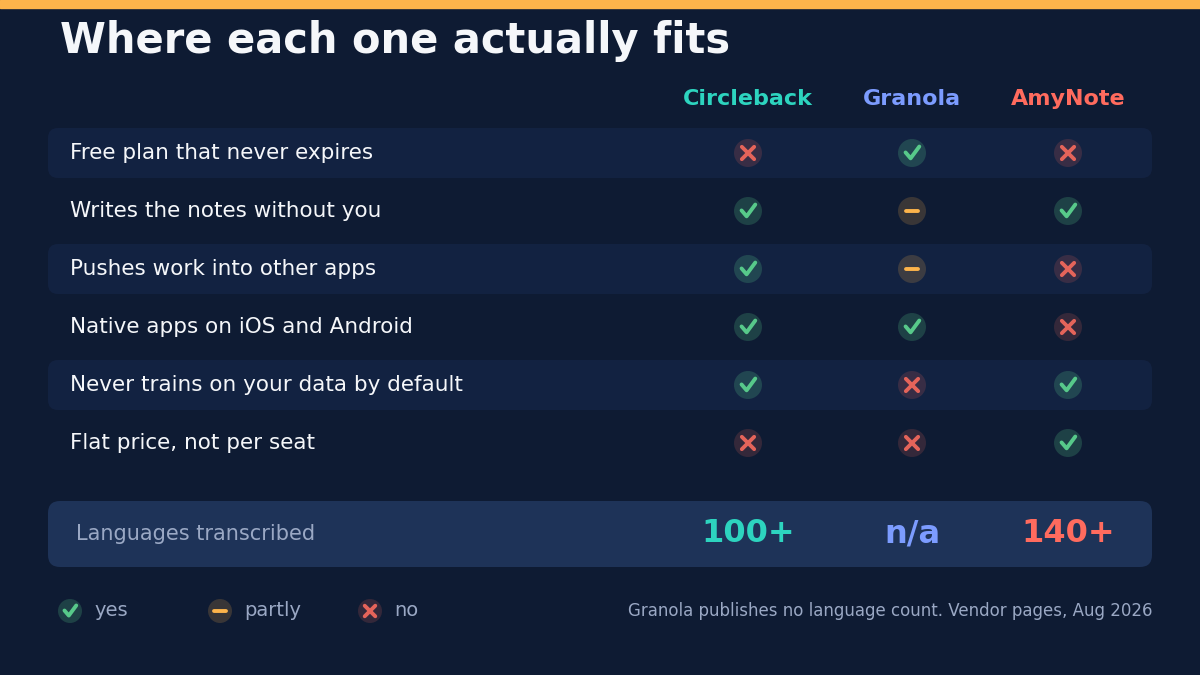
- Who writes the notes. Circleback writes them for you. Granola improves the ones you type. AmyNote transcribes and summarizes whatever it hears, on a phone.
- Free plan that never expires. Granola yes, capped on history rather than on meetings. Circleback no, trial only. AmyNote no, a 3-day trial.
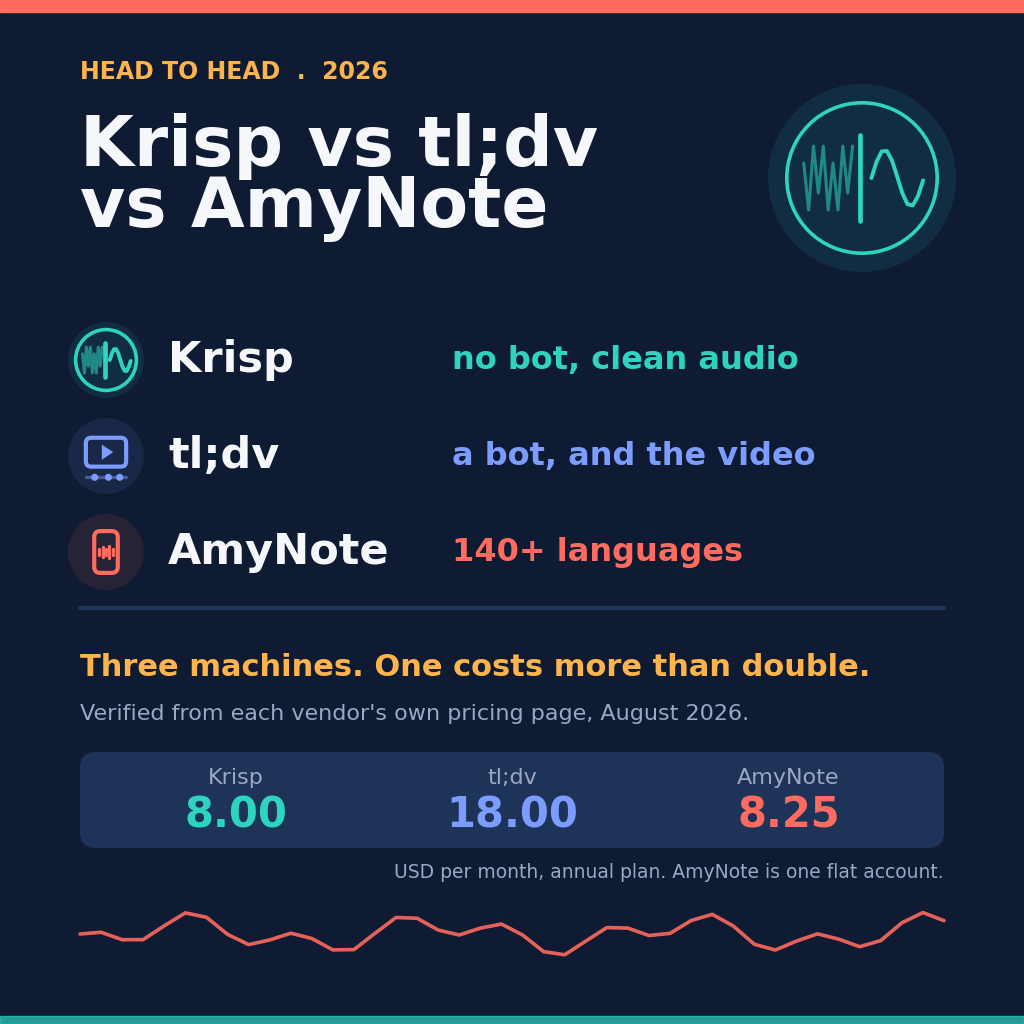
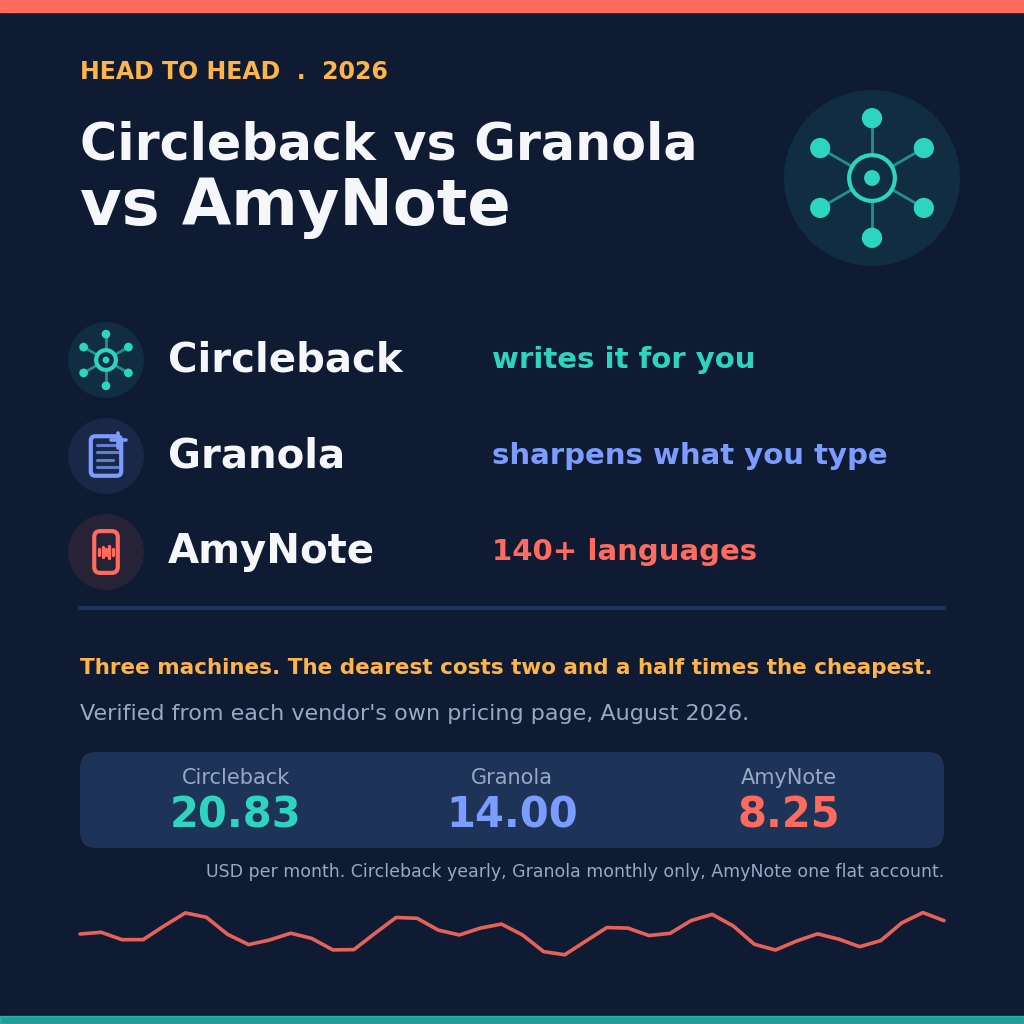
- Real monthly cost for one person. Circleback 20.83 yearly or 25 monthly. Granola 14, monthly only. AmyNote 8.25.
- Scaling to five people who all record. Circleback Team is 150 a month, Granola Business is 70, AmyNote stays at 8.25 because it does not charge per seat.
- Who learns from your meetings. Circleback trains on nothing. Granola trains on your anonymized data unless you switch it off. AmyNote’s providers are contractually barred from training.
Three Buyers, Three Different Answers
A ten-person sales team that lives in a CRM. Circleback is the answer before price enters the conversation, because it is the only one of the three that closes the loop by itself. The others hand you a good summary and stop; Circleback assigns the owner and pushes the item into whichever of its thousand integrations you already use. Team is 25 a seat annually, so ten recording seats is 250 a month — and viewers cost nothing, which matters if most of the team only reads.
A solo consultant who already takes notes in every call. Granola is built for precisely this person, and the free tier is not a teaser. Basic covers AI notes, AI chat across meetings, templates and multi-language support at zero, with the history window as the only cap. Move to Business at 14 when the history limit starts to bite. Before recording a single client call, though, open Settings and turn off model training, because it is on until you do.
A two-person consultancy meeting clients in person, in Japanese and English. Circleback and Granola both record in-person audio, so neither is disqualified outright — but Granola publishes no language count at all, and per-seat billing on either one doubles the moment the second consultant records. That leaves AmyNote at 8.25 a month for the whole account, with the phone as the recorder and 140-plus languages behind it. The catch is iOS: if either consultant carries an Android phone, this scenario needs a different answer entirely.
The Bottom Line
Circleback is right when the notes are not the deliverable and the follow-up is. If your meetings are supposed to produce CRM updates, tickets and owners, it is the only one here that closes that loop by itself. If nothing downstream ever happens, you are paying roughly triple for a very good summary.
Granola is right when you already take notes and want a free, bot-free tool on whatever device you are holding. Check the training default before you record anything sensitive, then decide whether one click is enough of a fix for your situation. For regulated work, the missing HIPAA compliance settles it before anything else does.
AmyNote is right when the conversations that matter happen away from a screen, when the languages in the room are on nobody’s short list, and when a flat annual price beats per-seat arithmetic. It is iOS only, it does no video and it automates nothing. If any of those is a blocker, one of the other two is your answer.
If none is, the trial at amynote.app runs three days, with no limits and no credit card.
Originally published as an X Article by @AmyNoteApp.