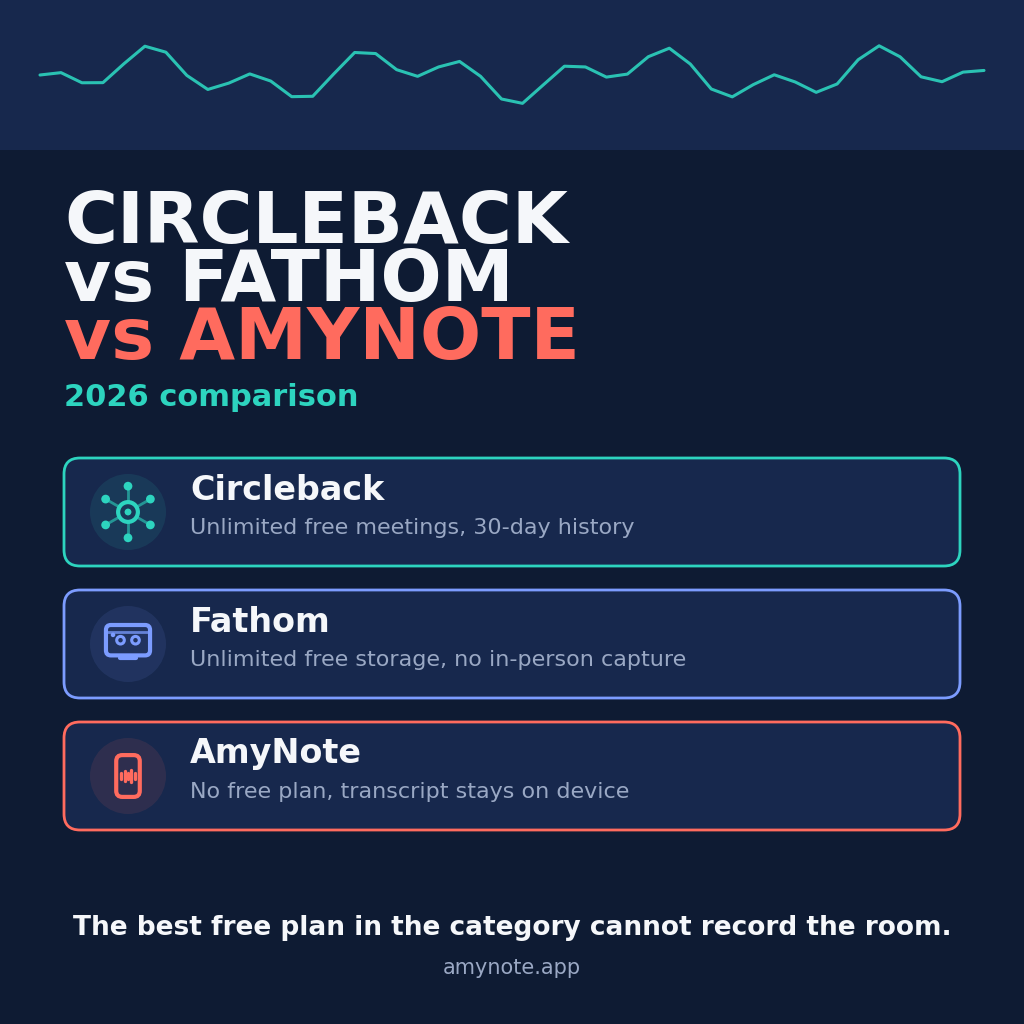
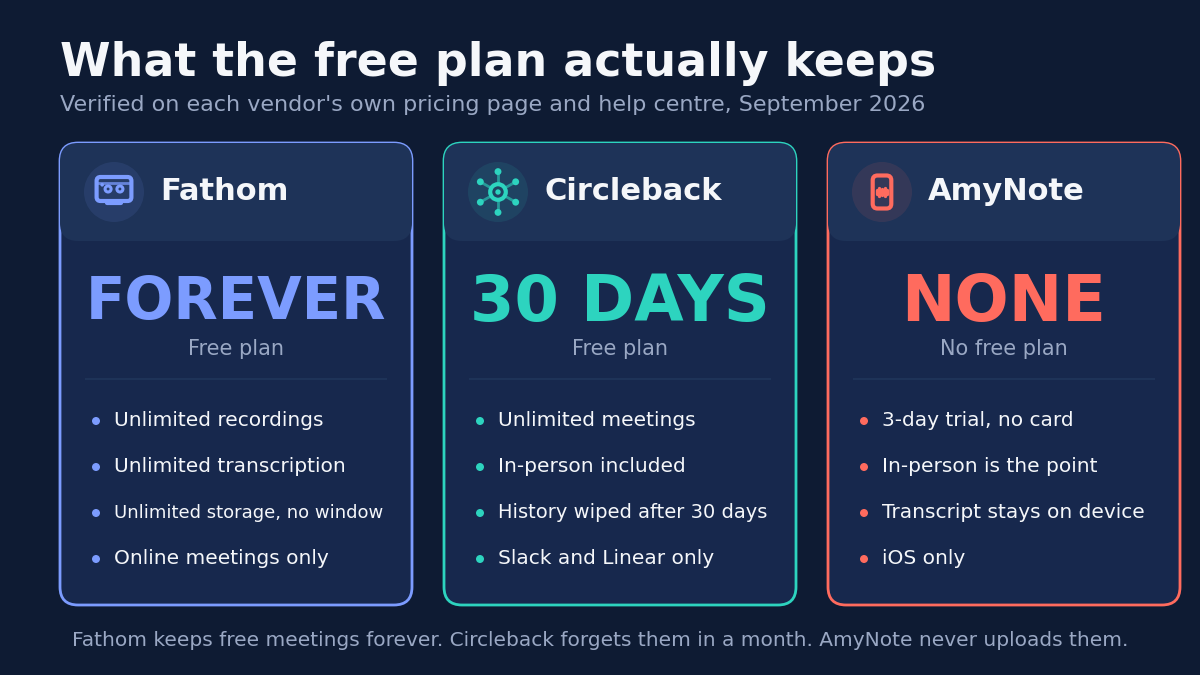
Fathom has the most generous free plan in this category, and it is not close. Unlimited recordings, unlimited transcription, unlimited storage, kept forever, for zero dollars. No minute budget, no rolling history window, no trial clock counting down in the corner.
Then you walk into a conference room and none of it applies.
Fathom records Zoom, Google Meet and Microsoft Teams. A room full of people is not a meeting link, and Fathom’s own help center — updated within the last week — confirms that in-person capture is still a waitlist rather than a shipped feature.
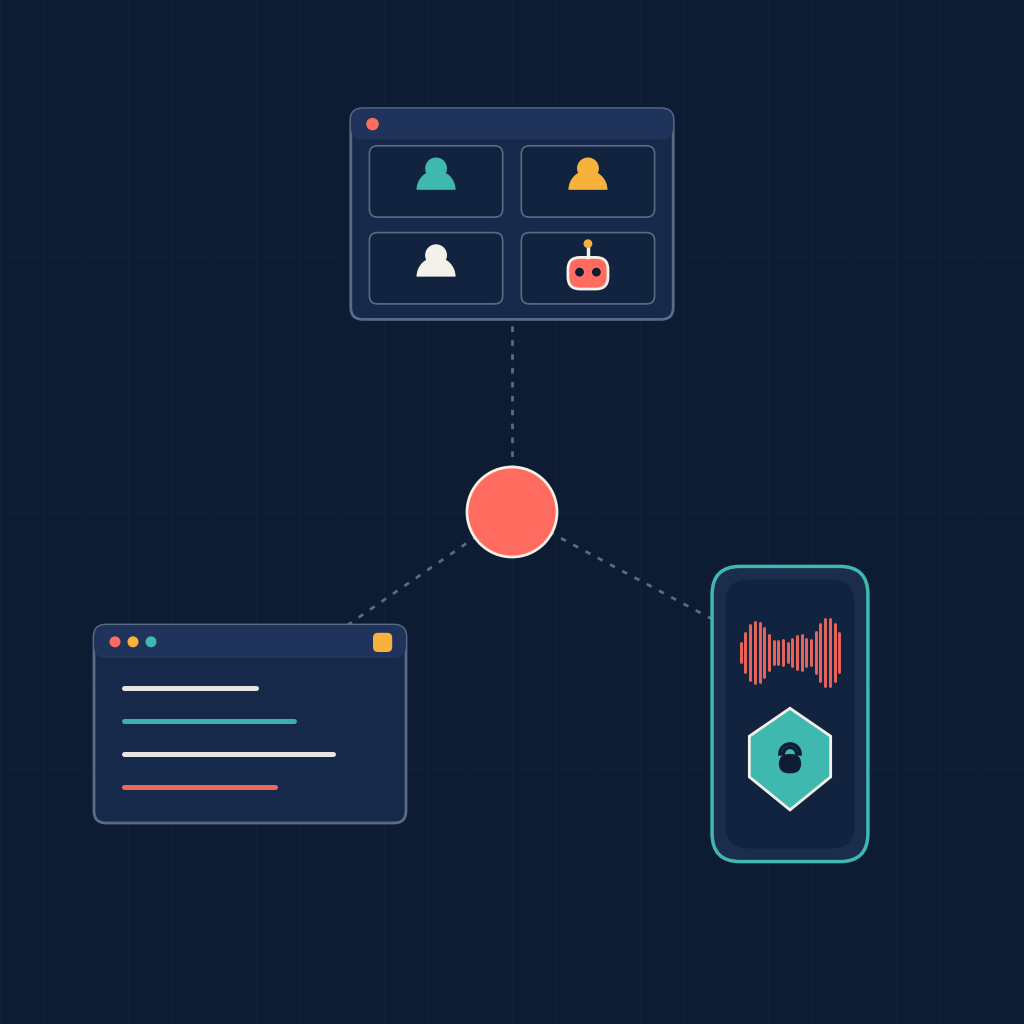
That one gap reshuffles the entire comparison. Circleback also gives away unlimited meetings, in-person ones included, but forgets them after 30 days. AmyNote records the room and never uploads it anywhere, but has no free plan at all. Three tools, giving away three completely different things.
The Quick Verdict
Choose Fathom if your meetings all have a join link. Unlimited recordings stored forever at no cost is unmatched by anything else here. Accept 38 languages, no in-person capture yet, and de-identified model training that is switched on by default.
Choose Circleback if you want a free plan that covers the room as well as the call. It records in-person meetings, works with or without a bot, ships mobile and Apple Watch apps, and does not train on your content. The catch is 30 days of history and then the window closes.
Choose AmyNote if the recording should never leave your device. It is 99 dollars a year for the whole account rather than per seat, handles 140 languages, and stores transcripts locally. There is no free plan, and it is iPhone only.
What We Compared
Every price below was read from the vendor’s own pricing page on 1 September 2026 with the billing toggle clicked in both directions. That detail matters more than it sounds. Fathom and Circleback both ship the monthly and annual price sets to the browser at once, and a careless read returns the discounted annual figure quoted as though it were the month-to-month price. Several published comparisons make exactly that mistake.
Feature claims come from published help center and policy text rather than from review sites, which in this category tend to copy each other and go stale within a release cycle.
One correction worth stating outright: most published comparisons still say Fathom supports 28 languages. Fathom’s own help center says 38, and 38 is the number used throughout this article.
We did not attempt a head-to-head accuracy benchmark. Transcription accuracy in real use depends far more on microphone placement and room acoustics than on which vendor’s model is running, and a score produced in a quiet office would not survive contact with an actual meeting.
The billing unit is also not directly comparable. Circleback and Fathom charge per seat. AmyNote charges once for the account. A per-seat number and a per-account number only become comparable once you decide how many people are involved, which is why the team arithmetic further down looks nothing like the headline row.
Circleback: Strengths and Weaknesses
Circleback is the most automated of the three. It joins from your calendar or captures through a bot-free desktop app, then writes structured notes, extracts action items and assigns them to specific people rather than leaving a bulleted list for someone to triage.
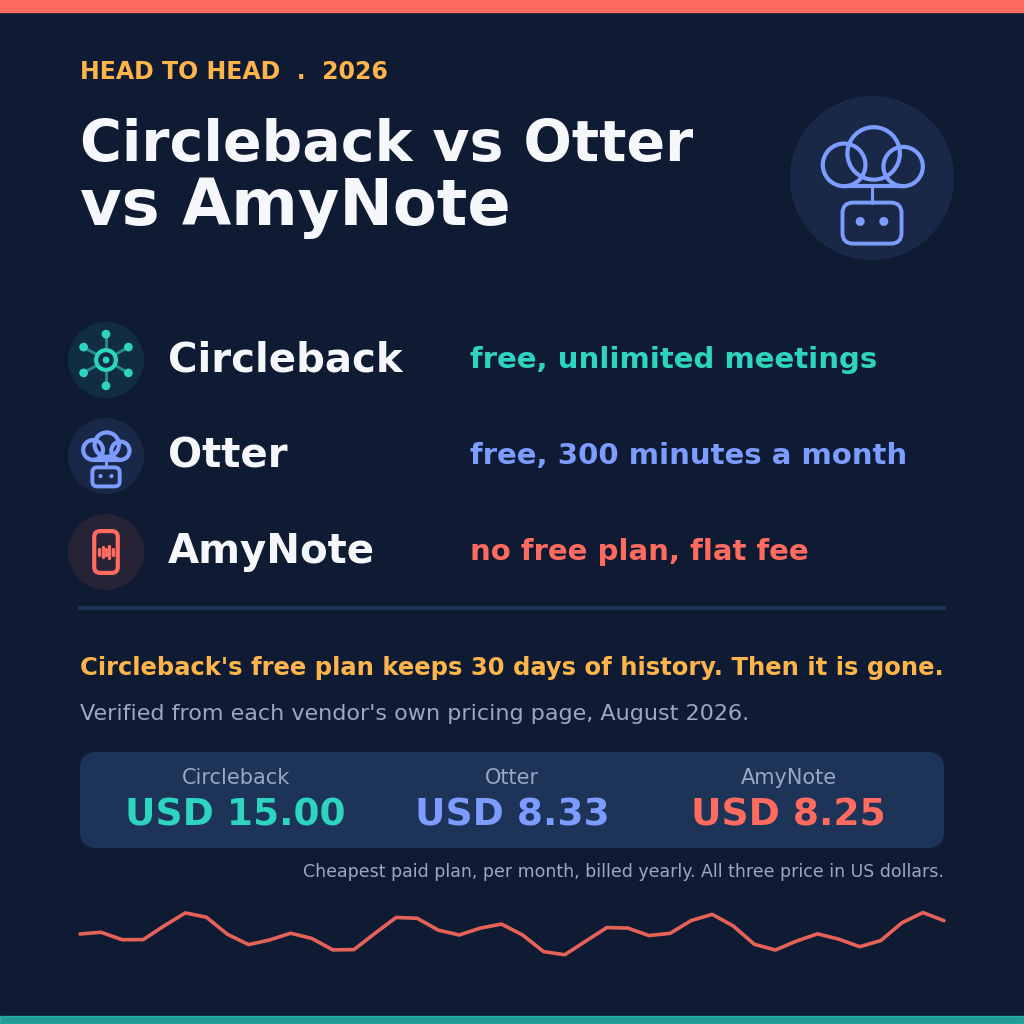
Strengths. Circleback’s free plan captures the most surface area of any free plan here: unlimited meetings, online and in person, with either a calendar bot or the bot-free desktop app on macOS and Windows. Mobile and Apple Watch apps are included at no cost, which is the part Fathom cannot match today. It supports over 100 languages.
The privacy answer is the cleanest of the three. Circleback’s published FAQ says plainly that it does not train AI models on customer data. No qualifiers, no de-identification caveat, no settings toggle to hunt for after signup.
It also has the widest integration surface here, including an API, an MCP server, a command line interface, and direct connections to Notion, Linear, HubSpot and Salesforce. If the point of recording a meeting is that something downstream happens automatically, this is the tool built for that.
Weaknesses. Free keeps 30 days of history, then the window closes behind you. For anyone who wants a searchable archive rather than a rolling buffer, free is a trial with extra steps. The free tier also limits you to Slack and Linear integrations, restricted API access, and two teams.
Pricing is per seat and climbs quickly. Pro is 15 dollars per user per month billed yearly and 18 month to month. Business is 25 yearly and 29 monthly. HIPAA is gated to Enterprise at 35 dollars, which puts any regulated buyer straight into a sales call rather than a checkout page.
Fathom: Strengths and Weaknesses
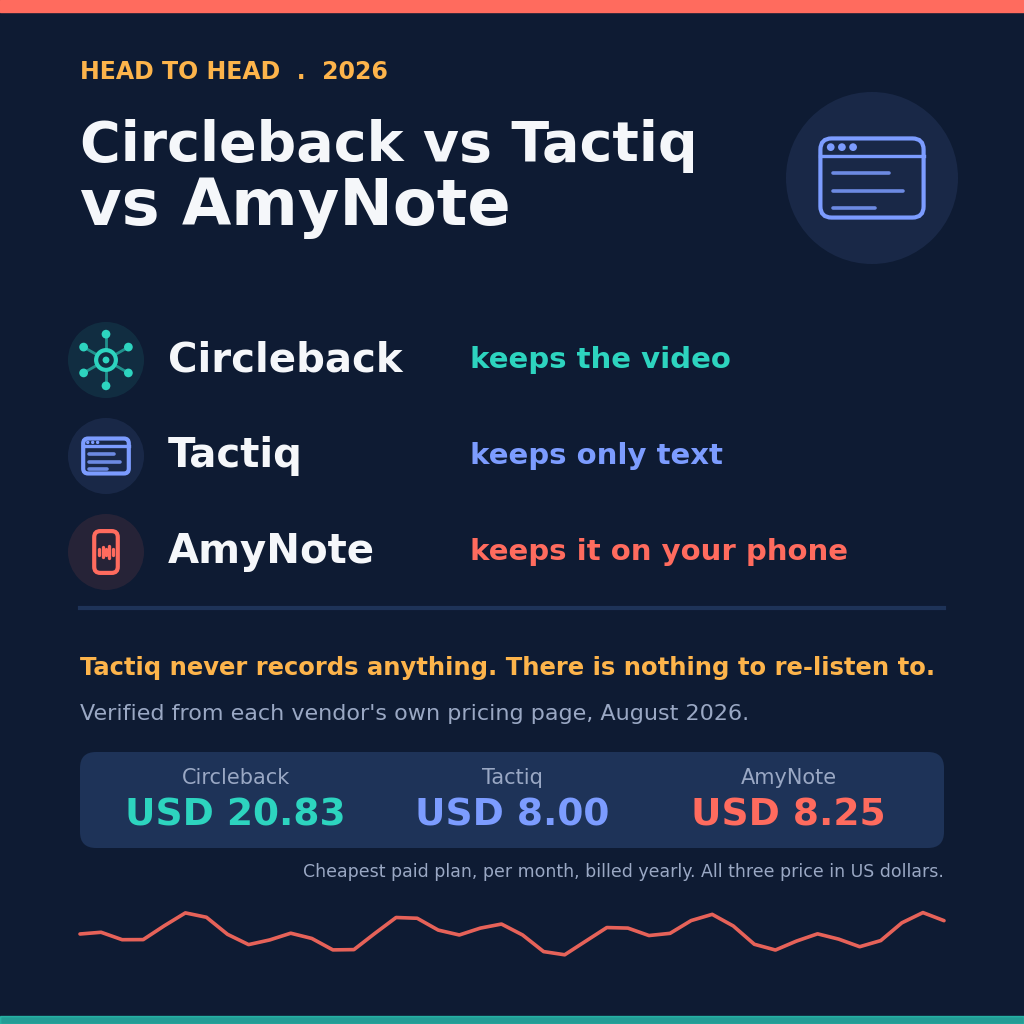
Strengths. Fathom’s help center states that the free plan includes unlimited storage and unlimited recordings, kept forever, with no monthly cap. Set against Circleback’s 30-day window, Fathom is the only tool here that lets you build a permanent, searchable meeting archive without paying anything at all. That is a genuinely unusual offer in this market and it deserves to be named as the headline rather than buried in a feature table.
Premium is 16 dollars per user per month billed annually and 20 month to month, with no seat minimum — so a single person can buy a paid plan without inventing a second user. Team is 15 and 19, Business is 25 and 34, and both of those carry a two-user minimum, which means the cheaper Team headline actually starts at 30 dollars a month.
Every paid plan carries a 90-day guarantee, nonprofits get ten free seats, and Fathom is the only tool in this comparison that is SOC 2 Type II, GDPR and HIPAA compliant without an enterprise upgrade. For a buyer whose procurement team asks for certificates rather than promises, that is the strongest position on this page.
Weaknesses. Fathom does not record in-person meetings. Its help center, updated within the last week, says in-person capture is coming soon for iOS and points readers at a waitlist. The older bot-based documentation states flatly that in-person meetings are not supported, and the only workaround offered is to start a Zoom call in the room you are already sitting in — which tells you how far this is from being solved.
Language coverage is the narrowest here at 38, and translated summaries cover only six of those, for paying users only. If your meetings routinely run in a language outside the major European and East Asian set, this is where the conversation ends.
Fathom’s privacy policy says it may use de-identified meeting content to train its in-house AI models, and that you can opt out in account settings. A real, documented opt-out is better than what several rivals offer. But it is off by default, which means a new free account trains a model until somebody goes and changes it. If you take one action after signing up for Fathom, make it that one.
Fathom also requires you to be present on the call — you cannot send it to a meeting you are skipping — and bot-free capture is still a Mac beta rather than a shipped mode.
AmyNote: Strengths and Weaknesses
Strengths. AmyNote is built for exactly the meeting Fathom cannot take. In-person capture is the core use case rather than a roadmap item — no bot, no meeting link, no separate hardware to remember to charge. It transcribes 140 languages, nearly four times Fathom’s coverage.
Pricing is flat rather than per seat: 12.99 dollars a week, 19.99 a month, or 99 a year for the whole account. Billed yearly that works out to 8.25 a month, the cheapest line on this page, and it does not multiply when a colleague joins.
Speaker identification persists across sessions, so naming someone once carries into later meetings instead of resetting every call, and semantic search spans every transcript rather than one at a time.
On privacy, transcription runs through OpenAI’s Speech API and analysis through Anthropic’s Claude Opus. Both providers contractually guarantee zero training on user data. Audio is encrypted in transit and not retained after processing, and transcripts are stored locally with end-to-end encryption.
Weaknesses. There is no free plan, only a three-day trial without a credit card, so you cannot evaluate AmyNote slowly the way you can the other two. Three days is enough to test whether it hears your meetings correctly; it is not enough to find out whether the habit sticks.
It is iPhone only: no Android, no desktop, no web client. There are no CRM integrations, no video recording, and no team administration. Rolling it out to twenty people with admin roles and shared workspaces is not something it does yet, and pretending otherwise would waste your time.
Side by Side
- Free plan. Fathom unlimited, forever. Circleback unlimited meetings, 30 days of history. AmyNote none, three-day trial only.
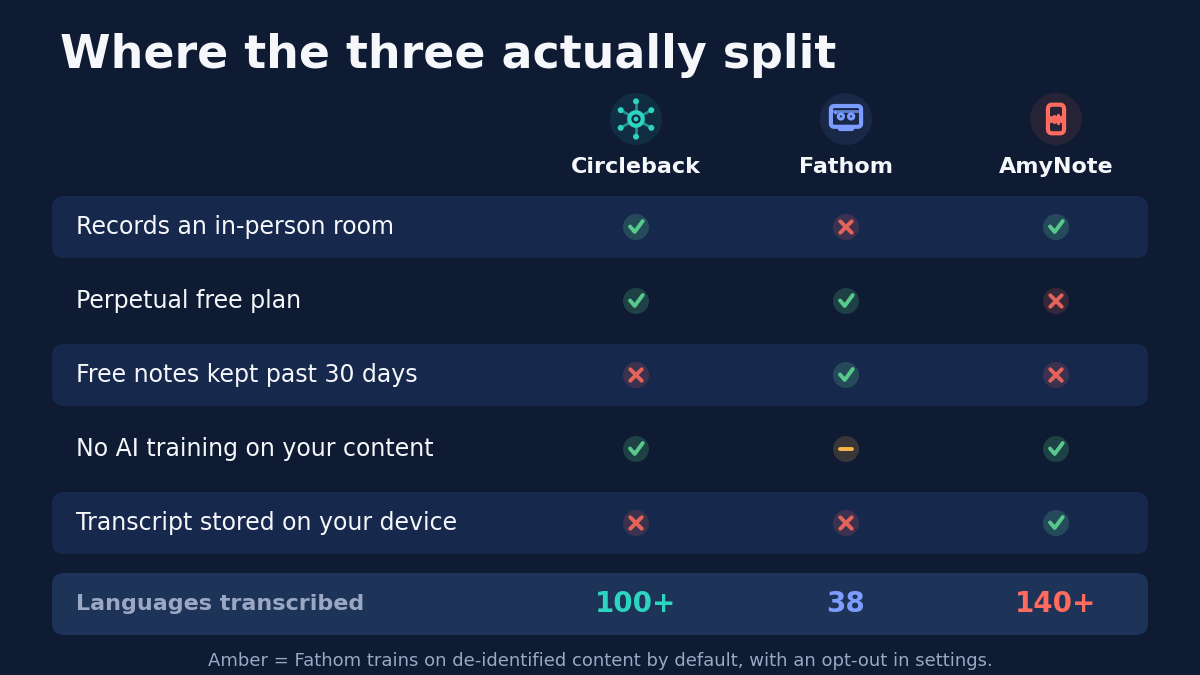
- Records an in-person room. Circleback yes, AmyNote yes, Fathom not yet.
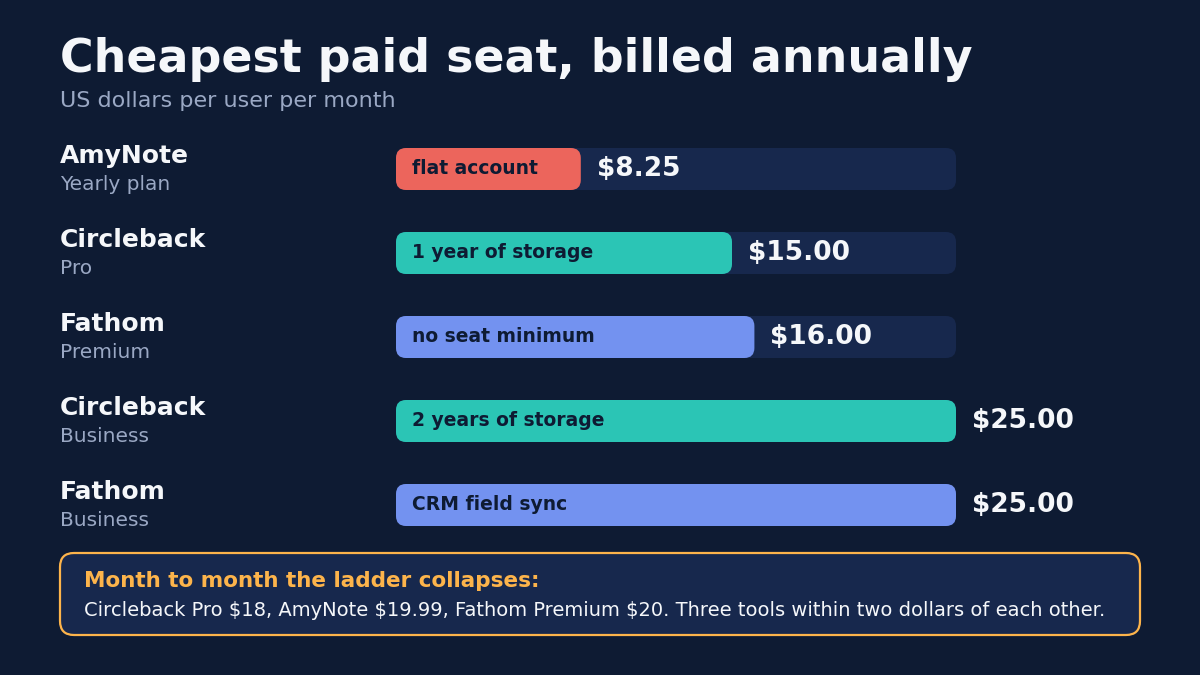
- Cheapest paid seat billed annually. AmyNote 8.25, Circleback Pro 15, Fathom Premium 16.
- Billed monthly. Circleback Pro 18, AmyNote 19.99, Fathom Premium 20 — all within two dollars.
- Languages transcribed. AmyNote 140, Circleback over 100, Fathom 38.
- Training on your content. Circleback never, AmyNote never, Fathom de-identified by default with an opt-out.
- Where the transcript lives. AmyNote on your device, the other two in the vendor cloud.
- Platforms. Circleback macOS, Windows, iOS, Android, Apple Watch and web. Fathom web plus a Mac beta. AmyNote iPhone only.
- Compliance. Fathom SOC 2 Type II, GDPR and HIPAA. Circleback HIPAA on Enterprise only. AmyNote local storage rather than certification.
Three Buyers, Three Different Answers
A five-person remote startup that lives on Google Meet. Fathom Free, and it is not a close call. Five people can each keep an unlimited, permanent archive at no cost, which no competitor here can match at any price. Turn the training toggle off on each account during onboarding and the trade is genuinely good. If you later want the paid features, Team at 15 dollars a seat billed annually puts five people at 75 dollars a month.
A consultancy whose week is half video calls and half client site visits. Fathom is out on the half that matters most, because a site visit has no join link and the waitlist is not a plan. Circleback’s free plan covers both kinds of meeting, and if the 30-day window is too tight, Pro at 15 dollars a seat billed annually opens a full year of storage. The alternative is running Fathom for calls and something else for rooms, which means two archives and two search boxes.
A solo practitioner recording sensitive one-to-one conversations. This is where a free cloud archive stops being attractive. The question is no longer what the tool costs but where the audio ends up and what it feeds. AmyNote at 99 dollars a year keeps the recording on the phone, runs through two providers that contractually do not train on it, and retains nothing after processing. The constraint is real, though: everyone involved has to be inside an iPhone-shaped door.
The Bottom Line
Pick by the meeting you actually need to capture, not by the size of the free tier.
If every meeting you care about has a join link, Fathom is hard to argue against. A permanent, unlimited, searchable archive for zero dollars is the best value in this category by a wide margin, and the only real cost is remembering to turn the training toggle off on day one.
If your week mixes video calls with conversations that happen in rooms, Circleback is the better free plan despite being the smaller one on paper. A 30-day window on meetings it can record beats forever on meetings it cannot.
And if the conversation itself is the sensitive part, the calculation changes again. A free cloud archive is attractive right up until you think carefully about where it sits and what it trains. AmyNote gives you nothing for free, but the recording stays on your phone, neither AI provider trains on it, and nothing is retained after processing. For client interviews, medical conversations and legal intake, that is the trade worth making.
Just be certain everyone who needs it is on an iPhone, because today that is the only door in. If that fits, the trial at amynote.app runs three days with no limits and no credit card.
Originally published as an X Article by @AmyNoteApp.