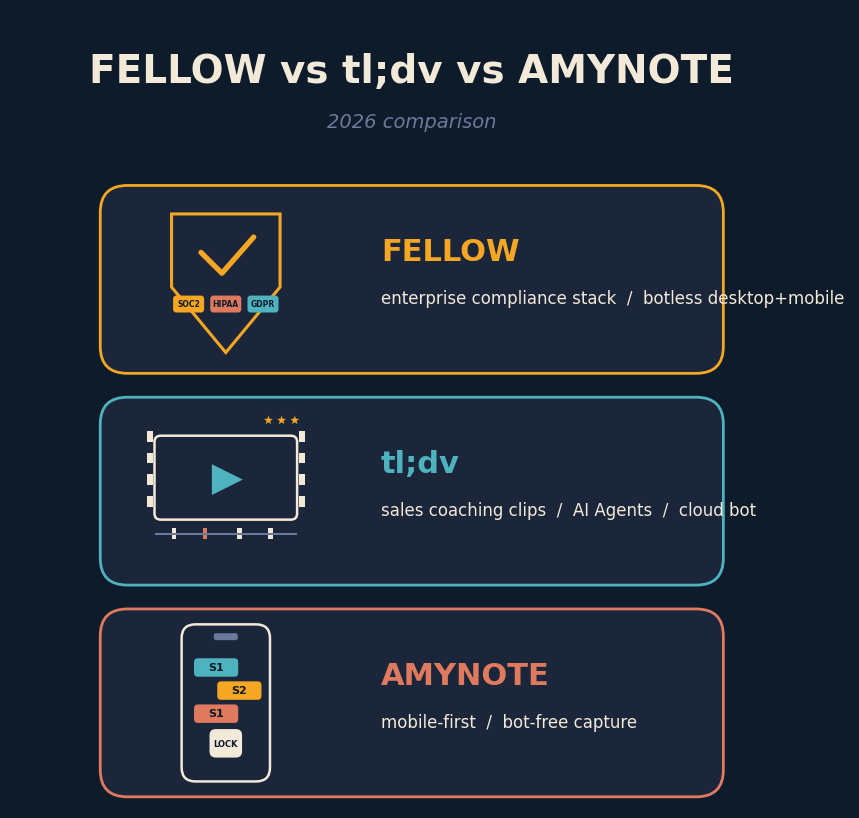
A head of RevOps opens a browser tab and starts a bake-off. Fellow pitches enterprise capture with SOC 2 Type II, HIPAA, and GDPR baked in. tl;dv pitches unlimited free recording, AI Agents that auto-file the CRM, and sales-coaching video clips. AmyNote pitches a phone in your pocket that captures a client conversation with no bot, no laptop, and no compliance overhead. Three tools, three theories of what a meeting notetaker is for in 2026.
The pick depends on where your meetings happen and how tightly the audio must be governed. If every important call runs through Zoom or Google Meet on a laptop, the field is Fellow versus tl;dv. If the highest-stakes conversations happen at a table, in a hallway, or on a phone, only AmyNote is really in the ring. This piece compares the three head-to-head so you can pick the fit, not the loudest brand.
Quick Verdict
Pick Fellow if you need audit-ready compliance out of the box and want a single tool that captures Zoom, Meet, Teams, WhatsApp, Slack Huddles, and in-person meetings without a visible bot. Legal, healthcare, and public-sector buyers usually end up here.
Pick tl;dv if you run a sales or CS team, live inside a CRM, and want AI-generated video clips and coaching playbooks that ship to reps and managers. This is the tool built for a revenue org, not for a general counsel.
Pick AmyNote if your highest-stakes conversations happen on your phone or across a table, and you want privacy by architecture instead of policy fine print. This is the tool for the meetings your laptop cannot easily join.
What We Compared
Three axes that actually change your workflow: where the audio is captured, what it costs at a realistic yearly spend, and how each tool handles your audio after capture.
Fellow captures audio at the device level through its desktop and mobile apps, with or without a visible bot, and ships a full enterprise compliance stack. tl;dv recommends the bot-join model for Zoom, Meet, and Teams as its primary path, layered with a botless mode and heavy sales-coaching tooling. AmyNote records through the phone microphone, keeps files on device, and only sends audio to OpenAI's Speech API and Anthropic's Claude Opus for analysis, both under contractual zero-training terms.
We skipped the features all three do well. Real-time transcription, speaker labels, action-item extraction, keyword search across transcripts. Every serious tool in this category has hit the floor on those basics. The real decisions live at the edges: where audio lives after the call, whose retention policy governs it, and what the total cost of use looks like once seat pricing and AI-feature gates are counted.
Fellow: Strengths and Weaknesses
Strengths
Fellow is the compliance answer. SOC 2 Type II, GDPR, and HIPAA with SSO and SCIM come standard, which matters when your buyer is legal, healthcare, or public sector. Botless recording captures Zoom, Meet, Teams, Slack Huddles, WhatsApp, and FaceTime at the device level, plus in-person meetings from the iOS and Android app. Internal participants get a visible recording indicator without an external bot on the call. Ask Fellow, the cross-meeting AI agent, searches action items and decisions across every recording your team has made.
For a large org that already runs Okta or Azure AD, the SSO plus SCIM combination is worth more than a price tag. Fellow accounts provision and deprovision with your identity system, so a departing employee loses meeting access on the same day their laptop is wiped. Retention policies attach to the whole org, not the individual user, so a general counsel can set a 90-day meeting retention rule and have it apply across every department. That is the kind of governance most seat-priced tools cannot deliver without a custom enterprise contract.
Weaknesses
The Free plan caps you at 5 recordings ever, so Free is a tasting, not a trial. Team at USD 7 per user per month unlocks recording but not unlimited AI recaps. Business at USD 15 per user per month adds CRM integrations and no caps. Enterprise at USD 25 per user per month requires a 10-user minimum and gates advanced privacy controls. Botless recording for online meetings still ties you to the Fellow desktop client, so BYO-laptop teams may need to standardize.
Best for. Healthcare, legal, financial services, and any team where a bot in a client meeting is awkward or contractually forbidden.
tl;dv: Strengths and Weaknesses
Strengths
tl;dv shipped a serious 2026. AI Agents write follow-up emails, update CRM fields, and create tasks the moment a call ends. Multi-Meeting Intelligence surfaces insights across hundreds of calls at once. Sales Coaching with playbook scoring grades reps against MEDDIC, BANT, or a custom playbook, and turns any highlight into a shareable clip that a manager can walk through in a one-on-one. 5000-plus integrations and 40-plus languages via OpenAI Whisper round out the picture.
The integration surface is where tl;dv really lands for a sales org. Salesforce, HubSpot, Pipedrive, Notion, Slack, Asana, and the long tail through Zapier. When the bot joins a call, the transcript, action items, summary, and highlight clips can auto-write into the CRM opportunity or the CS workspace without a rep touching the record. For a team that grades every deal on stage, playbook adherence, and next-step hygiene, tl;dv is the tool that removes the last mile of manual data entry.
Weaknesses
The Free plan advertises unlimited recordings, but every recording auto-deletes at 90 days and the account is capped at 10 AI summaries for its entire lifetime. Pro at USD 18 per month removes those limits. Business jumps to USD 59 per month and is really where sales coaching and playbook analytics live, so mid-market teams should budget for that tier, not the Pro headline. The default path is still a bot in the meeting, which prospects notice and sometimes decline.
Best for. Sales, customer success, and revenue operations teams inside HubSpot or Salesforce who want AI-generated coaching clips and CRM automation out of the box.
AmyNote: Strengths and Weaknesses
Strengths
No bot to invite, no laptop required, no hardware to buy. Cross-session speaker identification remembers voices from meeting to meeting instead of resetting per session. 120-plus languages with real-time translation. Deep semantic AI analysis rather than a canned template. Simple pricing with no minute cap. Three-day free trial with no credit card. Transcription runs through OpenAI's Speech API and analysis through Anthropic's Claude Opus, both under contractual zero-training terms. Audio is encrypted in transit, not retained after processing; transcripts sit locally with device storage protection.
The mobile-first design solves a category the other two miss entirely: the meeting your laptop cannot easily join. Off-site strategy sessions, on-location interviews, coffee-shop pitches, ride-along shadowing, hospital corridor conversations, kitchen-table client visits. None of these fit a bot workflow. All of them fit a phone in your pocket. Pricing is a single tier with no credits, no minute caps, and no seat math — the total cost is predictable whether the user runs three or thirty client meetings a week.
Weaknesses
Mobile-first, so there is no dedicated desktop application. No native CRM integrations, a real gap against Fellow for enterprise ops teams and tl;dv for sales reps who live in HubSpot. Audio only, no video and no shareable video clips. No team SSO or SCIM tier yet. Smaller brand than Fellow or tl;dv, which some procurement teams will flag.
Best for. Professionals whose highest-stakes conversations are in person or on a phone call. Lawyers on client intake at a jail, field sales on coffee-shop discovery, clinicians doing patient consults, and consultants doing site visits are the archetypes.
Side-by-Side Comparison
- Capture method. Fellow botless desktop plus mobile. tl;dv bot joins the call by default. AmyNote phone records on device.
- In-person support. Fellow yes via mobile. tl;dv limited. AmyNote yes, primary use case.
- Realistic monthly cost. Fellow USD 7 to USD 25 per seat. tl;dv USD 18 to USD 59 per user. AmyNote free trial, then single tier without minute caps.
- Free plan reality. Fellow 5 lifetime recordings. tl;dv unlimited recordings but 90-day retention and 10 AI summaries lifetime. AmyNote 3-day trial no credit card.
- Languages supported. Fellow 99-plus. tl;dv 40-plus via Whisper. AmyNote 120-plus with real-time translation.
- AI stack. Fellow proprietary. tl;dv proprietary plus OpenAI Whisper. AmyNote OpenAI Speech plus Anthropic Claude Opus.
- Model training on your data. Fellow opt-out. tl;dv opt-out. AmyNote contractual no, both providers.
- Storage default. Fellow enterprise cloud, SOC 2 Type II plus HIPAA plus GDPR. tl;dv cloud SaaS, SOC 2 and GDPR. AmyNote local device with device storage protection.
- CRM integration. Fellow strong on Business and up. tl;dv strong, plus AI Agents that auto-fill fields. AmyNote none native.
- Speaker identification. Fellow per meeting. tl;dv per meeting. AmyNote cross-session memory.
- Best for. Fellow compliance-heavy orgs. tl;dv sales and CS teams inside a CRM. AmyNote in-person and mobile-first pros.
The Bottom Line
These three tools are competing for three different jobs. Fellow is an enterprise meeting compliance platform that happens to take notes. If nobody in your buying committee will ask about SOC 2 Type II or HIPAA, Fellow Business at USD 15 per seat is buying assurances your team may never need.
tl;dv is a sales coaching and CRM automation platform that happens to record meetings. If your reps are not graded against a playbook and your CS org is not auto-filling HubSpot from transcripts, the USD 59 Business tier is buying capability that will sit idle.
AmyNote is a privacy-first mobile capture app for the meetings that do not fit either shape. It will not sync to Salesforce and will not join a Zoom call as a bot. It will record the client conversation you take walking through a warehouse, the intake interview at a courthouse, or the hallway follow-up nobody thought to schedule.
For many teams these are complements, not substitutes. A regulated services firm may run Fellow for scheduled calls and AmyNote for off-platform site visits. A sales org may run tl;dv for CRM automation and AmyNote for coffee-shop discovery. Try AmyNote at amynote.app for three days without a credit card and see whether your most valuable conversations already live where your desktop tools cannot reach.
Originally published as an X Article by @AmyNoteApp.