Krisp earned its spot on millions of machines the honest way: it solved one loud, specific problem in an afternoon. Its AI noise cancellation sits between your microphone and your calling app and quietly deletes the barking dog, the espresso machine, and the open-plan chatter. The note-taker arrived later, layered onto the same desktop app, and for a while it felt like a free bonus.
Then the workweek changed shape. An in-person client meeting on Tuesday. A call taken from a phone on Thursday. A teammate asking where last month's decisions were written down — and nobody quite remembering. That is usually the moment the bonus stops being enough, and the search for a dedicated note-taker begins.
Quick Verdict
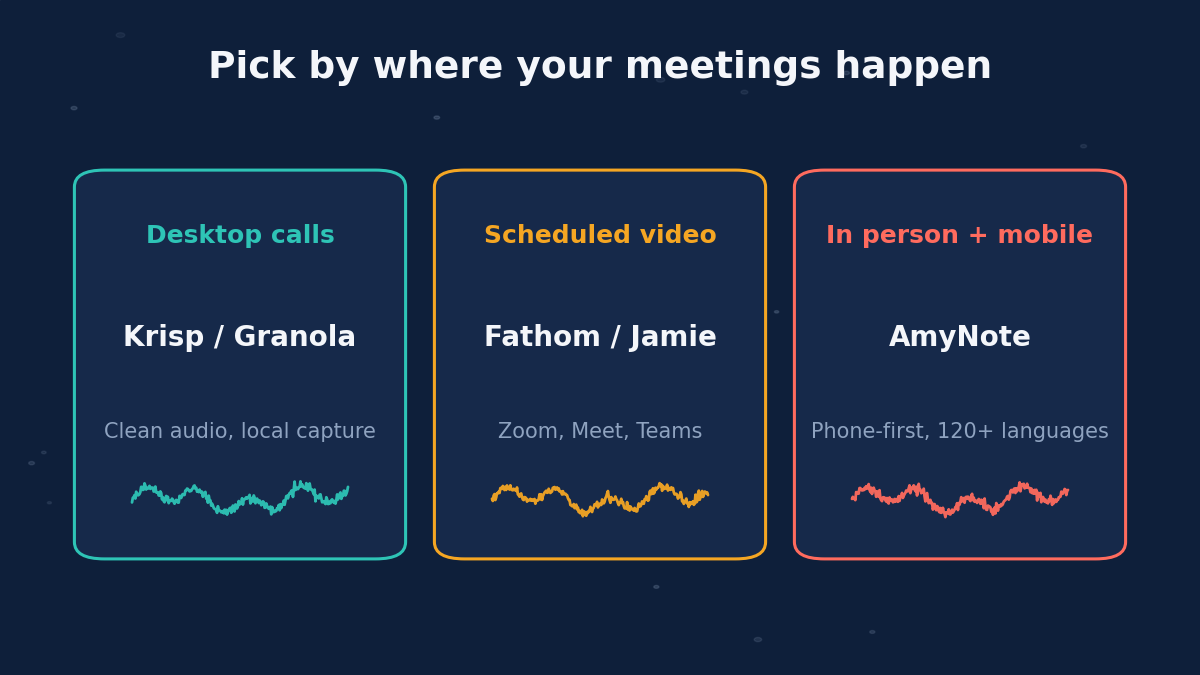
Fathom if you live in scheduled Zoom, Meet, or Teams calls and want the most generous free recording plan in the category.
Granola if you want Krisp's same quiet, local, no-bot feel but with note-taking as the main product instead of the side dish.
Jamie if you need bot-free capture with EU hosting and strict European compliance, and you are willing to pay premium prices for it.
AmyNote if your conversations keep leaving the desktop: client rooms, site visits, phone calls, and multilingual meetings captured from the phone in your pocket.
Why Look Beyond Krisp
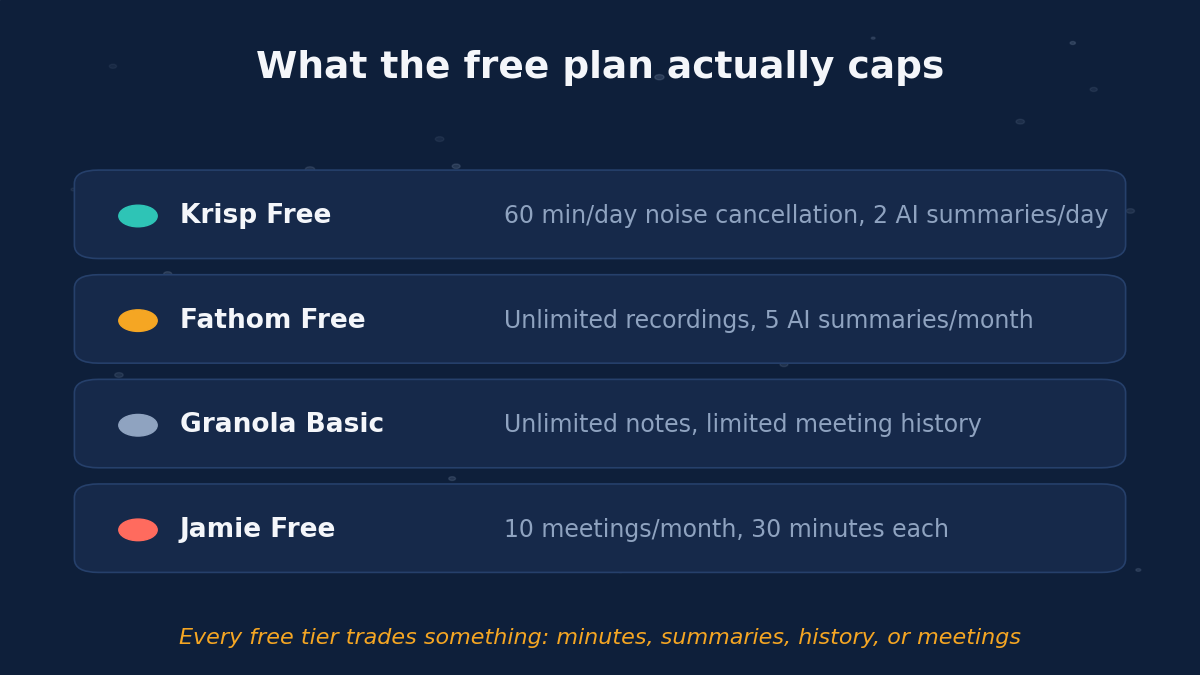
To be fair to Krisp first: the free plan is genuinely useful. You get 60 minutes of noise cancellation per day, unlimited transcription, and 2 AI summaries per day, and the Pro plan at $8 per user per month billed annually is one of the cheaper paid tiers in this market. If your only problem is noisy calls with notes on the side, Krisp remains a fine answer — and nothing in this guide cancels noise better than it does.
The limits show up in three places.
- Note-taking is the add-on, not the product. Krisp is audio middleware first. Summaries, action items, and meeting history are thinner than what dedicated note-takers ship, and the roadmap follows the audio business, not the notes business.
- It is chained to the desktop. Krisp sits between your microphone and your calling app on a computer. An in-person meeting, a conversation captured away from your desk, or anything that happens off that machine is invisible to it.
- The free tier meters the wrong thing. 60 minutes of daily noise cancellation runs out mid-afternoon on a call-heavy day, and 2 AI summaries per day means your third meeting goes unsummarized. The caps land exactly when you need the tool most.
Fathom: The Free Recording Powerhouse
Fathom sends a bot into your scheduled video calls and records everything, and its free plan is still the most generous entry point in the category: unlimited recordings and transcripts, forever. For a team that lives on a video calendar, that is a hard offer to beat at the capture layer.
Strengths:
- Unlimited free recording with full replayable video, so you can go back and verify exactly what was said, clip highlights, and share moments with teammates who missed the call.
- Fast summaries. AI summaries arrive about 30 seconds after the call ends, and paid tiers (Premium at $16 per user per month billed annually, $20 monthly) add CRM sync and team features.
- Track record. A near-perfect G2 rating across thousands of reviews and a spot in G2's 2026 Best Software list.
Weaknesses:
- The free plan now caps AI summaries at 5 per month — a 2026 change that surprised long-time users. Recordings stay unlimited, but after five summaries you are reading raw transcripts or paying up.
- The bot is visible to every participant, which changes the room in sensitive conversations, interviews, and early-stage sales calls.
- Scheduled video calls only. In-person meetings, hallway conversations, and phone calls do not exist as far as Fathom is concerned, and 28 languages trails the field.
Granola: The Quiet Local Notepad
Granola is the closest to Krisp in spirit: a desktop app that captures system audio locally, with no bot joining the call and nothing visible to other participants. The difference is that notes are the whole product, not a bolt-on.
Strengths:
- Polished AI notes that blend your own typed fragments with the transcript — a genuinely different interaction model that rewards people who like to jot while they listen.
- Customizable templates and AI chat across your meeting history, so past decisions are one question away.
- Accessible pricing. After its February 2026 rebrand, the free Basic plan allows unlimited meetings with no credit card, and Business at $14 per user per month adds unlimited history plus Notion, Slack, and HubSpot integrations.
Weaknesses:
- The archive sits behind the paywall. The free plan only lets you open recent meeting history inside the app, so your older notes are effectively locked until you pay.
- No Android. Granola runs on macOS, Windows, and iPhone — Android users are out of the picture entirely.
- Desk-bound by design. Like Krisp, it is built around desktop calls, not conference rooms, site visits, or phone conversations.
Jamie: The Compliance-First European
Jamie is a bot-free assistant that captures both online and in-person meetings from a desktop app, transcribes in 100+ languages, and hosts everything in the EU under GDPR with ISO 27001 certification. For European legal, finance, and healthcare teams, that combination is often the whole decision.
Strengths:
- No bot in the participant list, with solid speaker identification and clean, structured summaries.
- The strongest European compliance posture of the four: EU hosting, GDPR alignment, ISO 27001.
- A real trial path. The free plan lets you evaluate it on 10 meetings per month before committing.
Weaknesses:
- Price. Free meetings cap at 30 minutes, the Plus plan at EUR 25 per month covers only 20 credits, and unlimited use costs EUR 47 per month on Pro — roughly five times Krisp's annual-billed rate.
- Desktop-first. The phone-and-hallway part of your week still goes uncaptured.
AmyNote: The Mobile Bot-Free Option
AmyNote approaches the problem from the opposite end: it is a phone app. Open it, press record, and it captures the conversation around you or on the call — no bot, no browser extension, no desktop dependency. It covers exactly the meetings the other three structurally miss.
Strengths:
- Capture that follows you. In-person client sessions, site visits, interviews, and calls taken on the move — the conversations that never touch a desktop app.
- Privacy architecture. Transcription runs through OpenAI's Speech API and analysis through Anthropic's Claude Opus, and both providers contractually guarantee zero training on user data. Audio is encrypted in transit and not retained after processing; transcripts live locally on your device with end-to-end encryption.
- 120+ languages with real-time translation, plus speaker identification that remembers voices across sessions — a recurring client stays labeled instead of resetting to "Speaker 1."
- Simple trial. A 3-day full trial with no credit card.
Weaknesses (honest):
- No desktop app, so a back-to-back Zoom day is more comfortable in Fathom or Granola.
- No noise cancellation for your live calls — the one Krisp job it does not replace.
- No video, no CRM integrations, no team workspace yet, and a much smaller brand than the others here.
Side-by-Side Comparison
- Capture method: Fathom sends a bot. Granola and Jamie record locally on the desktop. AmyNote records from the phone.
- In-person meetings: Fathom no. Granola no. Jamie yes, from a laptop. AmyNote yes, from a phone.
- Free plan: Krisp 60 min/day cleanup and 2 summaries/day. Fathom unlimited recordings, 5 summaries/month. Granola unlimited meetings, recent history only. Jamie 10 meetings/month at 30 minutes. AmyNote 3-day full trial.
- Paid entry: Krisp $8. Granola $14. Fathom $16. Jamie about $29 at current exchange rates. All per user per month, annual where offered.
- Languages: Fathom 28. Jamie 100+. AmyNote 120+ with live translation.
- Data location: Fathom and Jamie store transcripts in the cloud. Granola and AmyNote keep them local.
The Bottom Line
Krisp earned its place on your machine by making calls sound professional, and nothing on this list does that job better. But note-taking deserves a tool that treats it as the main event, not a feature riding along on audio middleware.
If your meetings are scheduled video calls, Fathom's free plan is unbeatable at the recording layer. If you want the same invisible local capture with better notes, Granola is the natural upgrade. If EU hosting is a hard requirement and budget is not, Jamie fits. And if the real gap is everything that happens away from your desk — in any language, with transcripts that never sit in a vendor's cloud — that is the exact shape AmyNote at amynote.app was built for, and the 3-day trial with no credit card makes the test cheap.
Originally published as an X Article by @AmyNoteApp.